
KufaLF - Minecraft Skins & Skin History
Current Minecraft skin of the player KufaLF, loaded from the official Mojang API. Rotate the 3D model with your mouse or finger, then download the skin as a PNG file and use it in Minecraft: Bedrock Edition or Java Edition for free. When KufaLF changes their skin, this page updates automatically and the old skin stays in the history below.
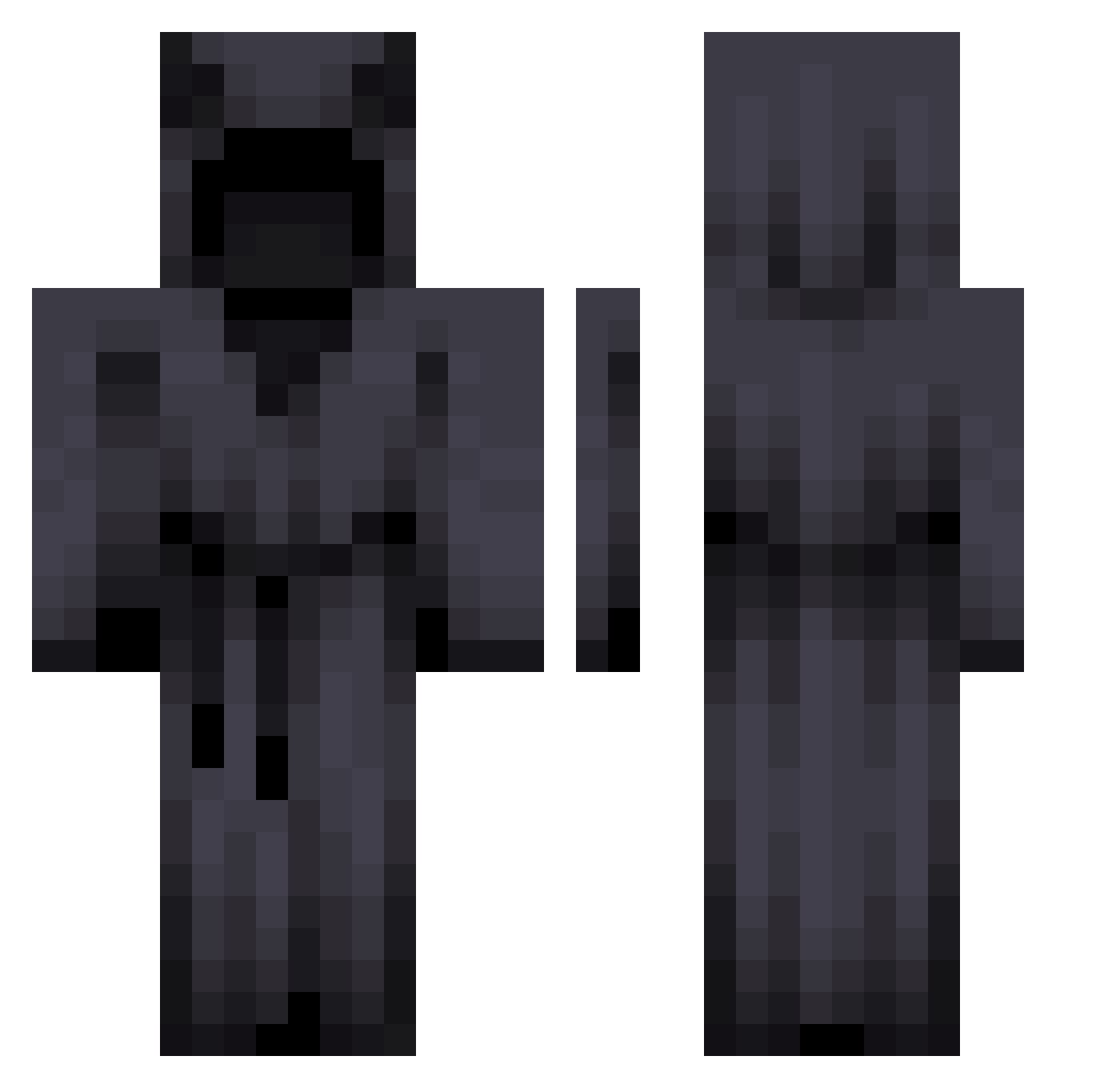
Other players with this skin (278)
KufaLF was the 195th player we have seen with this skin, first spotted on 04.10.2026. The same skin was seen on these players. Open a nickname to see their current skin and skin history.
 Thatonedutchdude POKOCHO69 CoffeeBoyx AveryopaJ888 DuduGoesGaming MommyCatgirlUwU Bosnia47 DeBalls jyodamaster Rh6632943 CapTyler Orvoxy Gabo845 Unknown01 _Lych Seatart LVQS MDR76 Han_hanannn Carcagnosso NitemareBloom Taegue Galaxyy_lol Coquituve leo8851 Tomjkp4780 olduvhlo eriosss FullRevenge Skibook AbyssalPanda il0veyouisabela Leranox pyronrevolution1 Solar_Vicky kingtemanke J_Krakowski Lifixx NightsMare Lil_Temptress Darkhalo8903 Eichelkese88 JavyGuty Masterz_tk GhostGalaxy5798 RiskyRealms SenorLanky huntet HectorJohnson34 SchwiReaper youwillzmakeit BillyDman imnotelitez MoonDewil Alakay__ Defneu BaryonCastle RezendeGordo FENCE_Cryptic EffectReaper
More Cultist Minecraft skins
How to install the KufaLF skin
- Press the Download button above to save the skin as a PNG file.
- Minecraft: Bedrock Edition (PE): open the Dressing Room from the main menu (or tap your character → Edit Character), go to Classic Skins → Owned, press the + (new skin) button, choose the downloaded PNG and pick the Classic (Steve) model. Works on PC and mobile; consoles cannot import custom skins.
- Minecraft: Java Edition: open the Minecraft Launcher, go to the Skins tab, click New Skin, load the PNG, pick the Classic (Steve) model and press Save & Use. You can also upload it at minecraft.net → Profile → Change Skin.
The skin does not show up after import - what should I do?
Restart Minecraft and open the Dressing Room again - imported skins sometimes appear only after a restart. Also make sure you selected the imported skin and picked the Classic (Steve) model.
Which model should I choose, Classic or Slim?
This skin is designed for the Classic (Steve) model. If you pick the wrong model, the arms of the skin will look stretched or squeezed.
Is the skin of KufaLF free to download?
Yes. Press Download, save the PNG file and use it in Minecraft: Bedrock Edition or Java Edition - no payment or registration needed. The skin also works on multiplayer servers and Realms.
More skins
Looking for more? Go back to all Minecraft skins and check the top skins of the week, month and all time, or find any player's skin by nickname.