
Kudaita - Minecraft Skins & Skin History
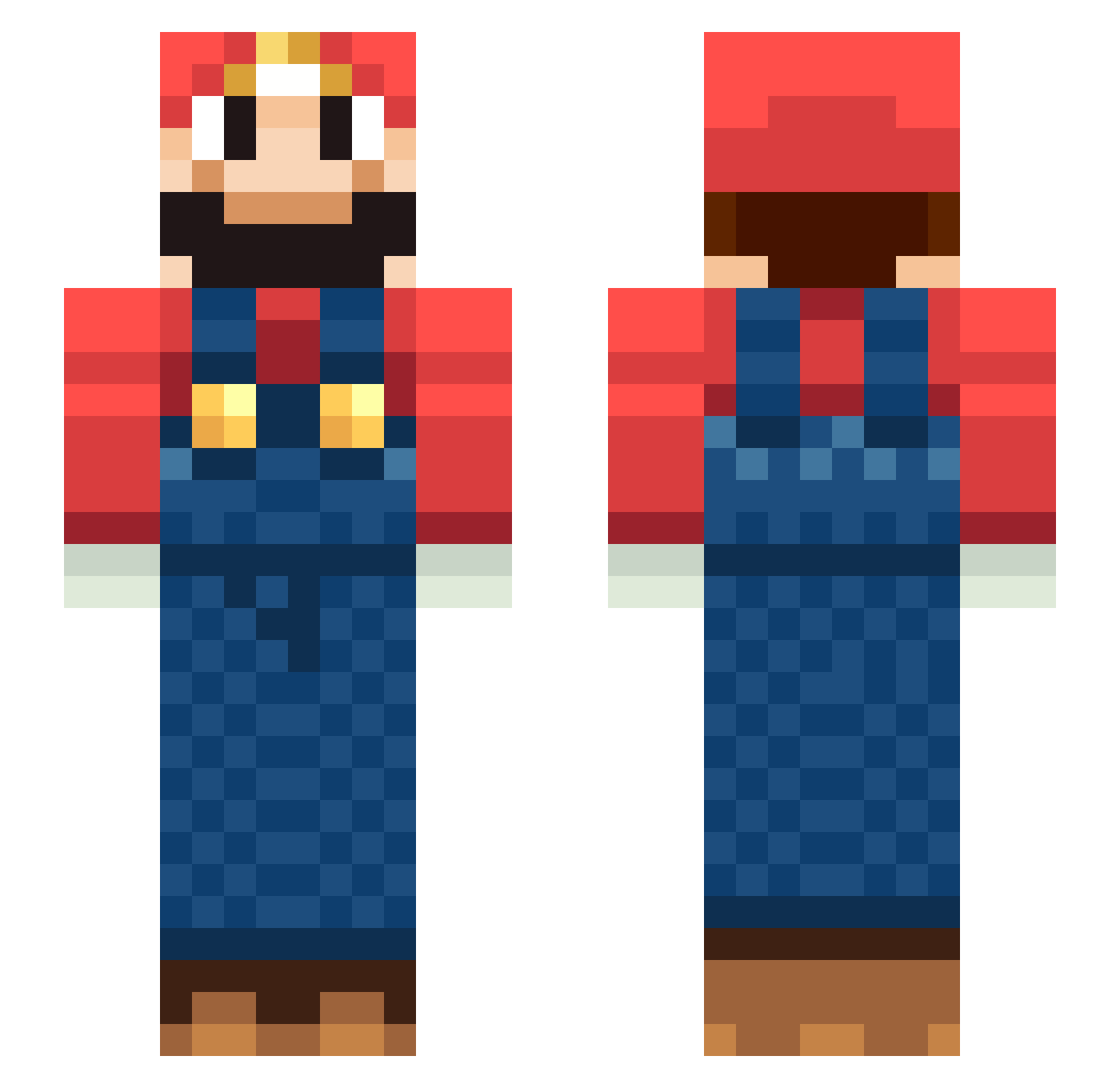
Current Minecraft skin of the player Kudaita, loaded from the official Mojang API. Rotate the 3D model with your mouse or finger, then download the skin as a PNG file and use it in Minecraft: Bedrock Edition or Java Edition for free. When Kudaita changes their skin, this page updates automatically and the old skin stays in the history below.
Other players with this skin (219)
Kudaita was the 194th player we have seen with this skin, first spotted on 23.10.2026. The same skin was seen on these players. Open a nickname to see their current skin and skin history.
 Snorkeltante RemyFasol ec_lin ARTtoBONUS Pabs0405 jeongh_n Maxilp172 LordTrivial TaigaHarada Matteo_Rocca OyunPilotu Electrious Florin112 KebabBro PotatoYeh BioBoowser MartiniBela JustDitto Prometheus_RL Eason8281 memoolii hang_j0y_ GS53java rakan30 IgorTheFish Ethan_The_Brave Amnestic_OW Marshall696 RED1CRAFT MrKalo Vittorio88x Roachrasta NICOFER18 RANDIZZLLEE bramboo1998 Bourbi Smithpspfan336 timmi2704 FakerFinal chintseng PLucena23 MementoMario JimG2020 domikito mariozolly neveri7 CRHong LucienSylviano KINGOFCORN HouHou2 Balanswan kimbohenboy XMuperSarioX junghoon1 lisav04 cigpuffer ander03 SoggySocksx sir_krabipatti Fish_Wei
More Nintendo Minecraft skins
How to install the Kudaita skin
- Press the Download button above to save the skin as a PNG file.
- Minecraft: Bedrock Edition (PE): open the Dressing Room from the main menu (or tap your character → Edit Character), go to Classic Skins → Owned, press the + (new skin) button, choose the downloaded PNG and pick the Slim (Alex) model. Works on PC and mobile; consoles cannot import custom skins.
- Minecraft: Java Edition: open the Minecraft Launcher, go to the Skins tab, click New Skin, load the PNG, pick the Slim (Alex) model and press Save & Use. You can also upload it at minecraft.net → Profile → Change Skin.
The skin does not show up after import - what should I do?
Restart Minecraft and open the Dressing Room again - imported skins sometimes appear only after a restart. Also make sure you selected the imported skin and picked the Slim (Alex) model.
Which model should I choose, Classic or Slim?
This skin is designed for the Slim (Alex) model. If you pick the wrong model, the arms of the skin will look stretched or squeezed.
Is the skin of Kudaita free to download?
Yes. Press Download, save the PNG file and use it in Minecraft: Bedrock Edition or Java Edition - no payment or registration needed. The skin also works on multiplayer servers and Realms.
More skins
Looking for more? Go back to all Minecraft skins and check the top skins of the week, month and all time, or find any player's skin by nickname.