
Ktssly - Minecraft Skins & Skin History
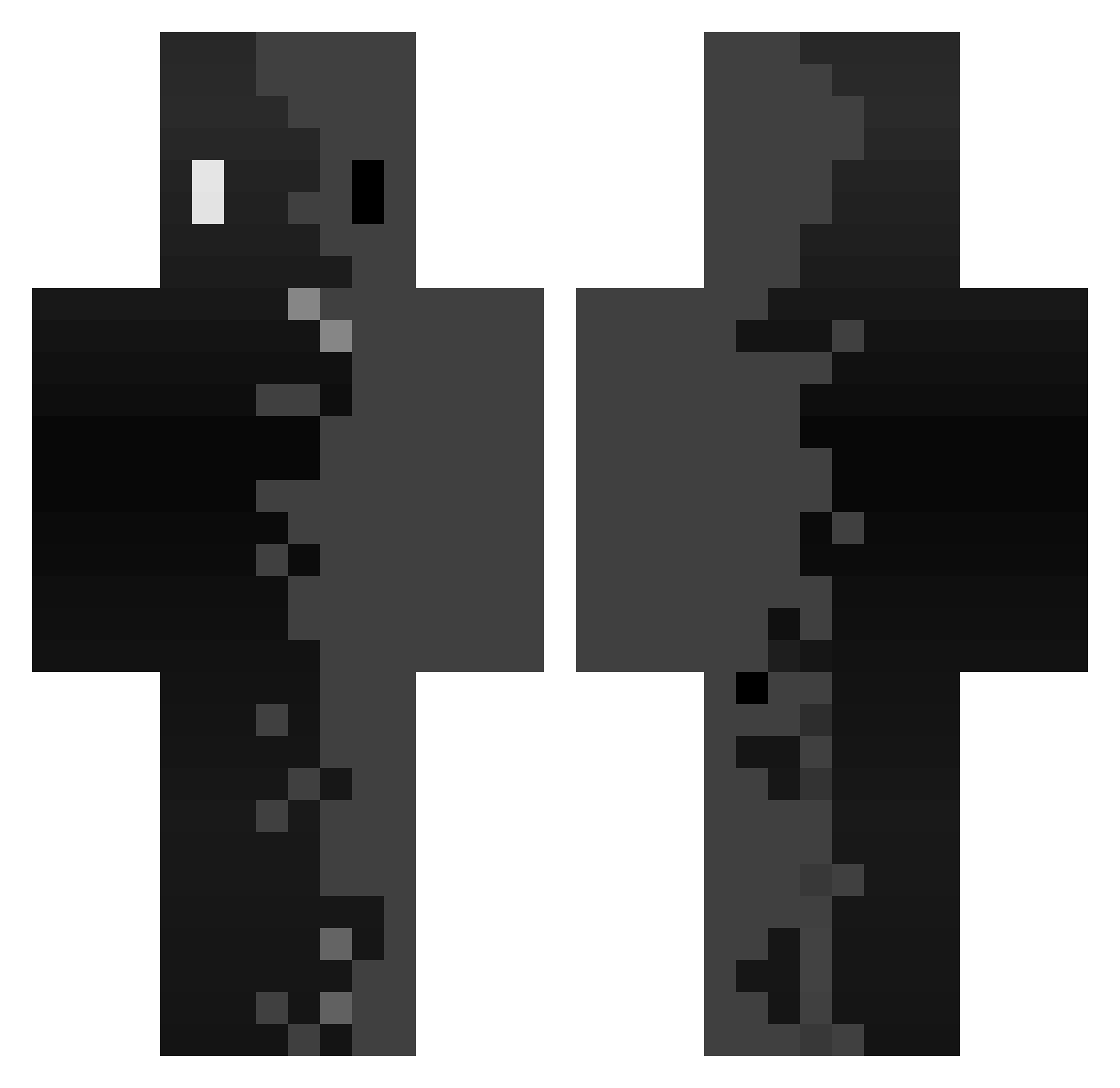
Current Minecraft skin of the player Ktssly, loaded from the official Mojang API. Rotate the 3D model with your mouse or finger, then download the skin as a PNG file and use it in Minecraft: Bedrock Edition or Java Edition for free. When Ktssly changes their skin, this page updates automatically and the old skin stays in the history below.
Other players with this skin (359)
Ktssly was the 256th player we have seen with this skin, first spotted on 09.10.2026. The same skin was seen on these players. Open a nickname to see their current skin and skin history.
 Ricky_Alpha Jvbkv xSoda Mkdev_97 DoubleL10 Corin404 Virtual1202 burghyy Zedeque01 Nicorichie_9 NightmareKash Oumai1 Marthy33 _9zxxyu zKaiHuz tangi1121 Spoot_RJ Manguito333 Cheyezx123 Raizon0 SelracTennob SAN51 wurmasche924085 semantic_void Tokithe0107 RayMomon Kevees milanecita3 ZLMB_ Tymoteusz201 BaltrasDeim Smooshee DarkVolvic ZFR_Ethan_62 SimplyAzgoth GlitchedDrive ISAHx18 Basxz maziladad TwitchSynical Liamf44 Goulou32 codexus0 lordname001 asteriooprimeW Swox4K Martirow Nazar808 itsvexx ffhjhj3 iEsteban__ Rick_Moonen Nuke_Drake Ambrosier JSmokeyBear710 clone1235 junho0930 Johnnxy puresnxw zoomrs
How to install the Ktssly skin
- Press the Download button above to save the skin as a PNG file.
- Minecraft: Bedrock Edition (PE): open the Dressing Room from the main menu (or tap your character → Edit Character), go to Classic Skins → Owned, press the + (new skin) button, choose the downloaded PNG and pick the Classic (Steve) model. Works on PC and mobile; consoles cannot import custom skins.
- Minecraft: Java Edition: open the Minecraft Launcher, go to the Skins tab, click New Skin, load the PNG, pick the Classic (Steve) model and press Save & Use. You can also upload it at minecraft.net → Profile → Change Skin.
The skin does not show up after import - what should I do?
Restart Minecraft and open the Dressing Room again - imported skins sometimes appear only after a restart. Also make sure you selected the imported skin and picked the Classic (Steve) model.
Which model should I choose, Classic or Slim?
This skin is designed for the Classic (Steve) model. If you pick the wrong model, the arms of the skin will look stretched or squeezed.
Is the skin of Ktssly free to download?
Yes. Press Download, save the PNG file and use it in Minecraft: Bedrock Edition or Java Edition - no payment or registration needed. The skin also works on multiplayer servers and Realms.
More skins
Looking for more? Go back to all Minecraft skins and check the top skins of the week, month and all time, or find any player's skin by nickname.