
Kreed19 - Minecraft Skins & Skin History
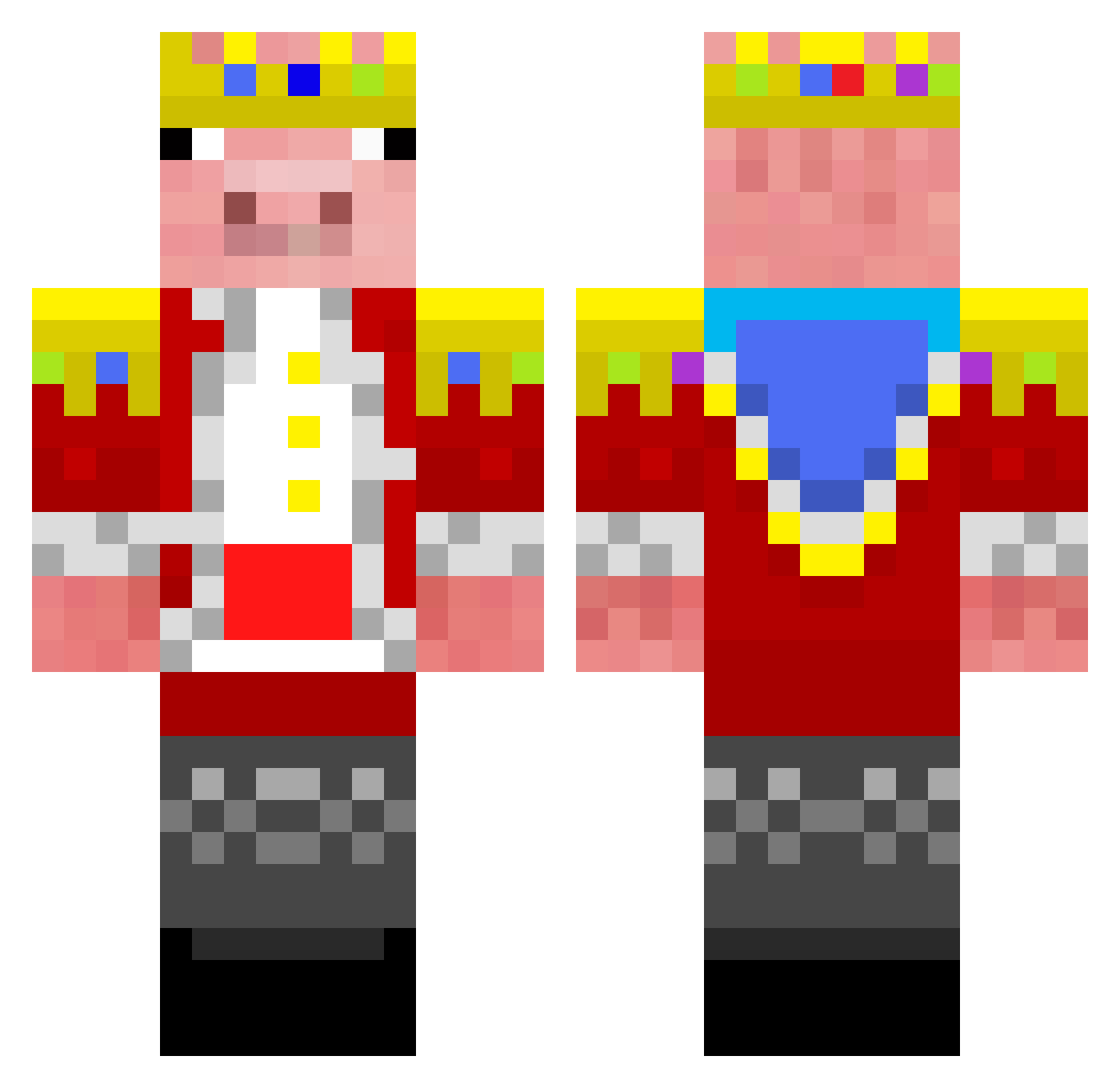
Current Minecraft skin of the player Kreed19, loaded from the official Mojang API. Rotate the 3D model with your mouse or finger, then download the skin as a PNG file and use it in Minecraft: Bedrock Edition or Java Edition for free. When Kreed19 changes their skin, this page updates automatically and the old skin stays in the history below.
Other players with this skin (285)
Kreed19 was the 171st player we have seen with this skin, first spotted on 29.09.2026. The same skin was seen on these players. Open a nickname to see their current skin and skin history.
 ChenX2255 CN_Lili Killermaffia007 Khoi_TV ZingyLion897399 jooniorbee Ninnvation Gundes7 Camistenico Tlaent Azpen_ CatHabibi Arensdorfwhole4 khrishan georgehorsey howtogr Le_roi_Dadus ADMX4355 jjjedi2004 Swepsz1 Attends GKC_Vortex Ham1X KlanOfKids Yolap Restori nikosklt8 Addrexoline TfolLOft NecronsArcher 0Twizzler0 kopig0626 Bambambraebrae xxCrispY Door_thing NoQuany duwucky WolfSkywalker21 3490 Blacklord22 MaxEPower Dwanepebbles bound555 Strxemux Waziiubi ArvidProGamer Str8whiteman57 NickyBlondie L7W3n1e JerseyLegand Briseur2Kufars pqpq4613 Spirro2006 TechncBIade 14cky Cooldude179001 Blueleader207 Daniel2an your_mom3 DarkDelta1973
More Pig Minecraft skins
How to install the Kreed19 skin
- Press the Download button above to save the skin as a PNG file.
- Minecraft: Bedrock Edition (PE): open the Dressing Room from the main menu (or tap your character → Edit Character), go to Classic Skins → Owned, press the + (new skin) button, choose the downloaded PNG and pick the Classic (Steve) model. Works on PC and mobile; consoles cannot import custom skins.
- Minecraft: Java Edition: open the Minecraft Launcher, go to the Skins tab, click New Skin, load the PNG, pick the Classic (Steve) model and press Save & Use. You can also upload it at minecraft.net → Profile → Change Skin.
The skin does not show up after import - what should I do?
Restart Minecraft and open the Dressing Room again - imported skins sometimes appear only after a restart. Also make sure you selected the imported skin and picked the Classic (Steve) model.
Which model should I choose, Classic or Slim?
This skin is designed for the Classic (Steve) model. If you pick the wrong model, the arms of the skin will look stretched or squeezed.
Is the skin of Kreed19 free to download?
Yes. Press Download, save the PNG file and use it in Minecraft: Bedrock Edition or Java Edition - no payment or registration needed. The skin also works on multiplayer servers and Realms.
More skins
Looking for more? Go back to all Minecraft skins and check the top skins of the week, month and all time, or find any player's skin by nickname.