
Kr1shnaTheGam3r - Minecraft Skins & Skin History
Current Minecraft skin of the player Kr1shnaTheGam3r, loaded from the official Mojang API. Rotate the 3D model with your mouse or finger, then download the skin as a PNG file and use it in Minecraft: Bedrock Edition or Java Edition for free. When Kr1shnaTheGam3r changes their skin, this page updates automatically and the old skin stays in the history below.
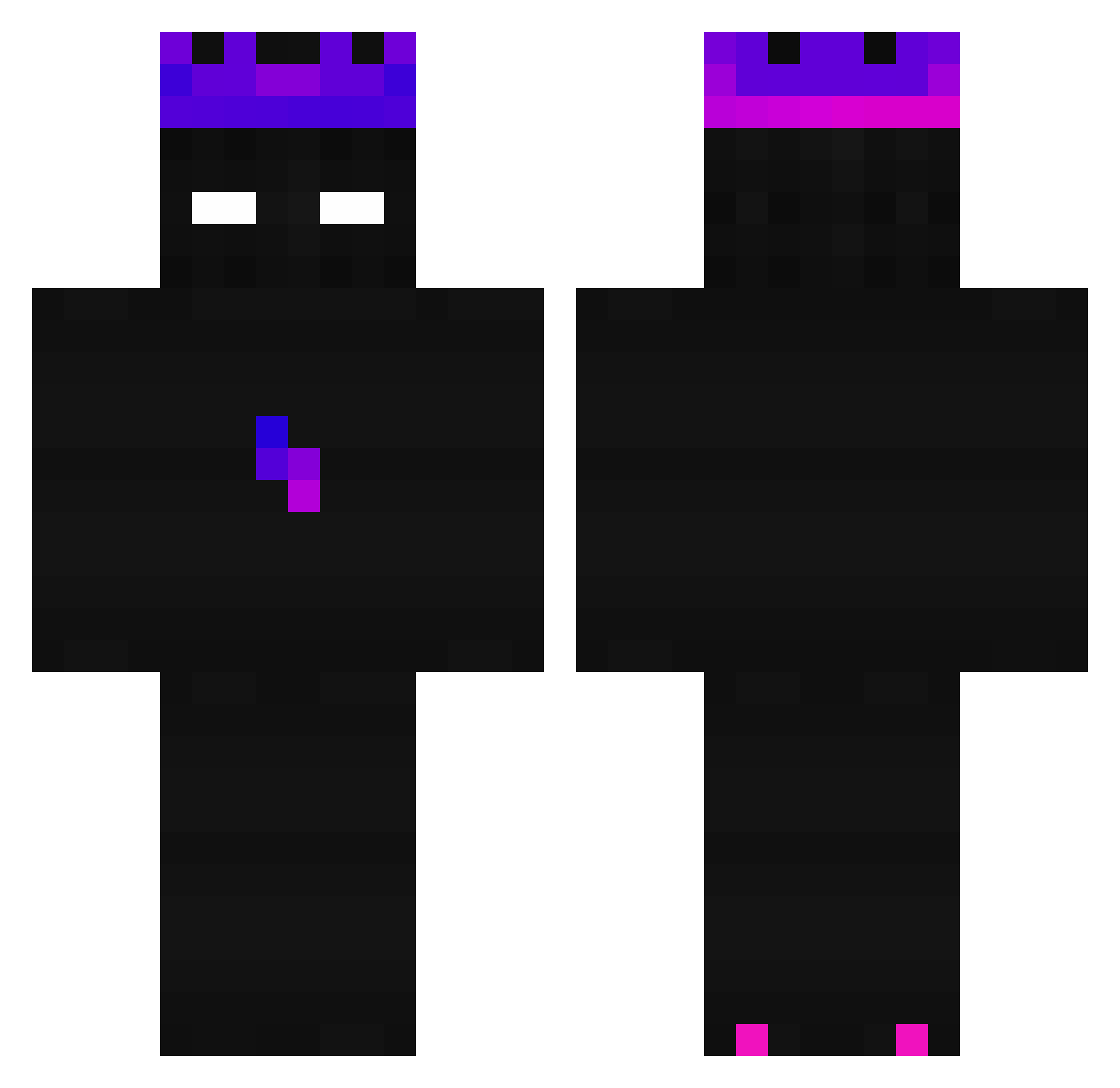
Other players with this skin (219)
Kr1shnaTheGam3r was the 28th player we have seen with this skin, first spotted on 06.08.2026. The same skin was seen on these players. Open a nickname to see their current skin and skin history.
 Defianted_ StayStrong MauroPvP1 4444_444X Aezyx Jhoniergamer132 Niko267
 mironmiron asilcraf dayyanyt
 BachMann69 _Neroxi1
 Endermanscoop AndyinAndy nefaitrien IssaLion Eoren987 Forte_Truite
 GMminecraft14 Windows_exe Over9522 LeMonkey03 SatiresCactu Shikxma HelHeaven Garrett5214 bennyolla HorrorclownYT AlexYrms
 X0XD_ Khris_ 1Kingo1 LuckyJelen judgedead99 Yusuf_Magnetel spax11 BehringerUMC22
 switchnik2023 cozypc Raivoss Jack_zero_ Xattxs
 ykalayTR
 _ZiBlack_ Keulecraft Oskarklein
 KekGqd Eyad1 Offic1alFish dr00zyy skovak_ Cruetraxa
 jshadyyy LasseBasse032 PrimeX23 Masownik ASDBLINK
 SergioGC2012 xNovakzzx hairy_toenail_
How to install the Kr1shnaTheGam3r skin
- Press the Download button above to save the skin as a PNG file.
- Minecraft: Bedrock Edition (PE): open the Dressing Room from the main menu (or tap your character → Edit Character), go to Classic Skins → Owned, press the + (new skin) button, choose the downloaded PNG and pick the Classic (Steve) model. Works on PC and mobile; consoles cannot import custom skins.
- Minecraft: Java Edition: open the Minecraft Launcher, go to the Skins tab, click New Skin, load the PNG, pick the Classic (Steve) model and press Save & Use. You can also upload it at minecraft.net → Profile → Change Skin.
The skin does not show up after import - what should I do?
Restart Minecraft and open the Dressing Room again - imported skins sometimes appear only after a restart. Also make sure you selected the imported skin and picked the Classic (Steve) model.
Which model should I choose, Classic or Slim?
This skin is designed for the Classic (Steve) model. If you pick the wrong model, the arms of the skin will look stretched or squeezed.
Is the skin of Kr1shnaTheGam3r free to download?
Yes. Press Download, save the PNG file and use it in Minecraft: Bedrock Edition or Java Edition - no payment or registration needed. The skin also works on multiplayer servers and Realms.
More skins
Looking for more? Go back to all Minecraft skins and check the top skins of the week, month and all time, or find any player's skin by nickname.