
KnutsonZ - Minecraft Skins & Skin History
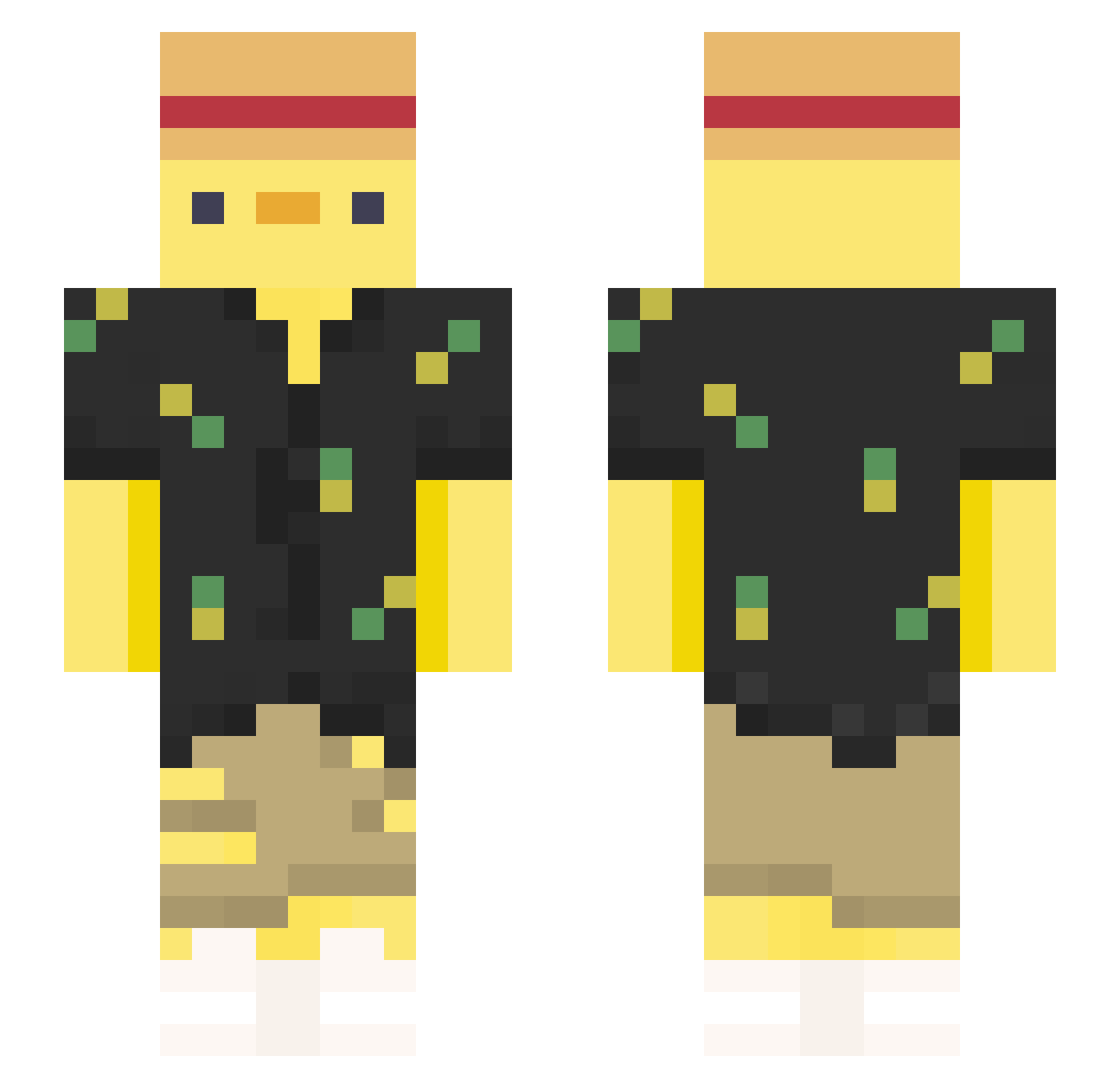
Current Minecraft skin of the player KnutsonZ, loaded from the official Mojang API. Rotate the 3D model with your mouse or finger, then download the skin as a PNG file and use it in Minecraft: Bedrock Edition or Java Edition for free. When KnutsonZ changes their skin, this page updates automatically and the old skin stays in the history below.
Other players with this skin (377)
KnutsonZ was the 180th player we have seen with this skin, first spotted on 18.09.2026. The same skin was seen on these players. Open a nickname to see their current skin and skin history.
 xunloved micheow TMKaczor Sese0671 Nasenbeere EpicesExotiques Wohenkaobei Just4Lolz BIN_Do XENIAFRRR La_Brie_S Eclipse6969420 bill0905 potatostinky BubGuppy EqualBumblebee yulian_sotolongo 4luxury C8O22L Alignn67 CowK_ pauloeee TanGotBan UnicornBoy_01 Axoxd_123 Kytoxn Fusebaum TheDukky1 Jigun_06 Eiertoast_ korotonn KHhallsor Ludi82 xordd kieroo00 _Bexio_ rjm610 KoR_YM kulk0wnik Jacky0517 Cerber_S SIIXT_3059 JOSIAHHI Lucaswilbrood kawanasu Jonnyboykris751 Truno_Lele GuyWithNoLife85 DaaranRC Mad_4ake MaestroHisoka trizzford Hehrotic Yodong_s Vibez_Quack FDAPIOUPIOU mymynikole Krtyuret SilverShroudie Kazelrov
More Straw Hat Minecraft skins
How to install the KnutsonZ skin
- Press the Download button above to save the skin as a PNG file.
- Minecraft: Bedrock Edition (PE): open the Dressing Room from the main menu (or tap your character → Edit Character), go to Classic Skins → Owned, press the + (new skin) button, choose the downloaded PNG and pick the Slim (Alex) model. Works on PC and mobile; consoles cannot import custom skins.
- Minecraft: Java Edition: open the Minecraft Launcher, go to the Skins tab, click New Skin, load the PNG, pick the Slim (Alex) model and press Save & Use. You can also upload it at minecraft.net → Profile → Change Skin.
The skin does not show up after import - what should I do?
Restart Minecraft and open the Dressing Room again - imported skins sometimes appear only after a restart. Also make sure you selected the imported skin and picked the Slim (Alex) model.
Which model should I choose, Classic or Slim?
This skin is designed for the Slim (Alex) model. If you pick the wrong model, the arms of the skin will look stretched or squeezed.
Is the skin of KnutsonZ free to download?
Yes. Press Download, save the PNG file and use it in Minecraft: Bedrock Edition or Java Edition - no payment or registration needed. The skin also works on multiplayer servers and Realms.
More skins
Looking for more? Go back to all Minecraft skins and check the top skins of the week, month and all time, or find any player's skin by nickname.