
KnivesBas - Minecraft Skins & Skin History
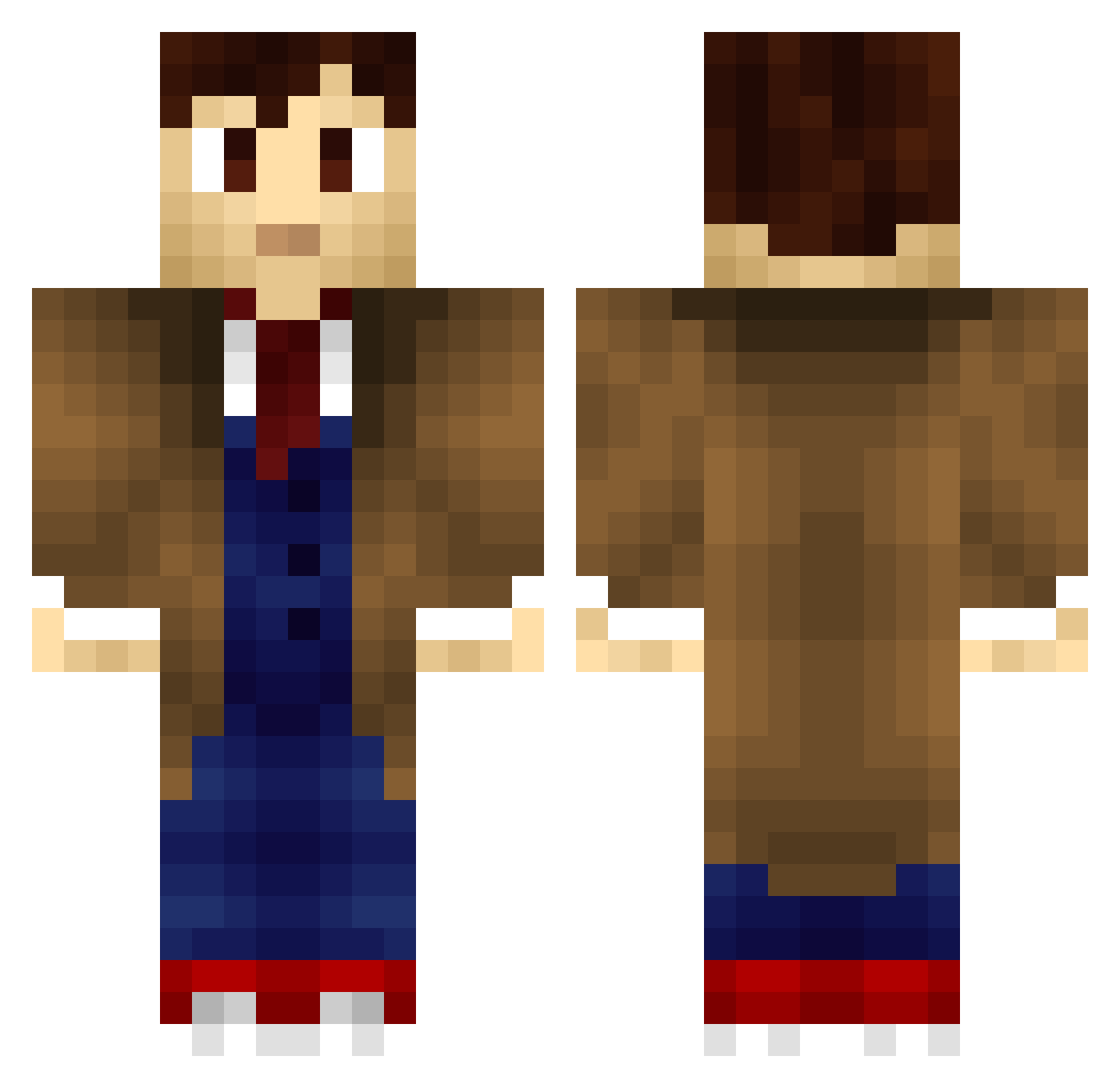
Current Minecraft skin of the player KnivesBas, loaded from the official Mojang API. Rotate the 3D model with your mouse or finger, then download the skin as a PNG file and use it in Minecraft: Bedrock Edition or Java Edition for free. When KnivesBas changes their skin, this page updates automatically and the old skin stays in the history below.
Other players with this skin (707)
KnivesBas was the 85th player we have seen with this skin, first spotted on 08.08.2026. The same skin was seen on these players. Open a nickname to see their current skin and skin history.
 Theweirdobro123 nightdeamond Patzilla1700 parkedninja vader501 bleed_black purplemonkey76 _Epicdude Chente1984_ SelfmadeHustler Cetigol12 Artichokeus Crimedog58 feljo130 Remi2501 AndromedaVII MisterL1998 OneEyedJames leojr498 kingnaruto39 FireStrtr Dalek48 dat_potato Bstiff01 dawnofsoap legomaster1108 doctorannapotter oscarevans14 Prodigy_Panda Regas666 lakethepondling IIBL4CKII Whovian8987 Juega8100 Toby_Tobs graecuz 5lapMaster mitmyriad WhovianAustin Erisrawrr BurningPrograde Reidhimself brony_who Deimosis KampferFox AussieGamer Luindhao Drako_86 Valdacious WasPhantom O_Mack zuza15buza sevendefalt piepartytime12 dragonrepublic5 Geschn EPICxxJAZZ Fruit_Ninja_Pro Maxxswede handichaps
More Timelord Minecraft skins
How to install the KnivesBas skin
- Press the Download button above to save the skin as a PNG file.
- Minecraft: Bedrock Edition (PE): open the Dressing Room from the main menu (or tap your character → Edit Character), go to Classic Skins → Owned, press the + (new skin) button, choose the downloaded PNG and pick the Classic (Steve) model. Works on PC and mobile; consoles cannot import custom skins.
- Minecraft: Java Edition: open the Minecraft Launcher, go to the Skins tab, click New Skin, load the PNG, pick the Classic (Steve) model and press Save & Use. You can also upload it at minecraft.net → Profile → Change Skin.
The skin does not show up after import - what should I do?
Restart Minecraft and open the Dressing Room again - imported skins sometimes appear only after a restart. Also make sure you selected the imported skin and picked the Classic (Steve) model.
Which model should I choose, Classic or Slim?
This skin is designed for the Classic (Steve) model. If you pick the wrong model, the arms of the skin will look stretched or squeezed.
Is the skin of KnivesBas free to download?
Yes. Press Download, save the PNG file and use it in Minecraft: Bedrock Edition or Java Edition - no payment or registration needed. The skin also works on multiplayer servers and Realms.
More skins
Looking for more? Go back to all Minecraft skins and check the top skins of the week, month and all time, or find any player's skin by nickname.