
Knight_Meuk - Minecraft Skins & Skin History
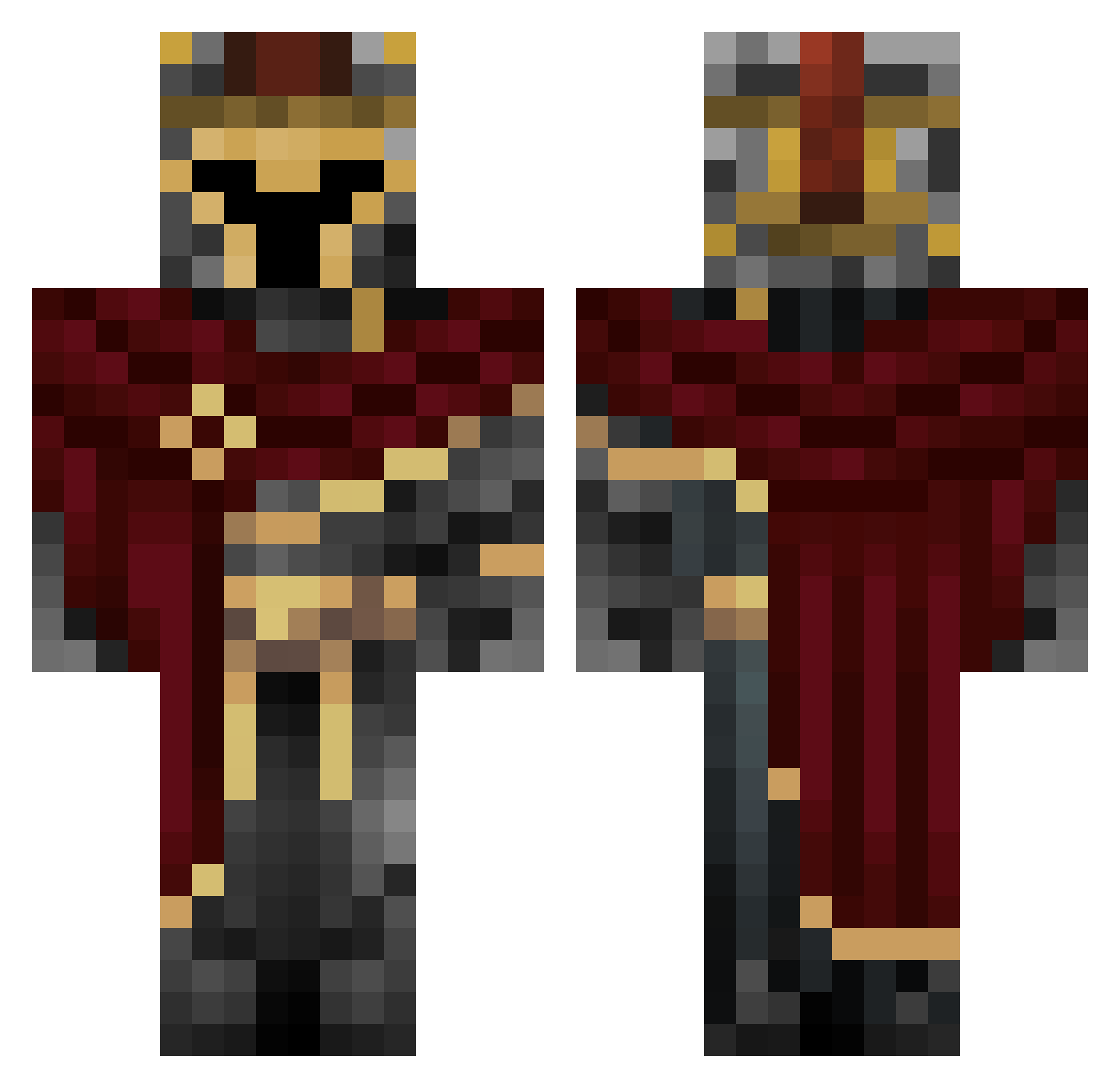
Current Minecraft skin of the player Knight_Meuk, loaded from the official Mojang API. Rotate the 3D model with your mouse or finger, then download the skin as a PNG file and use it in Minecraft: Bedrock Edition or Java Edition for free. When Knight_Meuk changes their skin, this page updates automatically and the old skin stays in the history below.
Other players with this skin (660)
Knight_Meuk was the 419th player we have seen with this skin, first spotted on 01.10.2026. The same skin was seen on these players. Open a nickname to see their current skin and skin history.
 AliCeyhun Adfejer Morfeuz KingCarter9628 ComicCone491029 FlagelBagel4970 _SweaT__ StarLordRemi hkoca8769 DrPp101 Vaxidus JdmRdm_ BGNinja656 DrRat_56 Paghor ShadowClicks Arnold_XD firesigarb TRIPALOSKI14e1 lts_D4rk Beastly842 dossy69 liektoo Flojaha XinRu046 Bandit_Zero Donko_Vm romanelive carrot_stic Peacebringer Am3Deo Xtacizs69 VEROX9ONE iHave1i00 Sketas SaC1022 Jimmy_sgravato oreoneal reflectedbee XP_Windowz aGUYuKNOW420 Grasitos borecci Yodahlah Chibiku213 RuR3k Kabakugan4 ModoTheGambler Joshikowsky Petarrdr mikeyguylm2 Luigimansionbruh Azarashiii NotZylv darthEez Peppe_085 Ainteresting HeFk _SeaBee_ Raymond_Dash
More Spartan Minecraft skins
How to install the Knight_Meuk skin
- Press the Download button above to save the skin as a PNG file.
- Minecraft: Bedrock Edition (PE): open the Dressing Room from the main menu (or tap your character → Edit Character), go to Classic Skins → Owned, press the + (new skin) button, choose the downloaded PNG and pick the Classic (Steve) model. Works on PC and mobile; consoles cannot import custom skins.
- Minecraft: Java Edition: open the Minecraft Launcher, go to the Skins tab, click New Skin, load the PNG, pick the Classic (Steve) model and press Save & Use. You can also upload it at minecraft.net → Profile → Change Skin.
The skin does not show up after import - what should I do?
Restart Minecraft and open the Dressing Room again - imported skins sometimes appear only after a restart. Also make sure you selected the imported skin and picked the Classic (Steve) model.
Which model should I choose, Classic or Slim?
This skin is designed for the Classic (Steve) model. If you pick the wrong model, the arms of the skin will look stretched or squeezed.
Is the skin of Knight_Meuk free to download?
Yes. Press Download, save the PNG file and use it in Minecraft: Bedrock Edition or Java Edition - no payment or registration needed. The skin also works on multiplayer servers and Realms.
More skins
Looking for more? Go back to all Minecraft skins and check the top skins of the week, month and all time, or find any player's skin by nickname.