
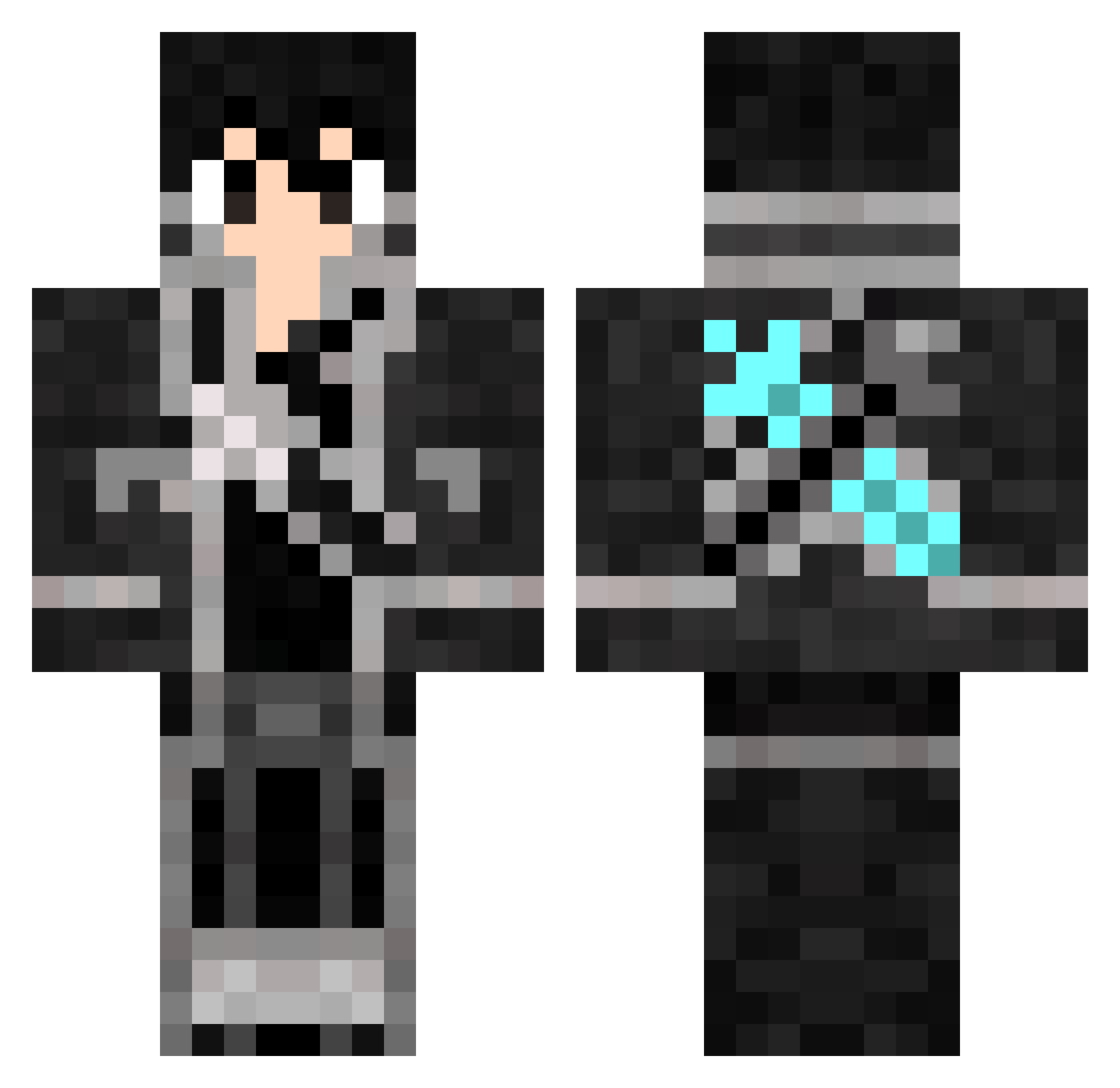
Current Minecraft skin of the player Kiri77, loaded from the official Mojang API. Rotate the 3D model with your mouse or finger, then download the skin as a PNG file and use it in Minecraft: Bedrock Edition or Java Edition for free. When Kiri77 changes their skin, this page updates automatically and the old skin stays in the history below.
Other players with this skin (643)
Kiri77 was the 443rd player we have seen with this skin, first spotted on 23.09.2026. The same skin was seen on these players. Open a nickname to see their current skin and skin history.
 ender330 Crytovorot VoidWalkrZ Iwanaidene Thekingofoxes AERiALXX Hxxc2333 Rafael_Leao Aosagi25 YUK_KWO MajinPrince88 Lightning1494 Kiririn1412 Salamy71 ljxiong ItsMyBirthdayXD misuta12 TataneLg oilllit NTD_Xiaoen HenriqueKM HdGBoss Sp1deyyy Pedini B3njix1 Skyeagle420 LRcLc KiritoShiu Develin Cww1 Borba2803 BOBAH3223 Felity_ KiritoStarKing Zyle420 KiIIua_ jblackmore Sykiii Noweline judocrack87 alansheik K_MG Guic_ DennisLIT Loubenthy Stephensracin13s Suyamm Camipollito2403 YHyingqi hulkingfly1012 RoyaL1232 Herrknick XyphosOne Pettix_on_fire Ciprianovic floskater99 TheeDayTime Hjiaming BackKirito XaoBai666
More Kirito Minecraft skins
How to install the Kiri77 skin
- Press the Download button above to save the skin as a PNG file.
- Minecraft: Bedrock Edition (PE): open the Dressing Room from the main menu (or tap your character → Edit Character), go to Classic Skins → Owned, press the + (new skin) button, choose the downloaded PNG and pick the Classic (Steve) model. Works on PC and mobile; consoles cannot import custom skins.
- Minecraft: Java Edition: open the Minecraft Launcher, go to the Skins tab, click New Skin, load the PNG, pick the Classic (Steve) model and press Save & Use. You can also upload it at minecraft.net → Profile → Change Skin.
The skin does not show up after import - what should I do?
Restart Minecraft and open the Dressing Room again - imported skins sometimes appear only after a restart. Also make sure you selected the imported skin and picked the Classic (Steve) model.
Which model should I choose, Classic or Slim?
This skin is designed for the Classic (Steve) model. If you pick the wrong model, the arms of the skin will look stretched or squeezed.
Is the skin of Kiri77 free to download?
Yes. Press Download, save the PNG file and use it in Minecraft: Bedrock Edition or Java Edition - no payment or registration needed. The skin also works on multiplayer servers and Realms.
More skins
Looking for more? Go back to all Minecraft skins and check the top skins of the week, month and all time, or find any player's skin by nickname.