
Kingknockout787 - Minecraft Skins & Skin History
Current Minecraft skin of the player Kingknockout787, loaded from the official Mojang API. Rotate the 3D model with your mouse or finger, then download the skin as a PNG file and use it in Minecraft: Bedrock Edition or Java Edition for free. When Kingknockout787 changes their skin, this page updates automatically and the old skin stays in the history below.
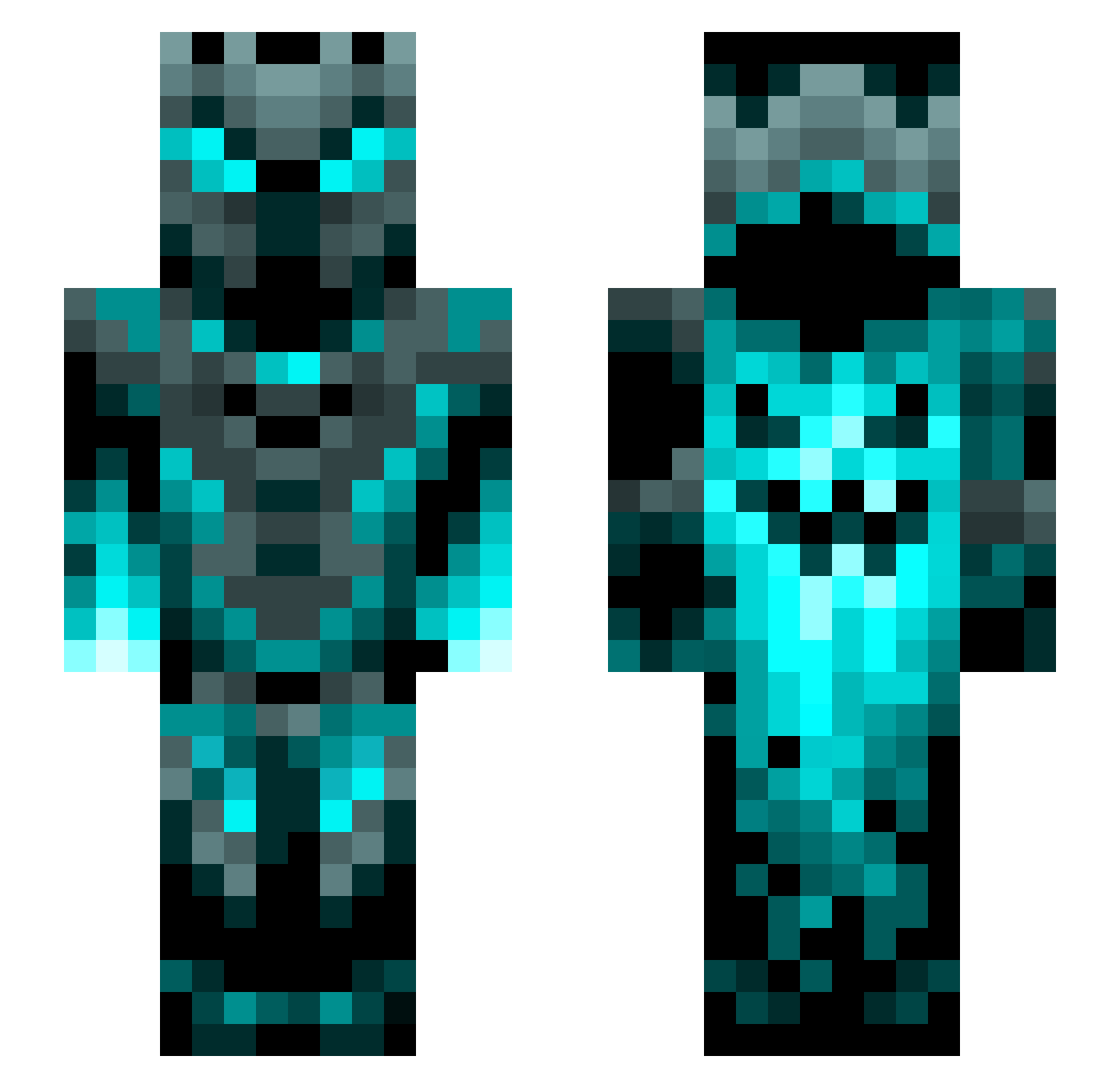
Other players with this skin (1200)
Kingknockout787 was the 1113th player we have seen with this skin, first spotted on 26.10.2026. The same skin was seen on these players. Open a nickname to see their current skin and skin history.
 irfo123 TitanAngel Aobscan Claytonic21 PowerPoint2016 joemama23XD CROW1618 AI3kS Logeydogey Wardenkiller13 ICE_FE4R6945 Txpfplxnzx zTrustme27 Wavering06 ACrimson_ Master_Ghebibbo F88888 ErLu09 Mads8519 ShiftDelete951 Russiannight Neko_bread SimGoldsucher asnoopysnoopdog Carrotsticks123 Icemark FranekXTR petrsuchna jojoLeo28128 CommanderG10429 BodaciousNugget Rossers ivih12 Claddata Hirsty1 redpotato441 Batdiam Gutyx15 LilaAstrea yecYSlayer Allaudin Skracalan Kolker12 Fraxam420 TheBorgorBandit Freddyboy6968 Blackman55688 Blxe7 Nachos1012 Santiago260509 SSUBAK OverLiquid108 aetecy ScHnApPiiii king2334 sjhdhdhd Rakanthecoolguy bobbobbobjoe7 JuMiGa Corrupt_v2
More Phantom Minecraft skins
How to install the Kingknockout787 skin
- Press the Download button above to save the skin as a PNG file.
- Minecraft: Bedrock Edition (PE): open the Dressing Room from the main menu (or tap your character → Edit Character), go to Classic Skins → Owned, press the + (new skin) button, choose the downloaded PNG and pick the Slim (Alex) model. Works on PC and mobile; consoles cannot import custom skins.
- Minecraft: Java Edition: open the Minecraft Launcher, go to the Skins tab, click New Skin, load the PNG, pick the Slim (Alex) model and press Save & Use. You can also upload it at minecraft.net → Profile → Change Skin.
The skin does not show up after import - what should I do?
Restart Minecraft and open the Dressing Room again - imported skins sometimes appear only after a restart. Also make sure you selected the imported skin and picked the Slim (Alex) model.
Which model should I choose, Classic or Slim?
This skin is designed for the Slim (Alex) model. If you pick the wrong model, the arms of the skin will look stretched or squeezed.
Is the skin of Kingknockout787 free to download?
Yes. Press Download, save the PNG file and use it in Minecraft: Bedrock Edition or Java Edition - no payment or registration needed. The skin also works on multiplayer servers and Realms.
More skins
Looking for more? Go back to all Minecraft skins and check the top skins of the week, month and all time, or find any player's skin by nickname.