
King_Simon2001 - Minecraft Skins & Skin History
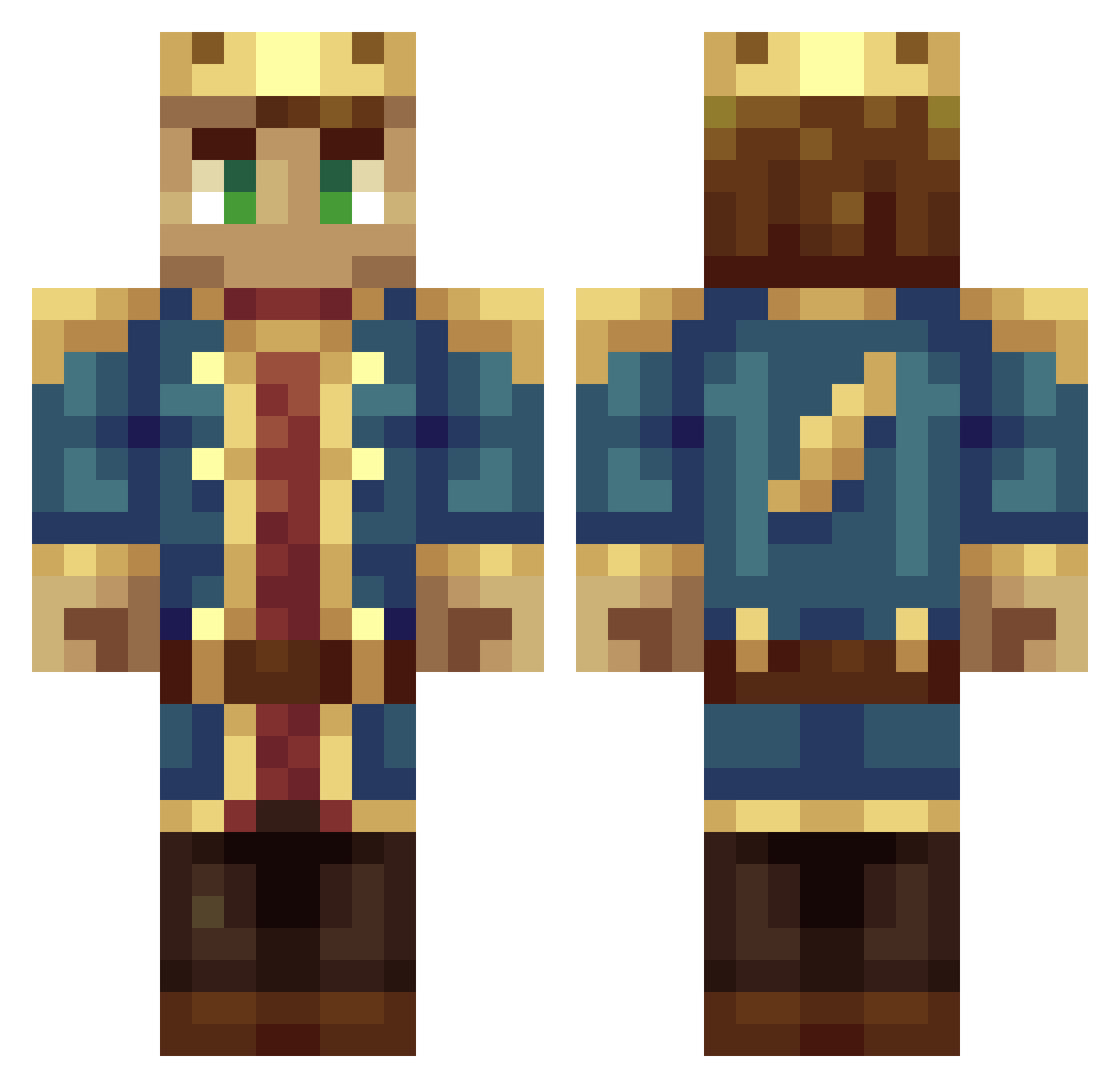
Current Minecraft skin of the player King_Simon2001, loaded from the official Mojang API. Rotate the 3D model with your mouse or finger, then download the skin as a PNG file and use it in Minecraft: Bedrock Edition or Java Edition for free. When King_Simon2001 changes their skin, this page updates automatically and the old skin stays in the history below.
Other players with this skin (319)
King_Simon2001 was the 41st player we have seen with this skin, first spotted on 09.08.2026. The same skin was seen on these players. Open a nickname to see their current skin and skin history.
 Ajax6 Buikie1992 luckyluc36 mastervadim125 Ozkboom Firedragon3311 1moonpup TurboSteveTM KingOfYou1399 jeremy1247 Beserker_L33T Bedore Rizzella Spazor Freghtol Dectis koentg4 ctiger2001 GrandMasterYoba DJJOSH999 Murkury BigMeowdy KingNarrow Fume3 djensos Dennis_ebr jens6500 Wettermark1 CreamPilot BigSwouupBlood sir_ordal AllenEx ScreminSombreros LordBentzen TheNameIsJort lilevans24 Super_Nerd_PvP TKAndy PosCoder Semmieboy5 Sjakal svambebob Eneskovic70 Carlavagnen SharKnight67 Laen_64 Bloonsboy 1234fitzy Teeqa PurplePlatypus97 TheGoldenOister Turncoat NichoHax lex228 MigroBeinis minerb08 Matt_The_King Sajtrus Q96nak slimshazy
More DSMP Minecraft skins
How to install the King_Simon2001 skin
- Press the Download button above to save the skin as a PNG file.
- Minecraft: Bedrock Edition (PE): open the Dressing Room from the main menu (or tap your character → Edit Character), go to Classic Skins → Owned, press the + (new skin) button, choose the downloaded PNG and pick the Classic (Steve) model. Works on PC and mobile; consoles cannot import custom skins.
- Minecraft: Java Edition: open the Minecraft Launcher, go to the Skins tab, click New Skin, load the PNG, pick the Classic (Steve) model and press Save & Use. You can also upload it at minecraft.net → Profile → Change Skin.
The skin does not show up after import - what should I do?
Restart Minecraft and open the Dressing Room again - imported skins sometimes appear only after a restart. Also make sure you selected the imported skin and picked the Classic (Steve) model.
Which model should I choose, Classic or Slim?
This skin is designed for the Classic (Steve) model. If you pick the wrong model, the arms of the skin will look stretched or squeezed.
Is the skin of King_Simon2001 free to download?
Yes. Press Download, save the PNG file and use it in Minecraft: Bedrock Edition or Java Edition - no payment or registration needed. The skin also works on multiplayer servers and Realms.
More skins
Looking for more? Go back to all Minecraft skins and check the top skins of the week, month and all time, or find any player's skin by nickname.