
KikoLisboa - Minecraft Skins & Skin History
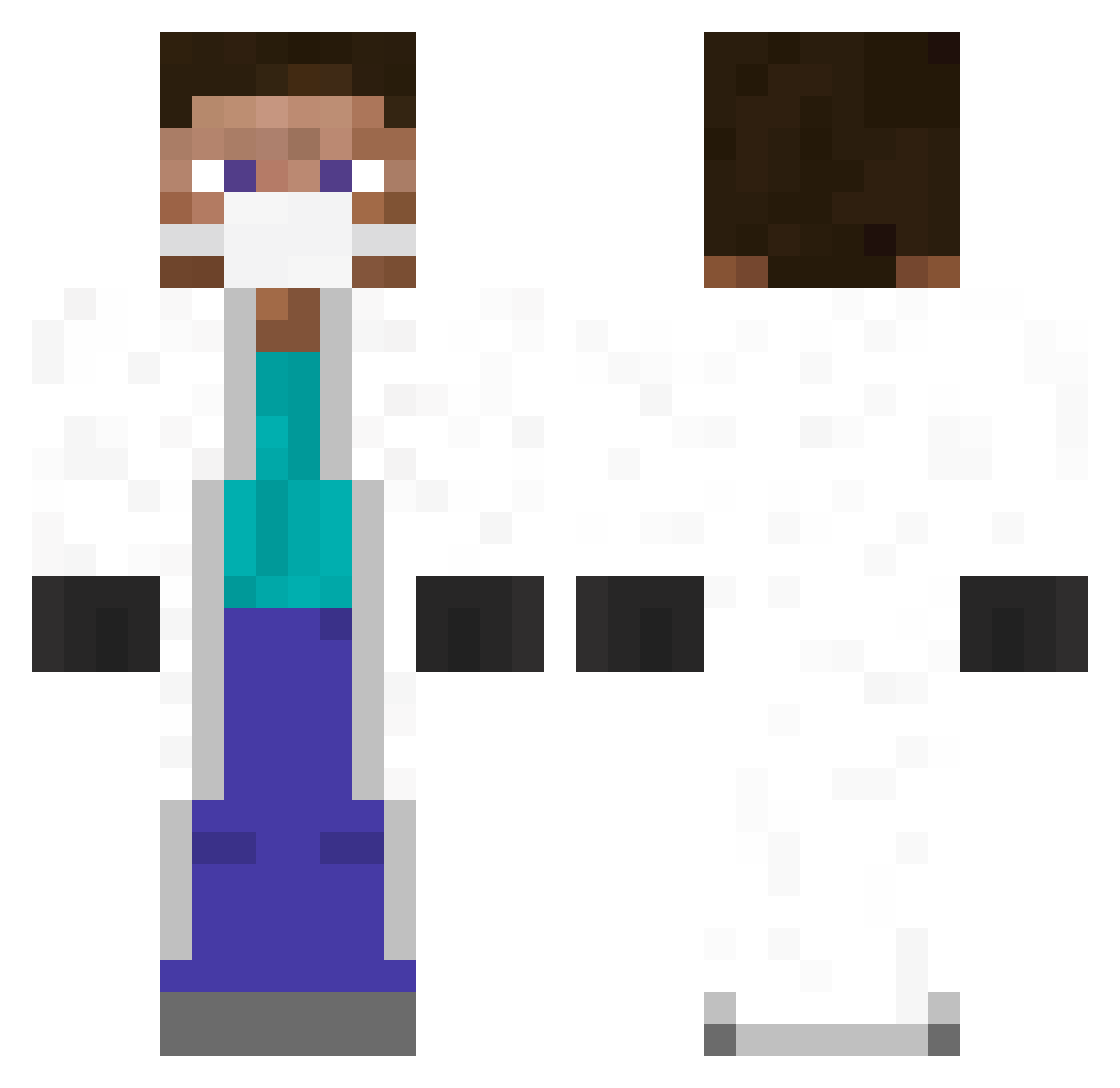
Current Minecraft skin of the player KikoLisboa, loaded from the official Mojang API. Rotate the 3D model with your mouse or finger, then download the skin as a PNG file and use it in Minecraft: Bedrock Edition or Java Edition for free. When KikoLisboa changes their skin, this page updates automatically and the old skin stays in the history below.
Other players with this skin (347)
KikoLisboa was the 180th player we have seen with this skin, first spotted on 13.09.2026. The same skin was seen on these players. Open a nickname to see their current skin and skin history.
 Zoccori Reasone F4K3R_K1D tinhtinhsaohoa caps_123 DrMalmstein _gruzik_ Snupfodog IsThisReality Raikunder Bartex1234 idopro54321 Slick831 beef_monkey_ ludovic519 Montez1337 GabeItches7290 97vbl Invektor mmoshoww LayIow sim8398 4sharks8u apenmans10 Buidl420 XuShu QAQalone Felisa Ausmimic MischievousDuck KidHugger Spence14516 KeeperPraid natecation _xTech_ Pitaboyz Alkoholsyndrom TheEndUwU Banezar94 puzzlez7 MarYuMinecraft TimTimmyMcTim leFreakie Asfamec lepaul0 dentaldoc11 nixchaos Wwaz Narradium bas_aub SeemlyTrickster Manticora27 Domingo7422 ERROR_7 deej77 cclevitt2 ZRezler APB1326 Klaus_Lotze ImperialBLOCKS
More Medical Mask Minecraft skins
How to install the KikoLisboa skin
- Press the Download button above to save the skin as a PNG file.
- Minecraft: Bedrock Edition (PE): open the Dressing Room from the main menu (or tap your character → Edit Character), go to Classic Skins → Owned, press the + (new skin) button, choose the downloaded PNG and pick the Classic (Steve) model. Works on PC and mobile; consoles cannot import custom skins.
- Minecraft: Java Edition: open the Minecraft Launcher, go to the Skins tab, click New Skin, load the PNG, pick the Classic (Steve) model and press Save & Use. You can also upload it at minecraft.net → Profile → Change Skin.
The skin does not show up after import - what should I do?
Restart Minecraft and open the Dressing Room again - imported skins sometimes appear only after a restart. Also make sure you selected the imported skin and picked the Classic (Steve) model.
Which model should I choose, Classic or Slim?
This skin is designed for the Classic (Steve) model. If you pick the wrong model, the arms of the skin will look stretched or squeezed.
Is the skin of KikoLisboa free to download?
Yes. Press Download, save the PNG file and use it in Minecraft: Bedrock Edition or Java Edition - no payment or registration needed. The skin also works on multiplayer servers and Realms.
More skins
Looking for more? Go back to all Minecraft skins and check the top skins of the week, month and all time, or find any player's skin by nickname.