
KevinDynamo - Minecraft Skins & Skin History
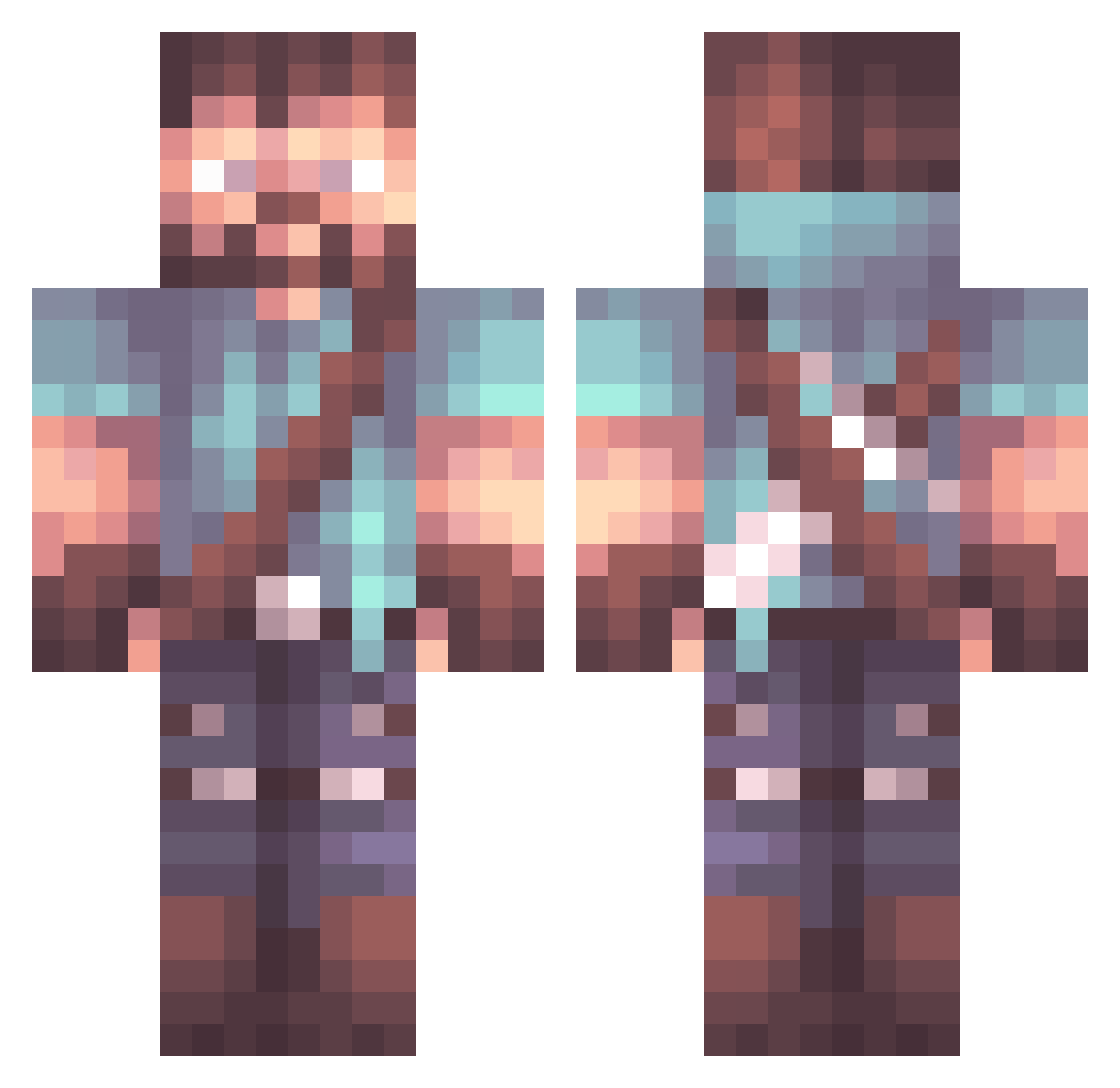
Current Minecraft skin of the player KevinDynamo, loaded from the official Mojang API. Rotate the 3D model with your mouse or finger, then download the skin as a PNG file and use it in Minecraft: Bedrock Edition or Java Edition for free. When KevinDynamo changes their skin, this page updates automatically and the old skin stays in the history below.
Other players with this skin (795)
KevinDynamo was the 704th player we have seen with this skin, first spotted on 08.10.2026. The same skin was seen on these players. Open a nickname to see their current skin and skin history.
 AgileGr_pefruit amosplays Abdyrael BjornCoppersight injust526 NS_Magic azzam_gamer IronGames3 Kurai794 ZachOBro Mentixx RompeTryne Hahnz_ TheKustan Johansus Z3nki madsbs wushicleave xGaroo RealParax _Ebla khaleelmate MeesterMoo20 ZaNcH3 Ajwme fransi878 NoGuarantee1 IraDiaboli CyberMedic999 qza_ isakhw Edo0x Ramdar4 Toole Ghilliex Donkey_77 Alyyyyks JessHerdz Damioon darkdemon33 cool_kid_210 Bush54 Amakatsu kdog09 MotarBashLive NixedTime RtkTK94 Seiverr serhatkrbltt NotEo4Pillz YatoYabuki Pheon112 DRAGON_HUNTER04 Scantaphrax Whistlewind_ BallinBolshevik TimTomato609 T_BoneMC zz_Mqkgn_03_14 Tirak117
More Herobrine Minecraft skins
How to install the KevinDynamo skin
- Press the Download button above to save the skin as a PNG file.
- Minecraft: Bedrock Edition (PE): open the Dressing Room from the main menu (or tap your character → Edit Character), go to Classic Skins → Owned, press the + (new skin) button, choose the downloaded PNG and pick the Classic (Steve) model. Works on PC and mobile; consoles cannot import custom skins.
- Minecraft: Java Edition: open the Minecraft Launcher, go to the Skins tab, click New Skin, load the PNG, pick the Classic (Steve) model and press Save & Use. You can also upload it at minecraft.net → Profile → Change Skin.
The skin does not show up after import - what should I do?
Restart Minecraft and open the Dressing Room again - imported skins sometimes appear only after a restart. Also make sure you selected the imported skin and picked the Classic (Steve) model.
Which model should I choose, Classic or Slim?
This skin is designed for the Classic (Steve) model. If you pick the wrong model, the arms of the skin will look stretched or squeezed.
Is the skin of KevinDynamo free to download?
Yes. Press Download, save the PNG file and use it in Minecraft: Bedrock Edition or Java Edition - no payment or registration needed. The skin also works on multiplayer servers and Realms.
More skins
Looking for more? Go back to all Minecraft skins and check the top skins of the week, month and all time, or find any player's skin by nickname.