
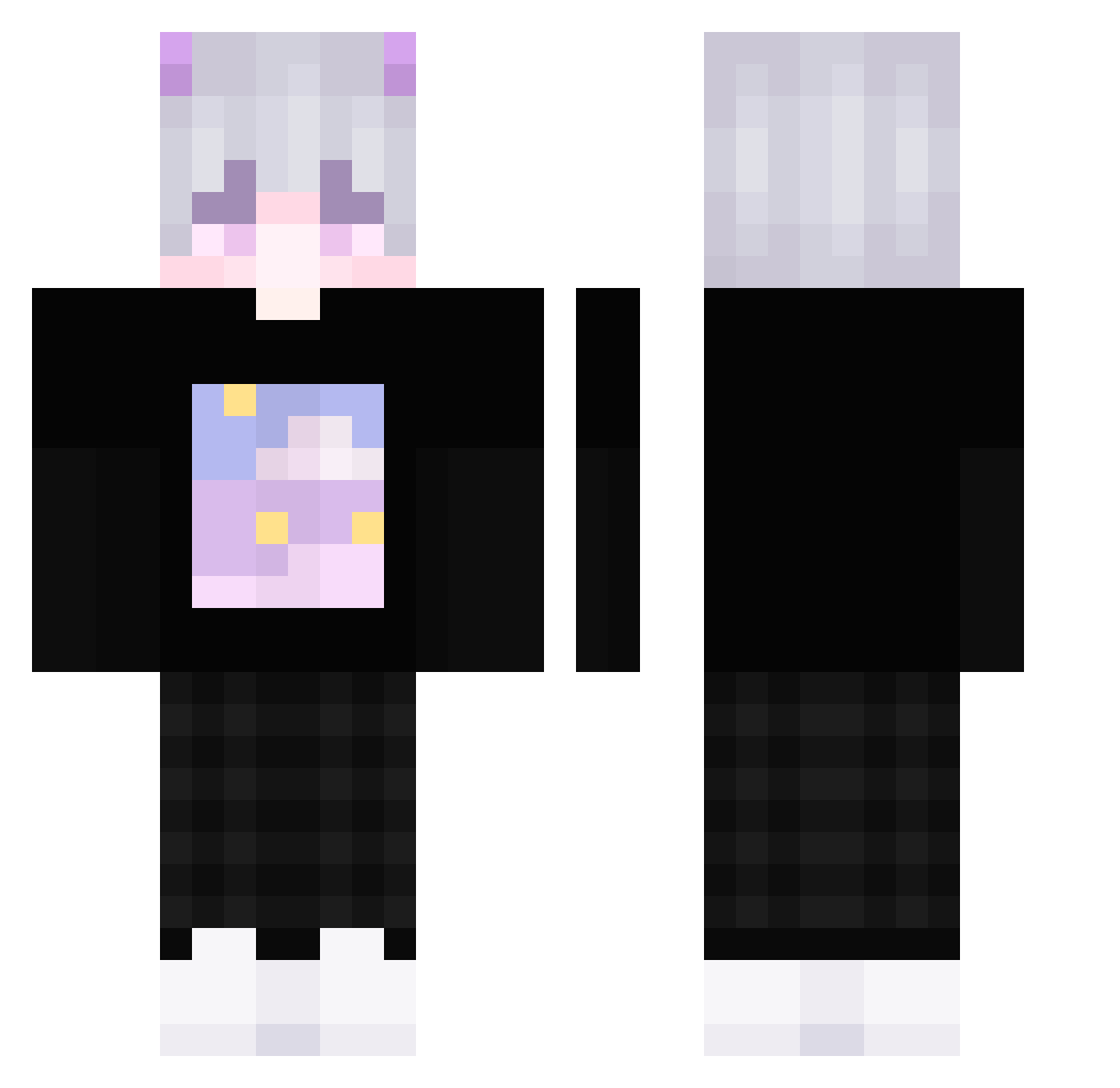
Current Minecraft skin of the player Kevin0318, loaded from the official Mojang API. Rotate the 3D model with your mouse or finger, then download the skin as a PNG file and use it in Minecraft: Bedrock Edition or Java Edition for free. When Kevin0318 changes their skin, this page updates automatically and the old skin stays in the history below.
Other players with this skin (278)
Kevin0318 was the 143rd player we have seen with this skin, first spotted on 10.09.2026. The same skin was seen on these players. Open a nickname to see their current skin and skin history.
 Rectar_ lZagreus LeMecBo YShisan SnowSh1 Bazel_512 OuJackk arkite AltaLE_ _Tsuyuki_ ImLeviathan17 Yuto_1324 SryxBroz Borning Ay_AoA_shino Katsudum 3vszn iuiovo GehArbeiten dotorx PranavPlayzz_YT Jhaycolte chbb5062 Pelllican Okazkl Lord_Cougar JustBN qianoppe MelonMarcc ThatShy Yusu0 treppy1337 KineGuitar hizuke_ raiifps Venchar haruame1105 Darkrazer_ Neroxkun SmokyBacon kureizu Szczaw1k Tudin leena_leo_ muslim777ttt SpanJungle075Nya PlateNeu_YT IvoUwU DominHR OriKanekoCH ampeterson07 XiaoQuan886 Xishu Abbew123v2 starquie Dudu_ne P4ulla flkmall2006 gamingdani Zyturon
More Horns Minecraft skins
How to install the Kevin0318 skin
- Press the Download button above to save the skin as a PNG file.
- Minecraft: Bedrock Edition (PE): open the Dressing Room from the main menu (or tap your character → Edit Character), go to Classic Skins → Owned, press the + (new skin) button, choose the downloaded PNG and pick the Classic (Steve) model. Works on PC and mobile; consoles cannot import custom skins.
- Minecraft: Java Edition: open the Minecraft Launcher, go to the Skins tab, click New Skin, load the PNG, pick the Classic (Steve) model and press Save & Use. You can also upload it at minecraft.net → Profile → Change Skin.
The skin does not show up after import - what should I do?
Restart Minecraft and open the Dressing Room again - imported skins sometimes appear only after a restart. Also make sure you selected the imported skin and picked the Classic (Steve) model.
Which model should I choose, Classic or Slim?
This skin is designed for the Classic (Steve) model. If you pick the wrong model, the arms of the skin will look stretched or squeezed.
Is the skin of Kevin0318 free to download?
Yes. Press Download, save the PNG file and use it in Minecraft: Bedrock Edition or Java Edition - no payment or registration needed. The skin also works on multiplayer servers and Realms.
More skins
Looking for more? Go back to all Minecraft skins and check the top skins of the week, month and all time, or find any player's skin by nickname.