
Kenneth14 - Minecraft Skins & Skin History
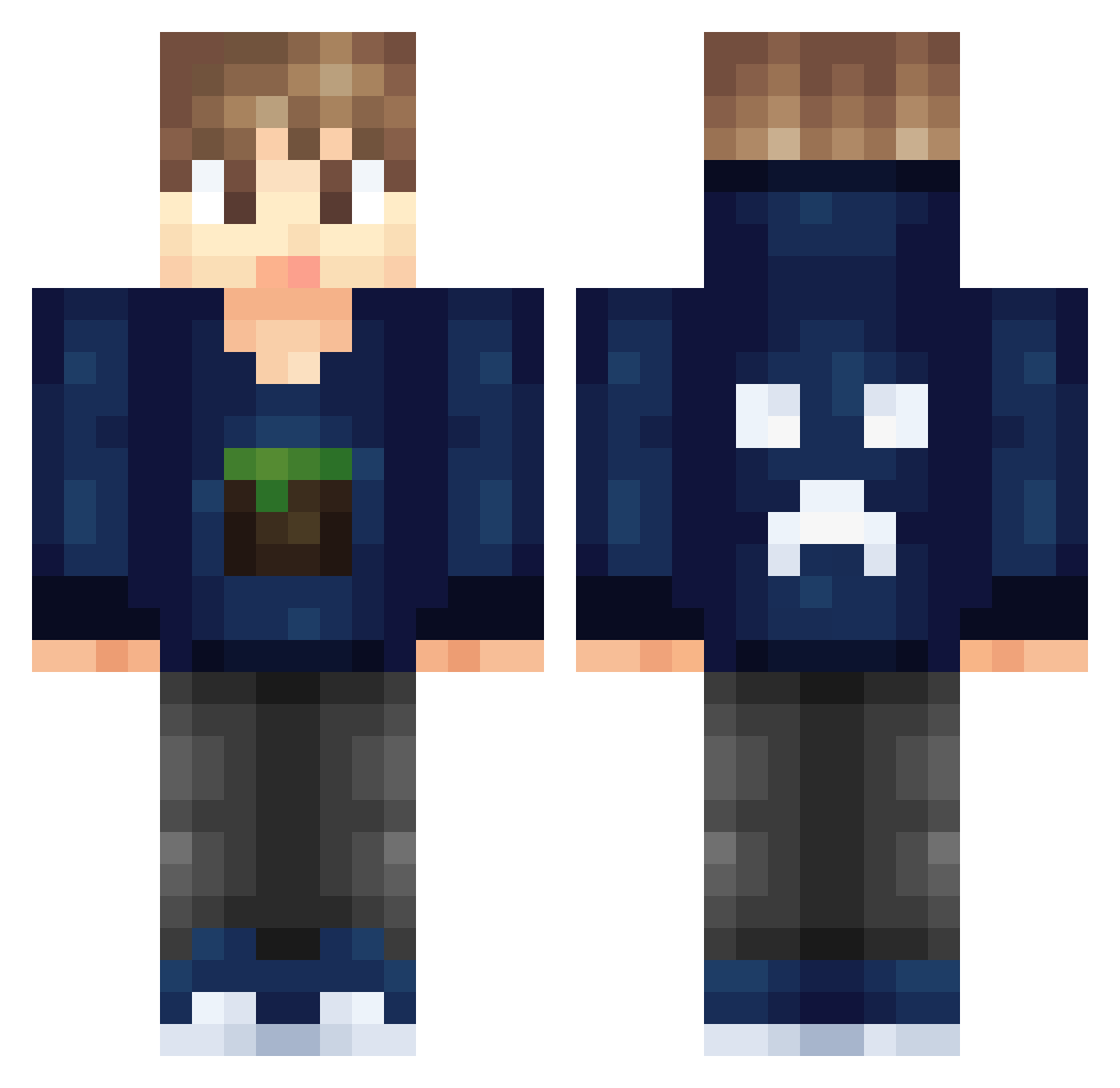
Current Minecraft skin of the player Kenneth14, loaded from the official Mojang API. Rotate the 3D model with your mouse or finger, then download the skin as a PNG file and use it in Minecraft: Bedrock Edition or Java Edition for free. When Kenneth14 changes their skin, this page updates automatically and the old skin stays in the history below.
Other players with this skin (326)
Kenneth14 was the 214th player we have seen with this skin, first spotted on 10.10.2026. The same skin was seen on these players. Open a nickname to see their current skin and skin history.
 Cheesemasters SizenMC wpp_jkw BSSDRVN Cragsy MCrafter43 fadir Diab0 DrewSal masterloaf The_Block_Pvper lmg76 mondo316 FestHunden dafatchicken07 kinggumba42 mamba_senpai cityhenrix HSH1237 DaZzBoBzZ MooN_712 Hashir135 minecraftwars385 _Doktor_baran BananaBoooBooo PROgamers712 Bugii55 Axl3 PUG_plays_MC MassiveGamer861 dabakun Aksel_Schroeder mabric FraAgBaAng _Force mllade189 Ramadhany somekrazykid12 KiiNchiiD idbnstra ArthurNeiva ALFINATOR5000 lightmasterhb shinkwon jdueb frankzero34 Max_4025 Blue_lover1 minefan99 DikkyDik 423621 ezkipvp PumpkinPine3957 GrimWIsh93 OmgItsNarrow blauwepino chairman99 gogommo jingcheng Xoid
More Creeper Minecraft skins
How to install the Kenneth14 skin
- Press the Download button above to save the skin as a PNG file.
- Minecraft: Bedrock Edition (PE): open the Dressing Room from the main menu (or tap your character → Edit Character), go to Classic Skins → Owned, press the + (new skin) button, choose the downloaded PNG and pick the Classic (Steve) model. Works on PC and mobile; consoles cannot import custom skins.
- Minecraft: Java Edition: open the Minecraft Launcher, go to the Skins tab, click New Skin, load the PNG, pick the Classic (Steve) model and press Save & Use. You can also upload it at minecraft.net → Profile → Change Skin.
The skin does not show up after import - what should I do?
Restart Minecraft and open the Dressing Room again - imported skins sometimes appear only after a restart. Also make sure you selected the imported skin and picked the Classic (Steve) model.
Which model should I choose, Classic or Slim?
This skin is designed for the Classic (Steve) model. If you pick the wrong model, the arms of the skin will look stretched or squeezed.
Is the skin of Kenneth14 free to download?
Yes. Press Download, save the PNG file and use it in Minecraft: Bedrock Edition or Java Edition - no payment or registration needed. The skin also works on multiplayer servers and Realms.
More skins
Looking for more? Go back to all Minecraft skins and check the top skins of the week, month and all time, or find any player's skin by nickname.