
Kasedya - Minecraft Skins & Skin History
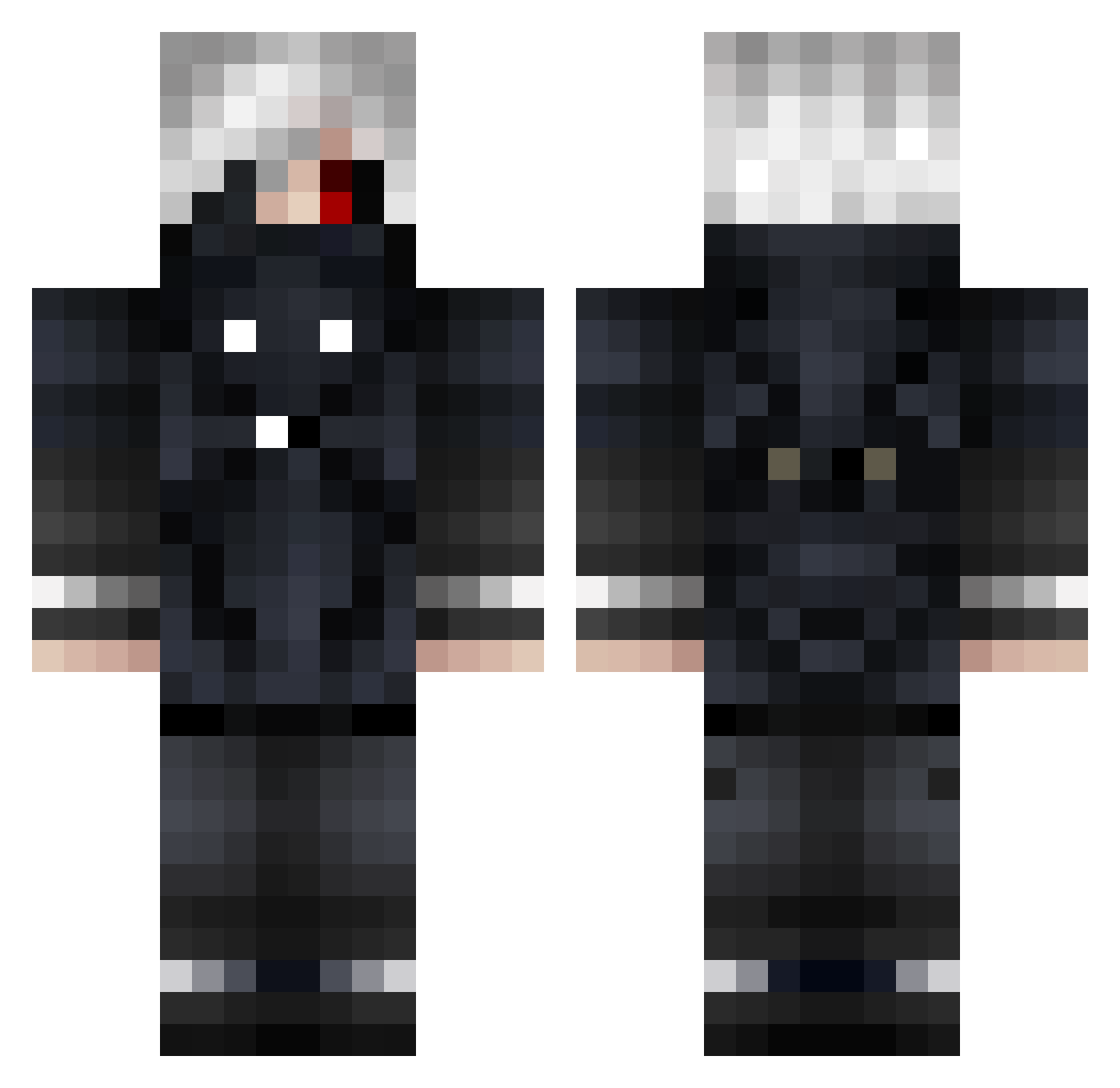
Current Minecraft skin of the player Kasedya, loaded from the official Mojang API. Rotate the 3D model with your mouse or finger, then download the skin as a PNG file and use it in Minecraft: Bedrock Edition or Java Edition for free. When Kasedya changes their skin, this page updates automatically and the old skin stays in the history below.
Other players with this skin (947)
Kasedya was the 874th player we have seen with this skin, first spotted on 12.11.2026. The same skin was seen on these players. Open a nickname to see their current skin and skin history.
 LightYagami___ mizihahaha NosferatuLover01 Yasuakin Muzvnn Alexnotyours Andromeda4201 __deathislife__ Nomad1222 Dr4gn33L JosepElKiller Haruki_Shiga Breaker30 JayZhou123 knight387 Kilslect Kiruu_ mix7m SleepyDie XLGodSpeedXS V1rDur bodysucker Vtrinity24 johnhan21 wildhawk14 Ordika TristanHaro The_Lord_Farkwad Towmata5 arlen6218 AoAosiroi Swainkie RektZ4 Revken_ Deglav Dragon_barca MallFix PV_Hunters ShadowSaber27 M3LLAMO3S Elimonns SlayerSK34 xeuu161 ExMatrac ViXsELECTRO CapitinYukiKun Metatron__ PaymonV2 ATOMIC1111 Loldie2 lorpi4i hatsu_0 Tilteds0ul xiaofengo Tb_Jamie Chevi3 _MaddoX__ Darth_Rage5 MalumMors Dornila
More Mask Minecraft skins
How to install the Kasedya skin
- Press the Download button above to save the skin as a PNG file.
- Minecraft: Bedrock Edition (PE): open the Dressing Room from the main menu (or tap your character → Edit Character), go to Classic Skins → Owned, press the + (new skin) button, choose the downloaded PNG and pick the Classic (Steve) model. Works on PC and mobile; consoles cannot import custom skins.
- Minecraft: Java Edition: open the Minecraft Launcher, go to the Skins tab, click New Skin, load the PNG, pick the Classic (Steve) model and press Save & Use. You can also upload it at minecraft.net → Profile → Change Skin.
The skin does not show up after import - what should I do?
Restart Minecraft and open the Dressing Room again - imported skins sometimes appear only after a restart. Also make sure you selected the imported skin and picked the Classic (Steve) model.
Which model should I choose, Classic or Slim?
This skin is designed for the Classic (Steve) model. If you pick the wrong model, the arms of the skin will look stretched or squeezed.
Is the skin of Kasedya free to download?
Yes. Press Download, save the PNG file and use it in Minecraft: Bedrock Edition or Java Edition - no payment or registration needed. The skin also works on multiplayer servers and Realms.
More skins
Looking for more? Go back to all Minecraft skins and check the top skins of the week, month and all time, or find any player's skin by nickname.