
Kaceman - Minecraft Skins & Skin History
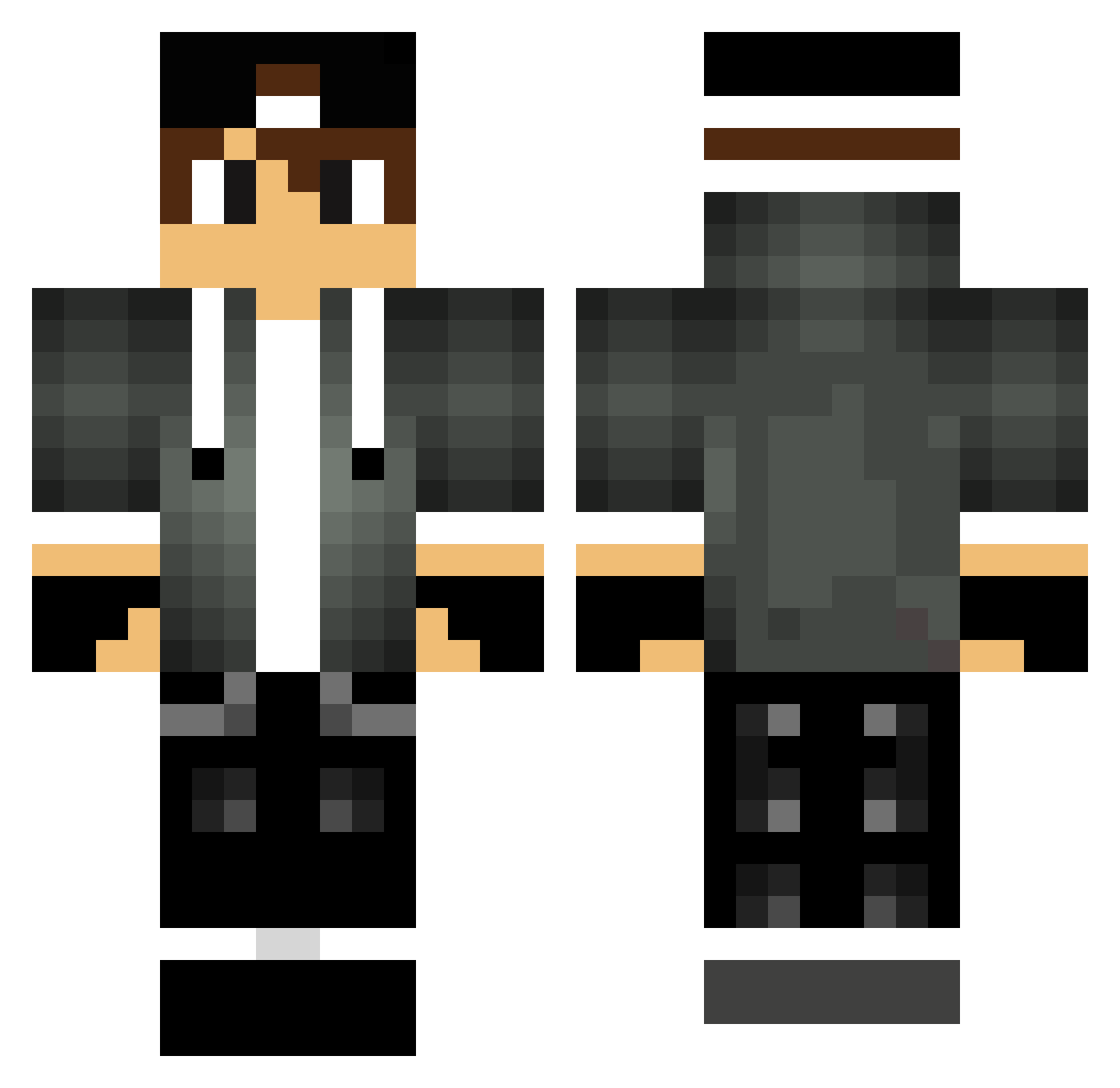
Current Minecraft skin of the player Kaceman, loaded from the official Mojang API. Rotate the 3D model with your mouse or finger, then download the skin as a PNG file and use it in Minecraft: Bedrock Edition or Java Edition for free. When Kaceman changes their skin, this page updates automatically and the old skin stays in the history below.
Other players with this skin (288)
Kaceman was the 40th player we have seen with this skin, first spotted on 07.08.2026. The same skin was seen on these players. Open a nickname to see their current skin and skin history.
 grgml_ VandDow Droninn Maxim_064 Fr4ncisco19 1lampo1 King_J_K KikiPvP__ Ben_442 Dragon320 HalukPasa mrpukki Dastmann99 Gerben12 DarkMarky leader121 Sjoerd_ Neusaaper Boudry69 Skythers1037 _PortugaPT_ jnrdoubletrouble sk15s FatherRyo TJM_321 WessirOne Sackington 1029itay Lord_StarEz Baskole Sharkie1 HubCio1129 2PalceWLalce_ Schuelly ProfessorPower J_Lander007 Bk1444 dean4255 JaJo217_HD NatanXD DarkWolf51 Taha_Ayad kevtechXx ladrap dash_er _LonsitoVR_ nxthas iiX_ONE Arrowzo anthony_p1 masterjiva wario500 Marshmellow_HD alfo32 DreamsOfBoys Overweighs Ev0nen LeyZzz Kelly1897 Pmjout
More Cap Minecraft skins
How to install the Kaceman skin
- Press the Download button above to save the skin as a PNG file.
- Minecraft: Bedrock Edition (PE): open the Dressing Room from the main menu (or tap your character → Edit Character), go to Classic Skins → Owned, press the + (new skin) button, choose the downloaded PNG and pick the Classic (Steve) model. Works on PC and mobile; consoles cannot import custom skins.
- Minecraft: Java Edition: open the Minecraft Launcher, go to the Skins tab, click New Skin, load the PNG, pick the Classic (Steve) model and press Save & Use. You can also upload it at minecraft.net → Profile → Change Skin.
The skin does not show up after import - what should I do?
Restart Minecraft and open the Dressing Room again - imported skins sometimes appear only after a restart. Also make sure you selected the imported skin and picked the Classic (Steve) model.
Which model should I choose, Classic or Slim?
This skin is designed for the Classic (Steve) model. If you pick the wrong model, the arms of the skin will look stretched or squeezed.
Is the skin of Kaceman free to download?
Yes. Press Download, save the PNG file and use it in Minecraft: Bedrock Edition or Java Edition - no payment or registration needed. The skin also works on multiplayer servers and Realms.
More skins
Looking for more? Go back to all Minecraft skins and check the top skins of the week, month and all time, or find any player's skin by nickname.