
Kaboomsuper - Minecraft Skins & Skin History
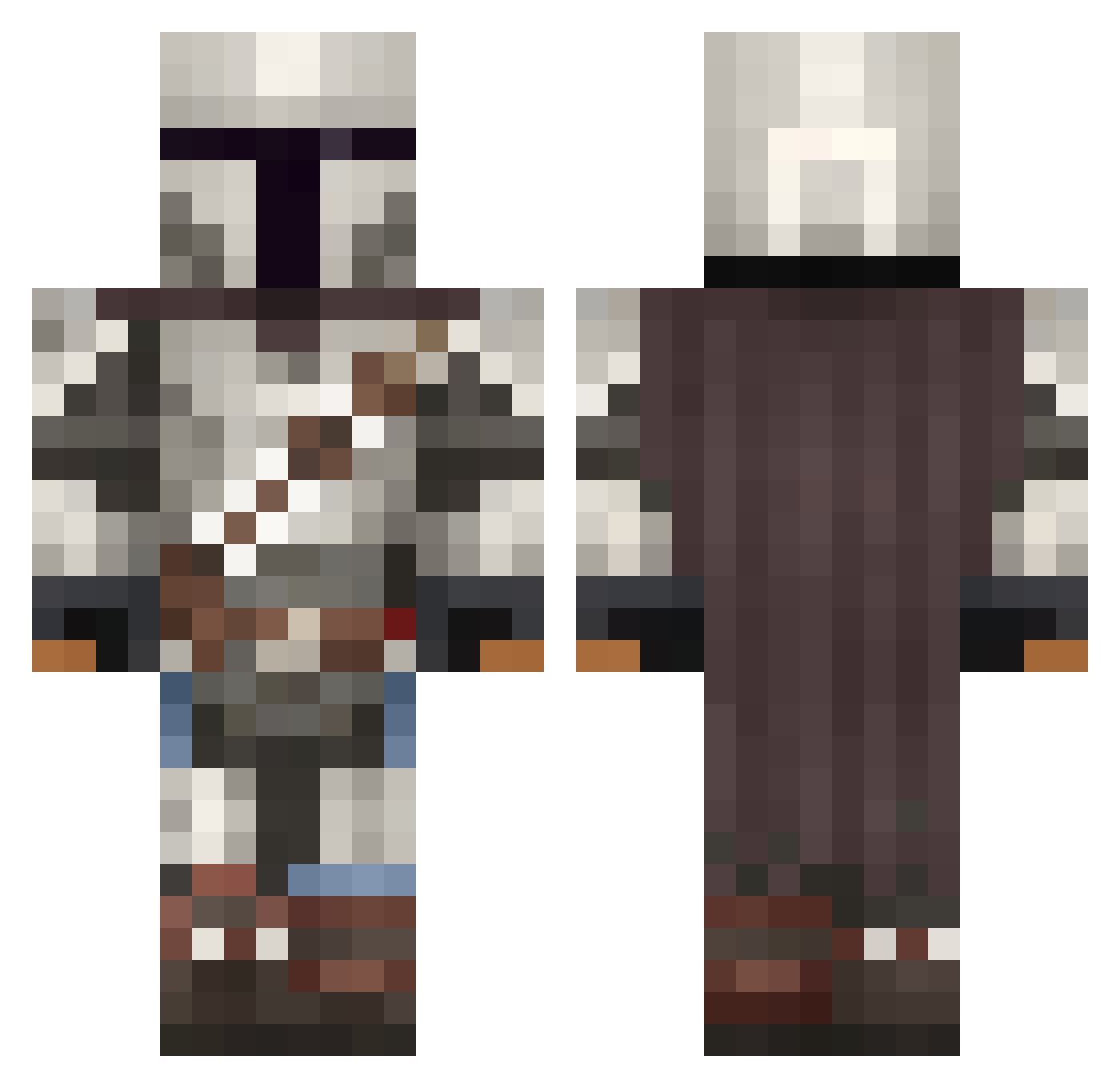
Current Minecraft skin of the player Kaboomsuper, loaded from the official Mojang API. Rotate the 3D model with your mouse or finger, then download the skin as a PNG file and use it in Minecraft: Bedrock Edition or Java Edition for free. When Kaboomsuper changes their skin, this page updates automatically and the old skin stays in the history below.
Other players with this skin (1094)
Kaboomsuper was the 429th player we have seen with this skin, first spotted on 11.09.2026. The same skin was seen on these players. Open a nickname to see their current skin and skin history.
 byOscar_HD SuperBest101man KrisGrainger MinecraftSwag420 HeuroSama Mando380 VizzBaby NiftyRex257471 DeniRobin ZedNiner michaelmelo henryheadgog12 Omikron81 Odran_Krayt GabeN55 Redearek MrFrana WILQU25 wambesi kingsmartiez zepizep MarcusAntonious nuttcorp THUG100 Aronmann choleriix Mans1aughter Afrobungie YTMonstaR montecristo899 MrZura thenewguy321 AlexxUrd M13S Varelactic0 HERQQLES sebl02 Lini_1304 csns06 FrontNoah Minestorm0194 CrownMeKing19 Ravxk Totteus polowater123 Art_o_War MoleMountain HeroZX93 Shlotski louisloi TomAtlassian Double_Metro Loki2142 RobBobCornCob42 Ricardio7 JacobTheBuilder2 thermalnerd KillerVeebs Kaeptn_Barul uwuvuwuwuuw
More The Mandalorian Minecraft skins
See all 620 The Mandalorian skins
How to install the Kaboomsuper skin
- Press the Download button above to save the skin as a PNG file.
- Minecraft: Bedrock Edition (PE): open the Dressing Room from the main menu (or tap your character → Edit Character), go to Classic Skins → Owned, press the + (new skin) button, choose the downloaded PNG and pick the Classic (Steve) model. Works on PC and mobile; consoles cannot import custom skins.
- Minecraft: Java Edition: open the Minecraft Launcher, go to the Skins tab, click New Skin, load the PNG, pick the Classic (Steve) model and press Save & Use. You can also upload it at minecraft.net → Profile → Change Skin.
The skin does not show up after import - what should I do?
Restart Minecraft and open the Dressing Room again - imported skins sometimes appear only after a restart. Also make sure you selected the imported skin and picked the Classic (Steve) model.
Which model should I choose, Classic or Slim?
This skin is designed for the Classic (Steve) model. If you pick the wrong model, the arms of the skin will look stretched or squeezed.
Is the skin of Kaboomsuper free to download?
Yes. Press Download, save the PNG file and use it in Minecraft: Bedrock Edition or Java Edition - no payment or registration needed. The skin also works on multiplayer servers and Realms.
More skins
Looking for more? Go back to all Minecraft skins and check the top skins of the week, month and all time, or find any player's skin by nickname.