
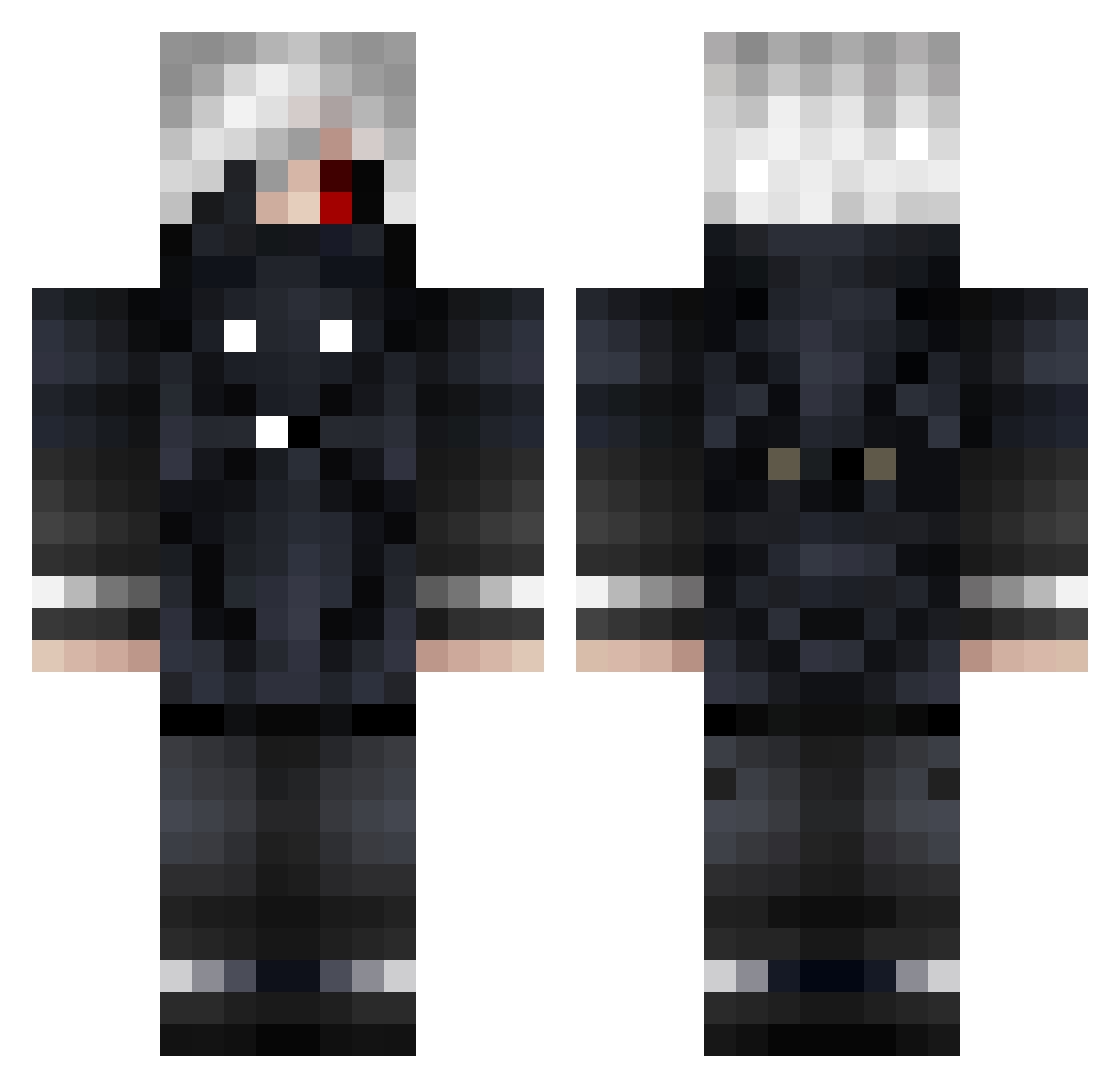
Current Minecraft skin of the player KR_Wannabe, loaded from the official Mojang API. Rotate the 3D model with your mouse or finger, then download the skin as a PNG file and use it in Minecraft: Bedrock Edition or Java Edition for free. When KR_Wannabe changes their skin, this page updates automatically and the old skin stays in the history below.
Other players with this skin (578)
KR_Wannabe was the 551st player we have seen with this skin, first spotted on 08.10.2026. The same skin was seen on these players. Open a nickname to see their current skin and skin history.
 ZuyaGamers su66668 KGBQuantum floudov DragoRBBKK muu2841 Sungoo Kaneki_sy EuthaniseMe_exe Jinxziess turnpa Erick2701 MATRIXXX000 xSurnex ironvava GhoulKing58 dolhdfr kiesport Ka1C85_TW Northyy97 ghoullons UWU_hayabusa_UWU Thillis_XD zxkn DimAzxc2005 xBhust_ Alejo01 dc6155 Beelus MatMetal007 liljordyvert KUROMU_1019 Savitar0304 FOXOURR MisterFatih NextGenJ12 TI_36X_PRO piercering Kvshhh R4xso xDemq N9rsh Alast0r_ thornberry427 Laobo8678 iHEARTnature BuddyEndless Koteiuq iFraya RichardBlake25 BrownLettuce zartor369 Mugen1820 Il_Baffo_Rude kotubu8 Gorvet Sith_Owl MeTrance glarieitor TimAkiii
More Mask Minecraft skins
How to install the KR_Wannabe skin
- Press the Download button above to save the skin as a PNG file.
- Minecraft: Bedrock Edition (PE): open the Dressing Room from the main menu (or tap your character → Edit Character), go to Classic Skins → Owned, press the + (new skin) button, choose the downloaded PNG and pick the Classic (Steve) model. Works on PC and mobile; consoles cannot import custom skins.
- Minecraft: Java Edition: open the Minecraft Launcher, go to the Skins tab, click New Skin, load the PNG, pick the Classic (Steve) model and press Save & Use. You can also upload it at minecraft.net → Profile → Change Skin.
The skin does not show up after import - what should I do?
Restart Minecraft and open the Dressing Room again - imported skins sometimes appear only after a restart. Also make sure you selected the imported skin and picked the Classic (Steve) model.
Which model should I choose, Classic or Slim?
This skin is designed for the Classic (Steve) model. If you pick the wrong model, the arms of the skin will look stretched or squeezed.
Is the skin of KR_Wannabe free to download?
Yes. Press Download, save the PNG file and use it in Minecraft: Bedrock Edition or Java Edition - no payment or registration needed. The skin also works on multiplayer servers and Realms.
More skins
Looking for more? Go back to all Minecraft skins and check the top skins of the week, month and all time, or find any player's skin by nickname.