
KQOp171 - Minecraft Skins & Skin History
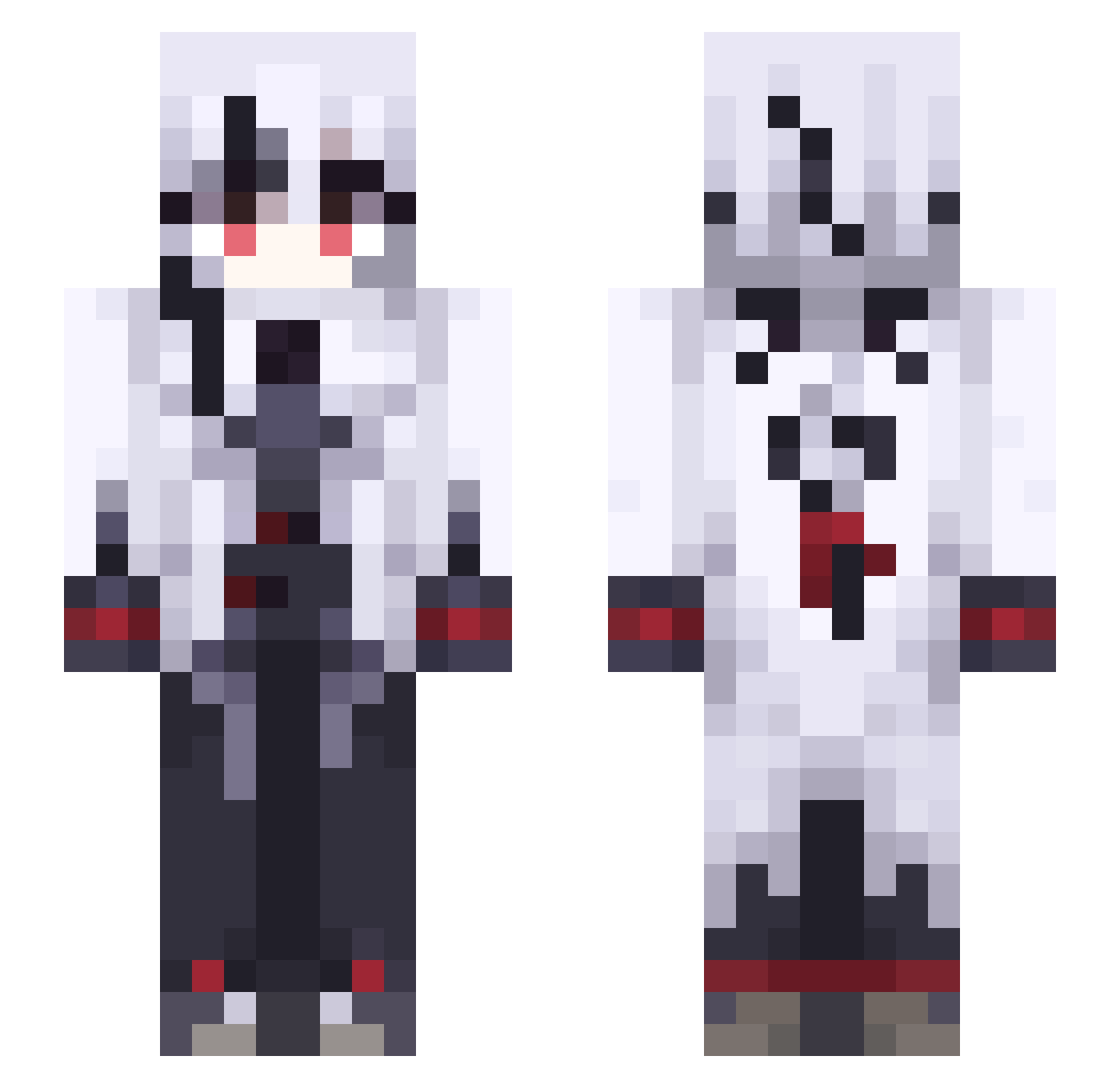
Current Minecraft skin of the player KQOp171, loaded from the official Mojang API. Rotate the 3D model with your mouse or finger, then download the skin as a PNG file and use it in Minecraft: Bedrock Edition or Java Edition for free. When KQOp171 changes their skin, this page updates automatically and the old skin stays in the history below.
Other players with this skin (491)
KQOp171 was the 233rd player we have seen with this skin, first spotted on 13.09.2026. The same skin was seen on these players. Open a nickname to see their current skin and skin history.
 M0z2 drmd644 vxidstar qqquan886 mso_osm HarukiSekai L0sali yJE192 Qkc594 KS_79 fgudbhsja Omnify_ xvx1xzx KPfe376 Viimaple CutyGirl miaoxiaoluo123 Polski_Husar moonstrr PoisonKendall Eaic87 Salem131411 50Gigs Jiu_qian IRavelI kozmicc Nebulyst Scythes1921 YakoEnigma Evie5431 Maapleman KKOk493 Thighnoon jubileu007 HopelessHost Penguin_0325 _kizonka_ Saveiness 6boulaite sui_xi dream4688 OfY310 yottyan0508 YxN1z MCmeng5 KLd863 kikari44 siraori01 kwwio SpankThatShank SuitableCousin susuzy kofukuuu Bluenys TumblingTomato Allexxes Ferbusse R4ydragon TakeoverDrop481 nightrider32
More Goth Minecraft skins
How to install the KQOp171 skin
- Press the Download button above to save the skin as a PNG file.
- Minecraft: Bedrock Edition (PE): open the Dressing Room from the main menu (or tap your character → Edit Character), go to Classic Skins → Owned, press the + (new skin) button, choose the downloaded PNG and pick the Slim (Alex) model. Works on PC and mobile; consoles cannot import custom skins.
- Minecraft: Java Edition: open the Minecraft Launcher, go to the Skins tab, click New Skin, load the PNG, pick the Slim (Alex) model and press Save & Use. You can also upload it at minecraft.net → Profile → Change Skin.
The skin does not show up after import - what should I do?
Restart Minecraft and open the Dressing Room again - imported skins sometimes appear only after a restart. Also make sure you selected the imported skin and picked the Slim (Alex) model.
Which model should I choose, Classic or Slim?
This skin is designed for the Slim (Alex) model. If you pick the wrong model, the arms of the skin will look stretched or squeezed.
Is the skin of KQOp171 free to download?
Yes. Press Download, save the PNG file and use it in Minecraft: Bedrock Edition or Java Edition - no payment or registration needed. The skin also works on multiplayer servers and Realms.
More skins
Looking for more? Go back to all Minecraft skins and check the top skins of the week, month and all time, or find any player's skin by nickname.