
KLW00 - Minecraft Skins & Skin History
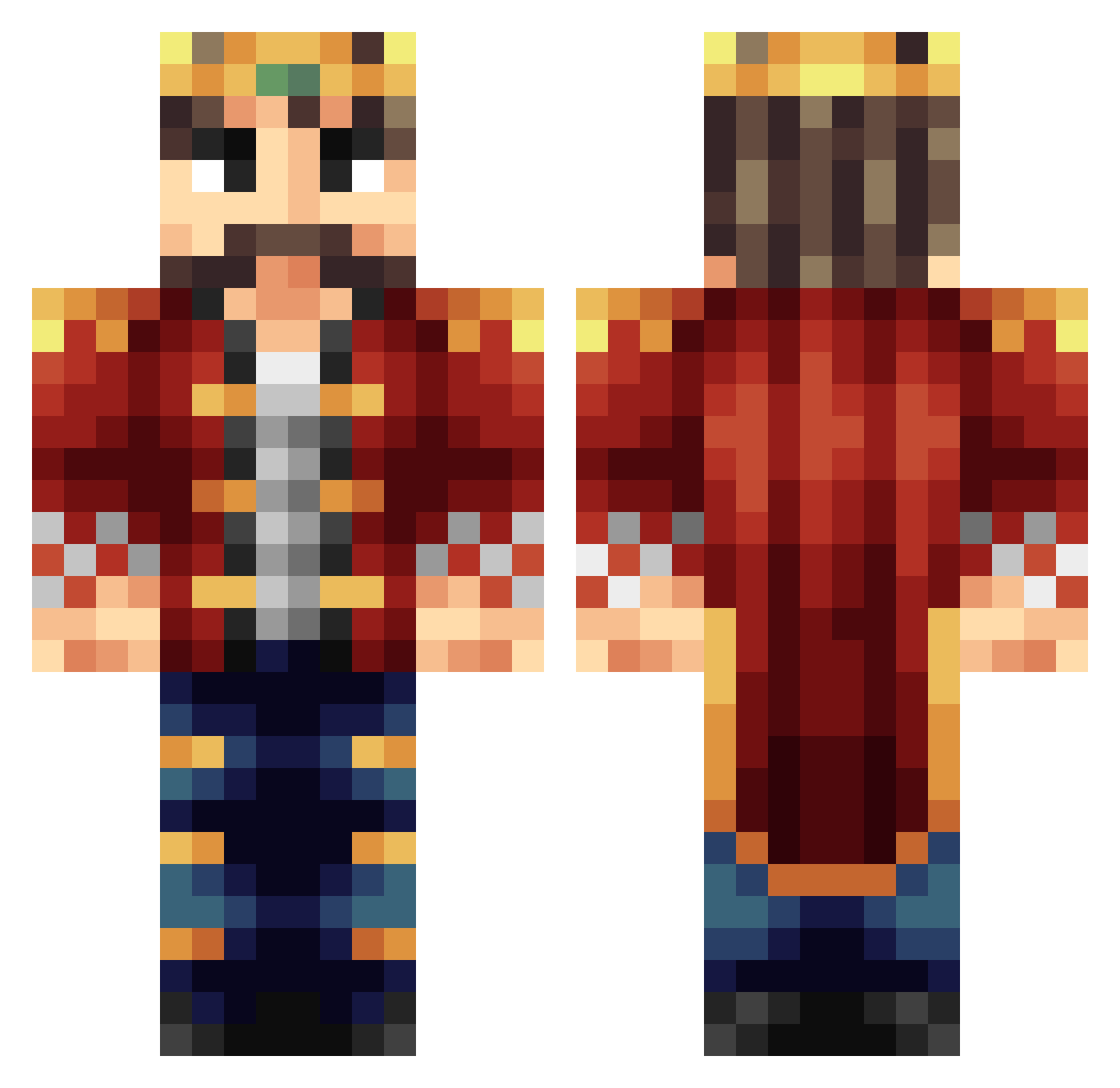
Current Minecraft skin of the player KLW00, loaded from the official Mojang API. Rotate the 3D model with your mouse or finger, then download the skin as a PNG file and use it in Minecraft: Bedrock Edition or Java Edition for free. When KLW00 changes their skin, this page updates automatically and the old skin stays in the history below.
Other players with this skin (245)
KLW00 was the 40th player we have seen with this skin, first spotted on 10.08.2026. The same skin was seen on these players. Open a nickname to see their current skin and skin history.
 Ragnaros2z pissarot Alexbizy H3arthDrag0n CastleSieger Goload simo024n Sydsken Gamerteq el_emperadorXIII TerrorsGaming Gamer_boss666 G4sh3rbrum Magaza123 Workaday MRmonkey69210 _Liran_ Bosslong Samph7 SirTheKing_ AfricanChad Bolvis2003 King_Kunibert_1 ThemanDog74 Pixellord211 Ferda07 Sealy purriel MathiasEH aaronk19 Deadstalk3 Reyiz__ DjayB12 Rat_lex UnlimitedStars breytonn Whiskey_man69 LionheartXIX NesparR DaDaDaYv JonahJoesta SpikeVirtual Black_Ya Ananas1476 denyrequest Quaris7 rickyboy20 JBold1992 babaev AxeBoyd Tiny_Thor_ kingpingpong Lord_Brackett oBADGERo Uncle__Yang DerLordS KingKy333 Sheidheda__ CTAPOCTA SeriSmok
More Technoblade Minecraft skins
See all 4262 Technoblade skins
How to install the KLW00 skin
- Press the Download button above to save the skin as a PNG file.
- Minecraft: Bedrock Edition (PE): open the Dressing Room from the main menu (or tap your character → Edit Character), go to Classic Skins → Owned, press the + (new skin) button, choose the downloaded PNG and pick the Classic (Steve) model. Works on PC and mobile; consoles cannot import custom skins.
- Minecraft: Java Edition: open the Minecraft Launcher, go to the Skins tab, click New Skin, load the PNG, pick the Classic (Steve) model and press Save & Use. You can also upload it at minecraft.net → Profile → Change Skin.
The skin does not show up after import - what should I do?
Restart Minecraft and open the Dressing Room again - imported skins sometimes appear only after a restart. Also make sure you selected the imported skin and picked the Classic (Steve) model.
Which model should I choose, Classic or Slim?
This skin is designed for the Classic (Steve) model. If you pick the wrong model, the arms of the skin will look stretched or squeezed.
Is the skin of KLW00 free to download?
Yes. Press Download, save the PNG file and use it in Minecraft: Bedrock Edition or Java Edition - no payment or registration needed. The skin also works on multiplayer servers and Realms.
More skins
Looking for more? Go back to all Minecraft skins and check the top skins of the week, month and all time, or find any player's skin by nickname.