
KIOK99 - Minecraft Skins & Skin History
Current Minecraft skin of the player KIOK99, loaded from the official Mojang API. Rotate the 3D model with your mouse or finger, then download the skin as a PNG file and use it in Minecraft: Bedrock Edition or Java Edition for free. When KIOK99 changes their skin, this page updates automatically and the old skin stays in the history below.
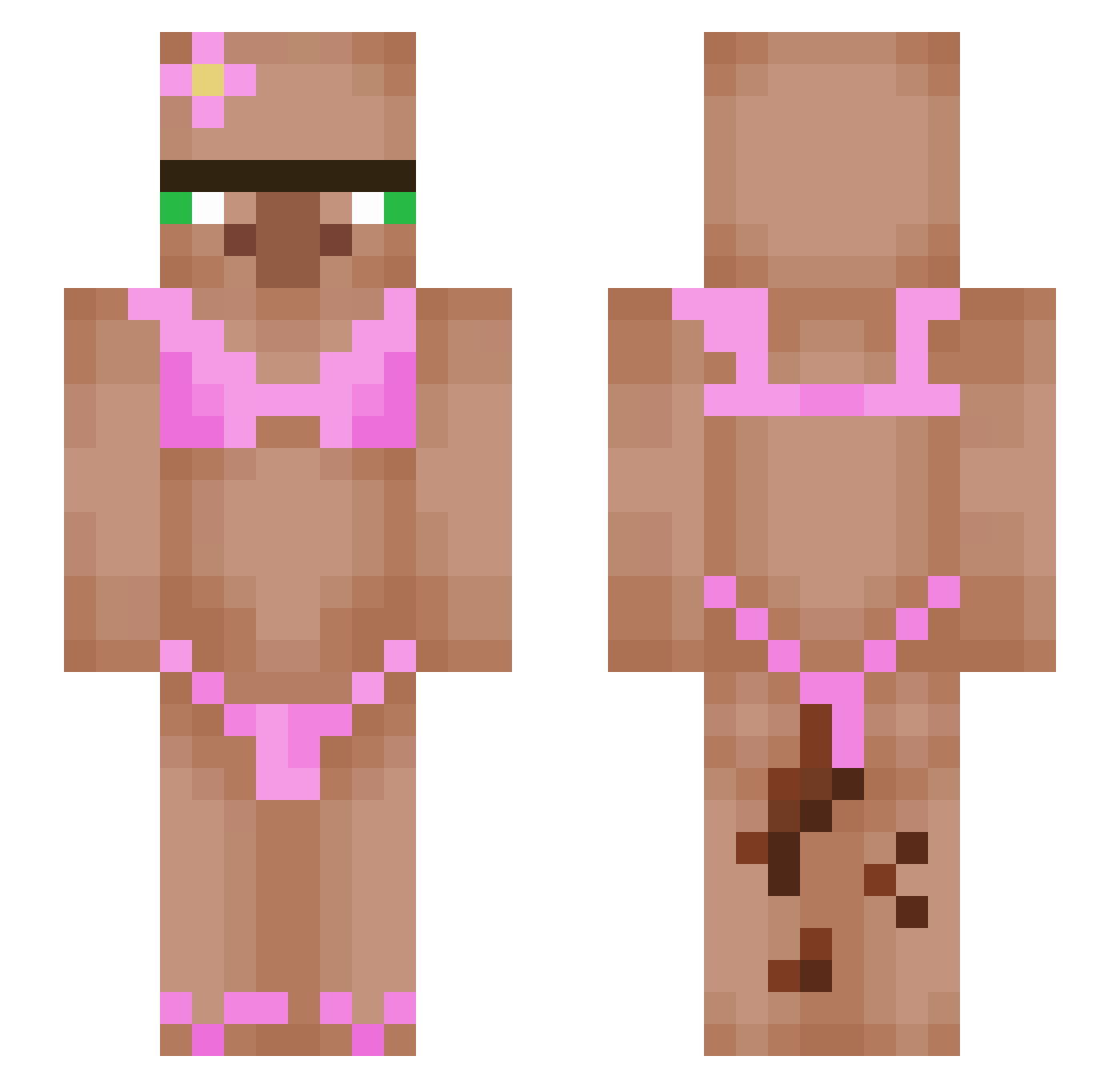
Other players with this skin (467)
KIOK99 was the 99th player we have seen with this skin, first spotted on 13.08.2026. The same skin was seen on these players. Open a nickname to see their current skin and skin history.
 JuodasZmogus TheHonoredOne111 olivia_thegreat5 mundse noxy_1312 Cheesestring935 JeBoyLucas goldenburrito59 vSage999 jeppeGLsuperstar emmyy246 gadam98 Zetashii 007ish Sudoku2 Rczjy BABAYANI1 duckywkey GooeyGecko42 iWeito BuckleyNutley helolo167 Eitann25 ashleejenine Nicohhhh0701 Bobi6969 Sangwoo_Simp Bagpuss71 Nataliaaaaaaaaaa UnicornFart27 Siirrii uglyf4ck boomskibdi shmodyman FanofchelseaFC Oskar011 mcbuttermann poepsiewoepsie69 GetCocked KrroIa _Nexus38 Elipeli23 maaexx ColeCaCola12 GuillermoT23 HARRYBALL777 Pooshiesty1 XYC1207 churriowo SethB2013 Weetvurst1 canilla__ Marcelol76888 DaBabe_ Shuggerlandd SilverMuffin69 krxx42i Hyozzz pjeezy69 cxrrnts
More Bikini Minecraft skins
How to install the KIOK99 skin
- Press the Download button above to save the skin as a PNG file.
- Minecraft: Bedrock Edition (PE): open the Dressing Room from the main menu (or tap your character → Edit Character), go to Classic Skins → Owned, press the + (new skin) button, choose the downloaded PNG and pick the Slim (Alex) model. Works on PC and mobile; consoles cannot import custom skins.
- Minecraft: Java Edition: open the Minecraft Launcher, go to the Skins tab, click New Skin, load the PNG, pick the Slim (Alex) model and press Save & Use. You can also upload it at minecraft.net → Profile → Change Skin.
The skin does not show up after import - what should I do?
Restart Minecraft and open the Dressing Room again - imported skins sometimes appear only after a restart. Also make sure you selected the imported skin and picked the Slim (Alex) model.
Which model should I choose, Classic or Slim?
This skin is designed for the Slim (Alex) model. If you pick the wrong model, the arms of the skin will look stretched or squeezed.
Is the skin of KIOK99 free to download?
Yes. Press Download, save the PNG file and use it in Minecraft: Bedrock Edition or Java Edition - no payment or registration needed. The skin also works on multiplayer servers and Realms.
More skins
Looking for more? Go back to all Minecraft skins and check the top skins of the week, month and all time, or find any player's skin by nickname.