
KGB_ - Minecraft Skins & Skin History
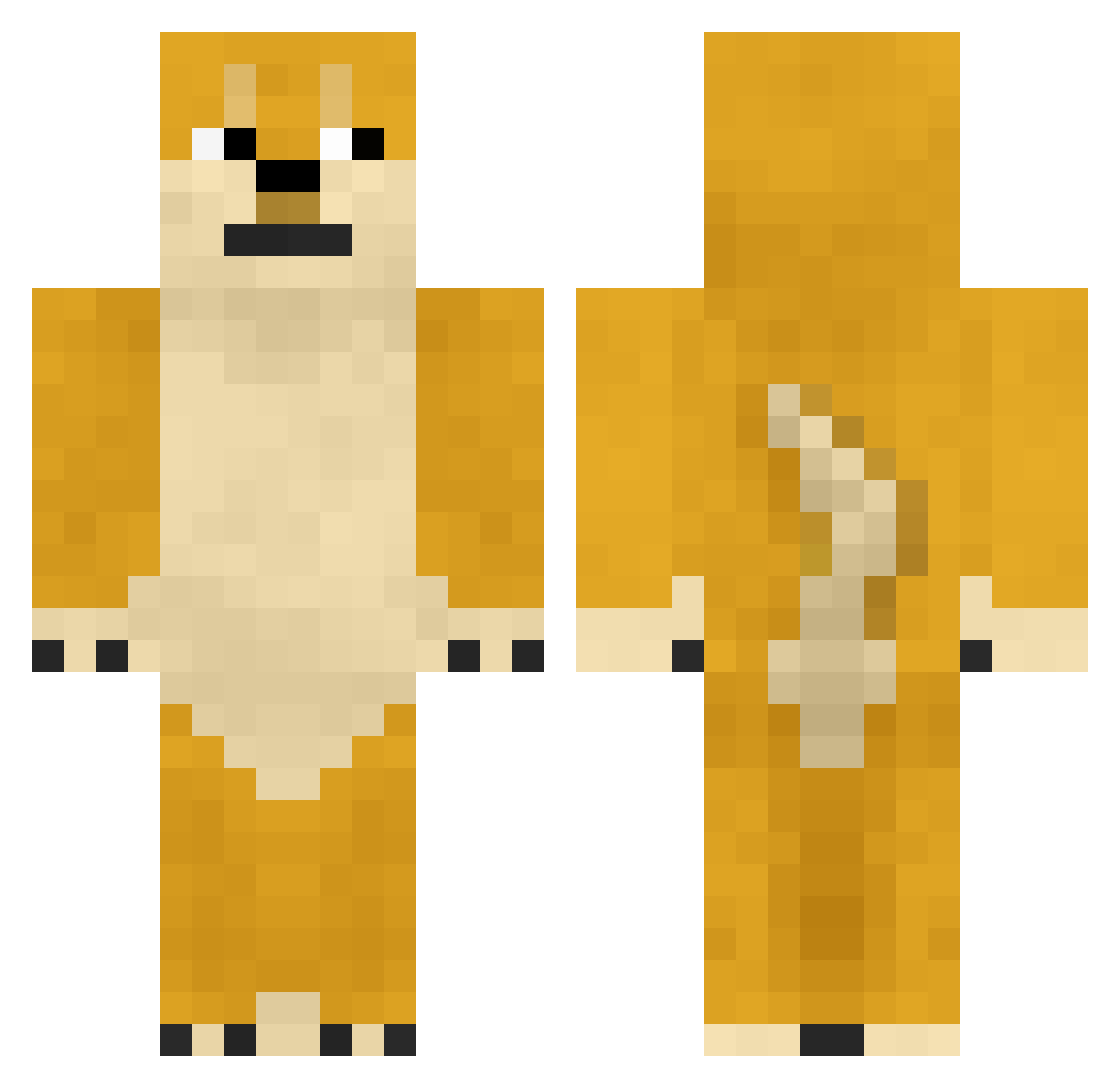
Current Minecraft skin of the player KGB_, loaded from the official Mojang API. Rotate the 3D model with your mouse or finger, then download the skin as a PNG file and use it in Minecraft: Bedrock Edition or Java Edition for free. When KGB_ changes their skin, this page updates automatically and the old skin stays in the history below.
Other players with this skin (361)
KGB_ was the 204th player we have seen with this skin, first spotted on 19.09.2026. The same skin was seen on these players. Open a nickname to see their current skin and skin history.
 Fly_Doge_ BRP_237 Hananako IAmTheWolfie Dr_Puppy riannakat Minestartudor AhngelV theblargman7 Asso krakenfinder muutiku KptFilip bryanjr123 SaviorHuckmon TrueLeonPriest Jasone OllieCrypticFox GrandpaDoge Sonwer_ LearnToSpel JSpencer06 scraftybomb batdude111 THE_HOAGIE absolutezerox2 Hairy_Sammy trystan_613 pop9435 michaelish Vaultboy72 xomco gerosplash Dannborg Davo_the_Doge BRTYhd Mootch theDoogmaster10 TSPT8 ifightto daxigua123 Vwulf98 Oridian_ mottejelly DavidPortala Pyro114 swannyy14 jmacula29 Rouxai3 mrsbloom19 brodydude123 YungSeaSalt Evanlittleman LilyCrawford WU_YAN_ZU edwinoe RaccoonJesus Purqe LowkeyDrunk WalaszekPL_
More Internet Meme Minecraft skins
See all 117 Internet Meme skins
How to install the KGB_ skin
- Press the Download button above to save the skin as a PNG file.
- Minecraft: Bedrock Edition (PE): open the Dressing Room from the main menu (or tap your character → Edit Character), go to Classic Skins → Owned, press the + (new skin) button, choose the downloaded PNG and pick the Classic (Steve) model. Works on PC and mobile; consoles cannot import custom skins.
- Minecraft: Java Edition: open the Minecraft Launcher, go to the Skins tab, click New Skin, load the PNG, pick the Classic (Steve) model and press Save & Use. You can also upload it at minecraft.net → Profile → Change Skin.
The skin does not show up after import - what should I do?
Restart Minecraft and open the Dressing Room again - imported skins sometimes appear only after a restart. Also make sure you selected the imported skin and picked the Classic (Steve) model.
Which model should I choose, Classic or Slim?
This skin is designed for the Classic (Steve) model. If you pick the wrong model, the arms of the skin will look stretched or squeezed.
Is the skin of KGB_ free to download?
Yes. Press Download, save the PNG file and use it in Minecraft: Bedrock Edition or Java Edition - no payment or registration needed. The skin also works on multiplayer servers and Realms.
More skins
Looking for more? Go back to all Minecraft skins and check the top skins of the week, month and all time, or find any player's skin by nickname.