
KATSUSAMA - Minecraft Skins & Skin History
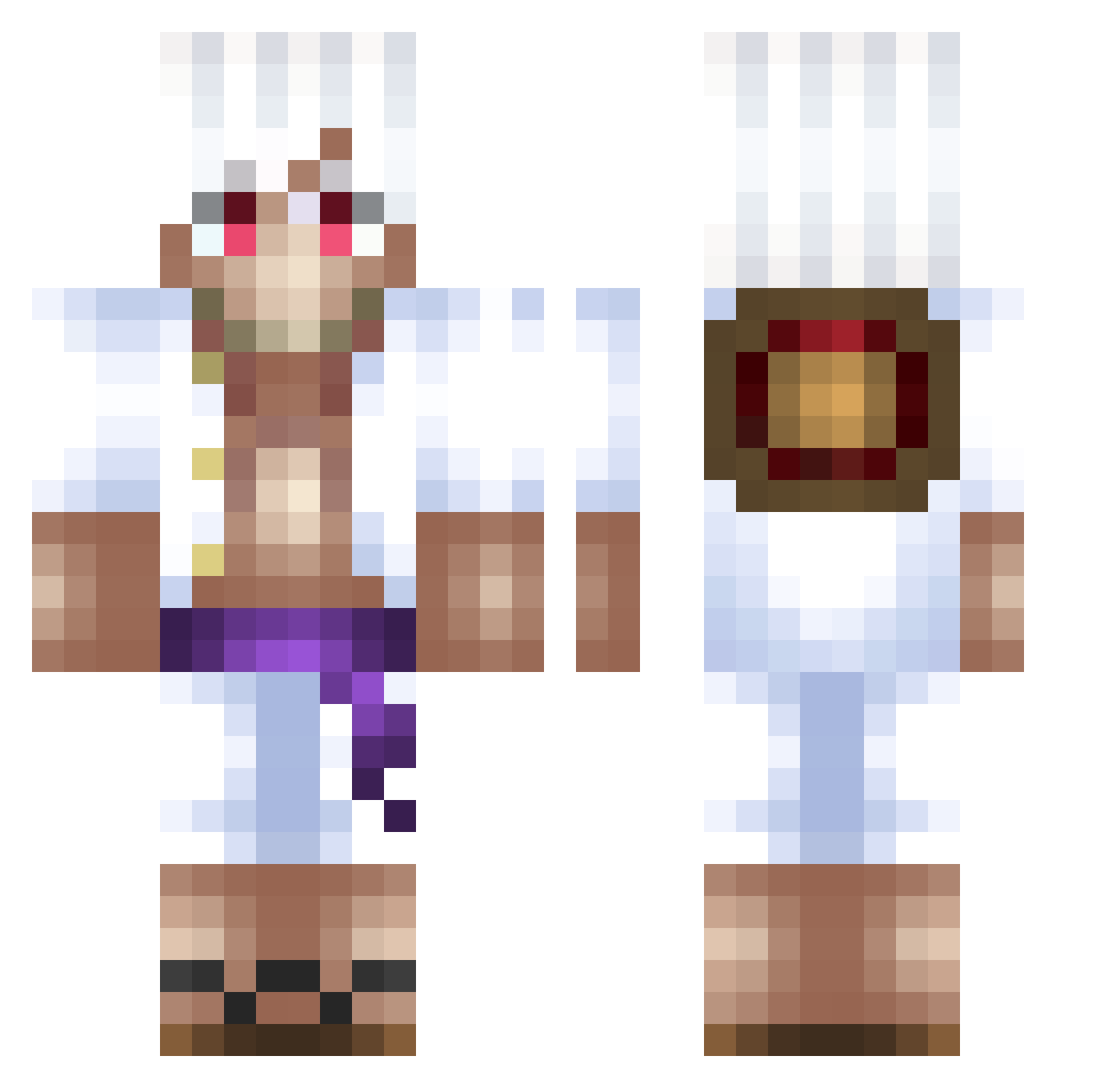
Current Minecraft skin of the player KATSUSAMA, loaded from the official Mojang API. Rotate the 3D model with your mouse or finger, then download the skin as a PNG file and use it in Minecraft: Bedrock Edition or Java Edition for free. When KATSUSAMA changes their skin, this page updates automatically and the old skin stays in the history below.
Other players with this skin (500)
KATSUSAMA was the 129th player we have seen with this skin, first spotted on 21.08.2026. The same skin was seen on these players. Open a nickname to see their current skin and skin history.
 Zlaja04 SCOOTSKIS KingSamael02 xFire_ takachan12 xd_mashedpotato Orayan03 Goyuu MChotpink Tesleasia HowlnoSama waggle911 Benat_toya JetBlackBlade NotJoyboy SickMazzo mimoLolXD AL3XCS2 Siro_Kuro_ taigo02 DrakzzGang zolumbuz TedsMango Bubbajr_ NAGGY1407 Zovy08 E72_ StiviJaeger WordlgamerOP loukauzu
 Noah2917 ElJara15 Texxas27 gtsdan Philmafor luvvmars1 LilAbriel ZaneKZ_ MarKOdAn7 DecimalMist its_ferlo K1llGore1618 mospo Mapache_G27 EasterBunny69 ClasiC56 NashBw SenpapiKeev sixuwu sneaXpogger Rayychou Spitif___ Auri____ Norman15 NatanPolak
 TheLastSlayer420 Rafael_1812 benji26m Dbetterbest RockyT_T
More Monkey D Luffy Minecraft skins
See all 925 Monkey D Luffy skins
How to install the KATSUSAMA skin
- Press the Download button above to save the skin as a PNG file.
- Minecraft: Bedrock Edition (PE): open the Dressing Room from the main menu (or tap your character → Edit Character), go to Classic Skins → Owned, press the + (new skin) button, choose the downloaded PNG and pick the Classic (Steve) model. Works on PC and mobile; consoles cannot import custom skins.
- Minecraft: Java Edition: open the Minecraft Launcher, go to the Skins tab, click New Skin, load the PNG, pick the Classic (Steve) model and press Save & Use. You can also upload it at minecraft.net → Profile → Change Skin.
The skin does not show up after import - what should I do?
Restart Minecraft and open the Dressing Room again - imported skins sometimes appear only after a restart. Also make sure you selected the imported skin and picked the Classic (Steve) model.
Which model should I choose, Classic or Slim?
This skin is designed for the Classic (Steve) model. If you pick the wrong model, the arms of the skin will look stretched or squeezed.
Is the skin of KATSUSAMA free to download?
Yes. Press Download, save the PNG file and use it in Minecraft: Bedrock Edition or Java Edition - no payment or registration needed. The skin also works on multiplayer servers and Realms.
More skins
Looking for more? Go back to all Minecraft skins and check the top skins of the week, month and all time, or find any player's skin by nickname.