
Justin1985 - Minecraft Skins & Skin History
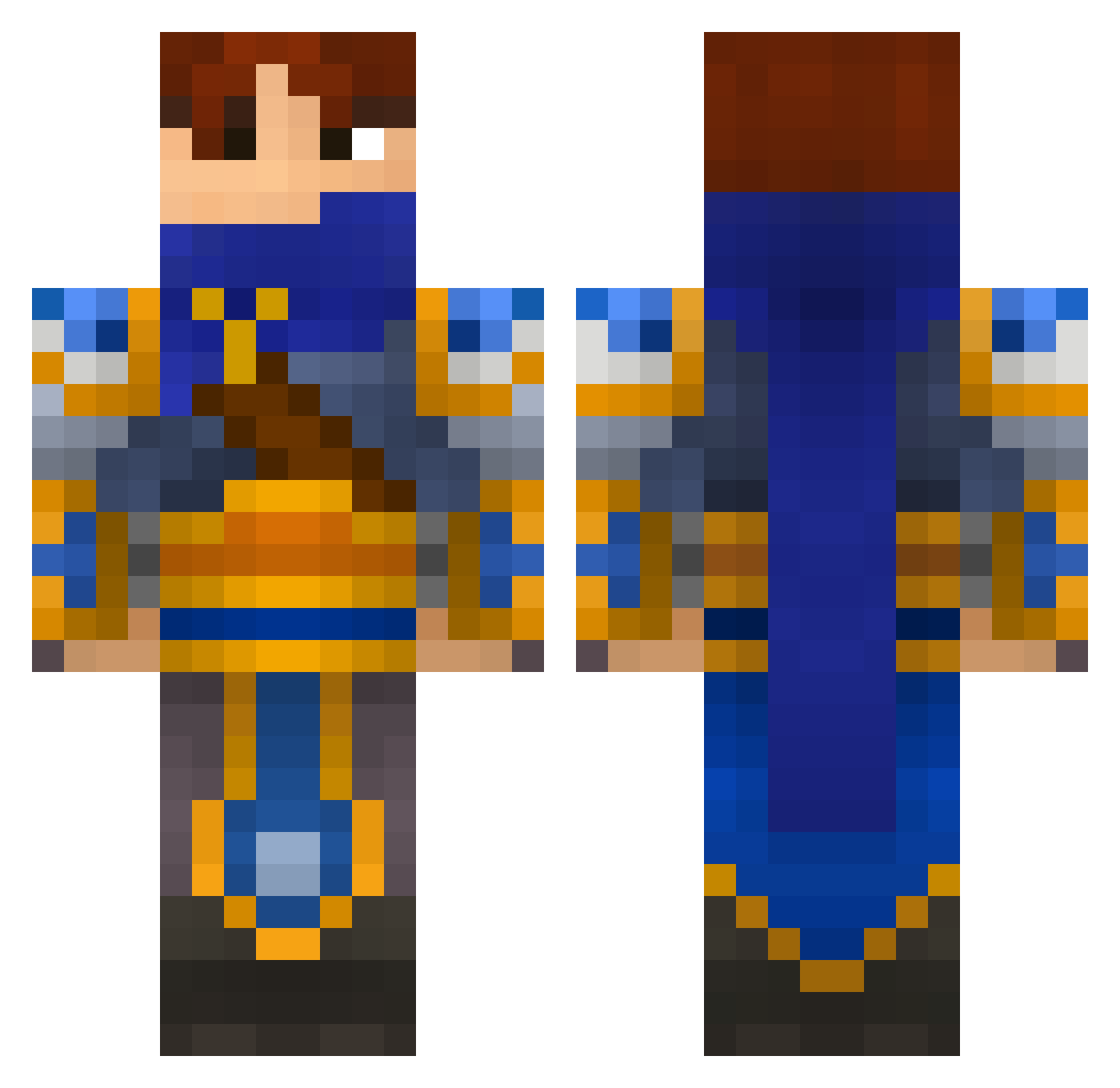
Current Minecraft skin of the player Justin1985, loaded from the official Mojang API. Rotate the 3D model with your mouse or finger, then download the skin as a PNG file and use it in Minecraft: Bedrock Edition or Java Edition for free. When Justin1985 changes their skin, this page updates automatically and the old skin stays in the history below.
Other players with this skin (696)
Justin1985 was the 474th player we have seen with this skin, first spotted on 11.10.2026. The same skin was seen on these players. Open a nickname to see their current skin and skin history.
 JoJoSaesch TizikWorld Cowspots GctaJolteon KillerRikuxD K98a1 NineIota OversizedDwarf Zezudof heijuu fuffelops Tyrannasaur chrissilver Jack_Denny arrthebarr96 Dantheman20002 HustleBoy MrBladder miixoni karimftw Tokz15 mc555 Punkaboo masai38 talkington mctws17 iibEZdAii Dariuns h8528 Myleftballsack HQuinn VincentTheKnight lammymaster Solaryu kenjiro Sugarr_G killerman_PrO_O Wanden BenjikCZ Safrixx_ vardald ANDR3WR1CKARD Eyvin CloudYu666 MasterShitBag Seroms_ EuphoniumSama shalath Tremblingtenant Non_ninja Haibryd wickerteamer Argon974 veLeon f_nymann MfcTerry craman johanguldager vrielyc Zarak1985
More Warrior Minecraft skins
How to install the Justin1985 skin
- Press the Download button above to save the skin as a PNG file.
- Minecraft: Bedrock Edition (PE): open the Dressing Room from the main menu (or tap your character → Edit Character), go to Classic Skins → Owned, press the + (new skin) button, choose the downloaded PNG and pick the Classic (Steve) model. Works on PC and mobile; consoles cannot import custom skins.
- Minecraft: Java Edition: open the Minecraft Launcher, go to the Skins tab, click New Skin, load the PNG, pick the Classic (Steve) model and press Save & Use. You can also upload it at minecraft.net → Profile → Change Skin.
The skin does not show up after import - what should I do?
Restart Minecraft and open the Dressing Room again - imported skins sometimes appear only after a restart. Also make sure you selected the imported skin and picked the Classic (Steve) model.
Which model should I choose, Classic or Slim?
This skin is designed for the Classic (Steve) model. If you pick the wrong model, the arms of the skin will look stretched or squeezed.
Is the skin of Justin1985 free to download?
Yes. Press Download, save the PNG file and use it in Minecraft: Bedrock Edition or Java Edition - no payment or registration needed. The skin also works on multiplayer servers and Realms.
More skins
Looking for more? Go back to all Minecraft skins and check the top skins of the week, month and all time, or find any player's skin by nickname.