
Jum270 - Minecraft Skins & Skin History
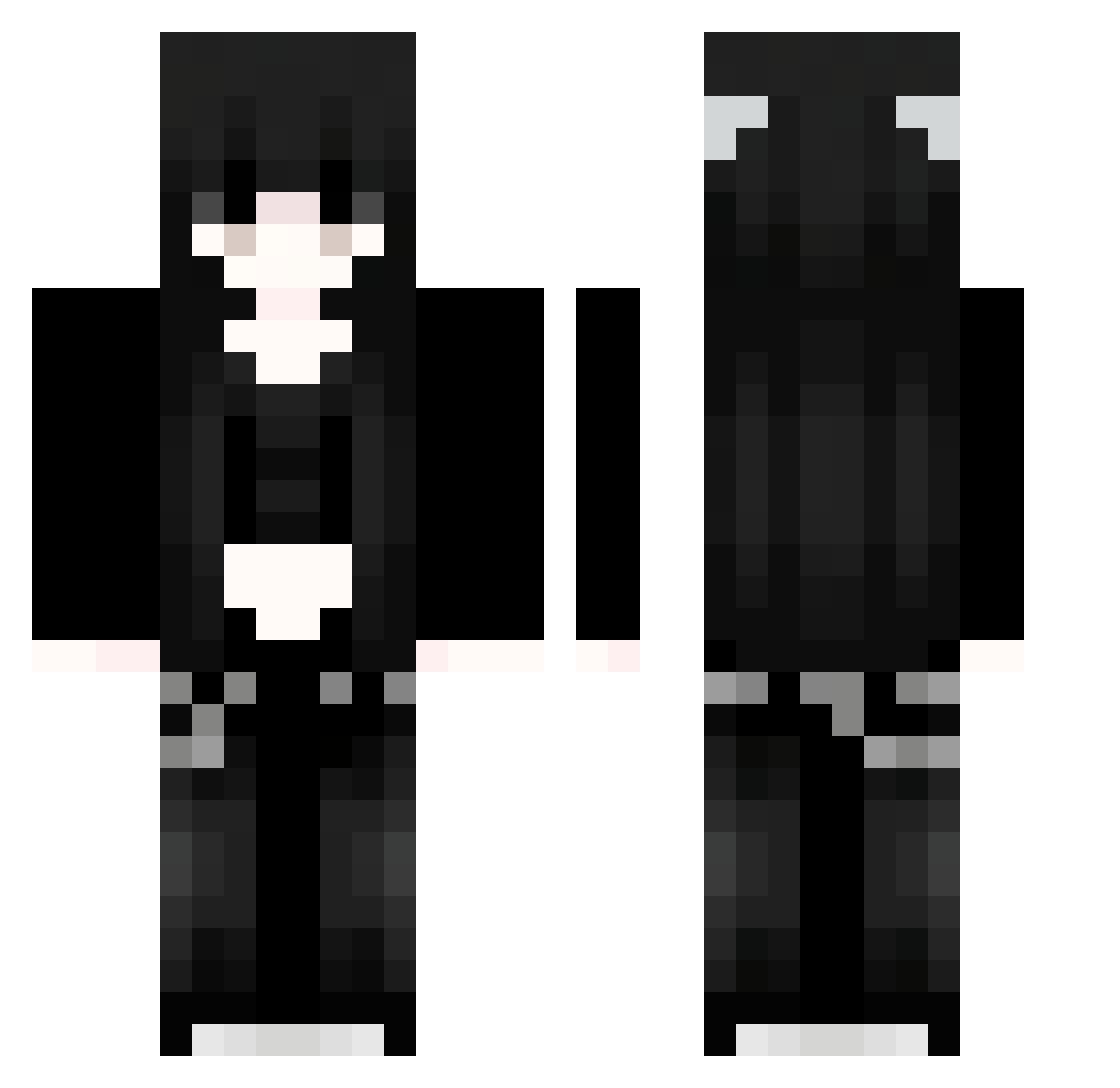
Current Minecraft skin of the player Jum270, loaded from the official Mojang API. Rotate the 3D model with your mouse or finger, then download the skin as a PNG file and use it in Minecraft: Bedrock Edition or Java Edition for free. When Jum270 changes their skin, this page updates automatically and the old skin stays in the history below.
Other players with this skin (1127)
Jum270 was the 753rd player we have seen with this skin, first spotted on 08.10.2026. The same skin was seen on these players. Open a nickname to see their current skin and skin history.
 SuW540 uki14 rVD372 eROFGGgZpZOis152 HelloHexx WIS394 NRp750 roripander GTI193 eUb277 qGc17 zKI590 ZOw826 wUX72 knf139 TNX439 Sakura_YQanBU453 rNd38 RCJ698 FWlZyY279 NaiHeX Oew889 zdz407 kNg258 Dat715 Meden1 RTZ_Lea yry194 ZeJ705 91_EsY346 omelettee2 Iax621 Nsneg esy634 XhX98 ZkO568 NZn721 ljC201 Nataliaa399 Jwe271 AfM737 Lisbeth13 VrI981 Yye325 lPG407 ZNP249 iia467 vmv58 exait0 Sakura_MesQyA188 Hls84 Fcf994 Sakura_ITbwiK391 PHb352 Lsw229 VHj59 Sakura_ZqnaYC373 fxzCLXfrUkpvS411 Sakura_tHcxpF552 91_wqq898
More Emo Minecraft skins
How to install the Jum270 skin
- Press the Download button above to save the skin as a PNG file.
- Minecraft: Bedrock Edition (PE): open the Dressing Room from the main menu (or tap your character → Edit Character), go to Classic Skins → Owned, press the + (new skin) button, choose the downloaded PNG and pick the Classic (Steve) model. Works on PC and mobile; consoles cannot import custom skins.
- Minecraft: Java Edition: open the Minecraft Launcher, go to the Skins tab, click New Skin, load the PNG, pick the Classic (Steve) model and press Save & Use. You can also upload it at minecraft.net → Profile → Change Skin.
The skin does not show up after import - what should I do?
Restart Minecraft and open the Dressing Room again - imported skins sometimes appear only after a restart. Also make sure you selected the imported skin and picked the Classic (Steve) model.
Which model should I choose, Classic or Slim?
This skin is designed for the Classic (Steve) model. If you pick the wrong model, the arms of the skin will look stretched or squeezed.
Is the skin of Jum270 free to download?
Yes. Press Download, save the PNG file and use it in Minecraft: Bedrock Edition or Java Edition - no payment or registration needed. The skin also works on multiplayer servers and Realms.
More skins
Looking for more? Go back to all Minecraft skins and check the top skins of the week, month and all time, or find any player's skin by nickname.