
Jorge0066 - Minecraft Skins & Skin History
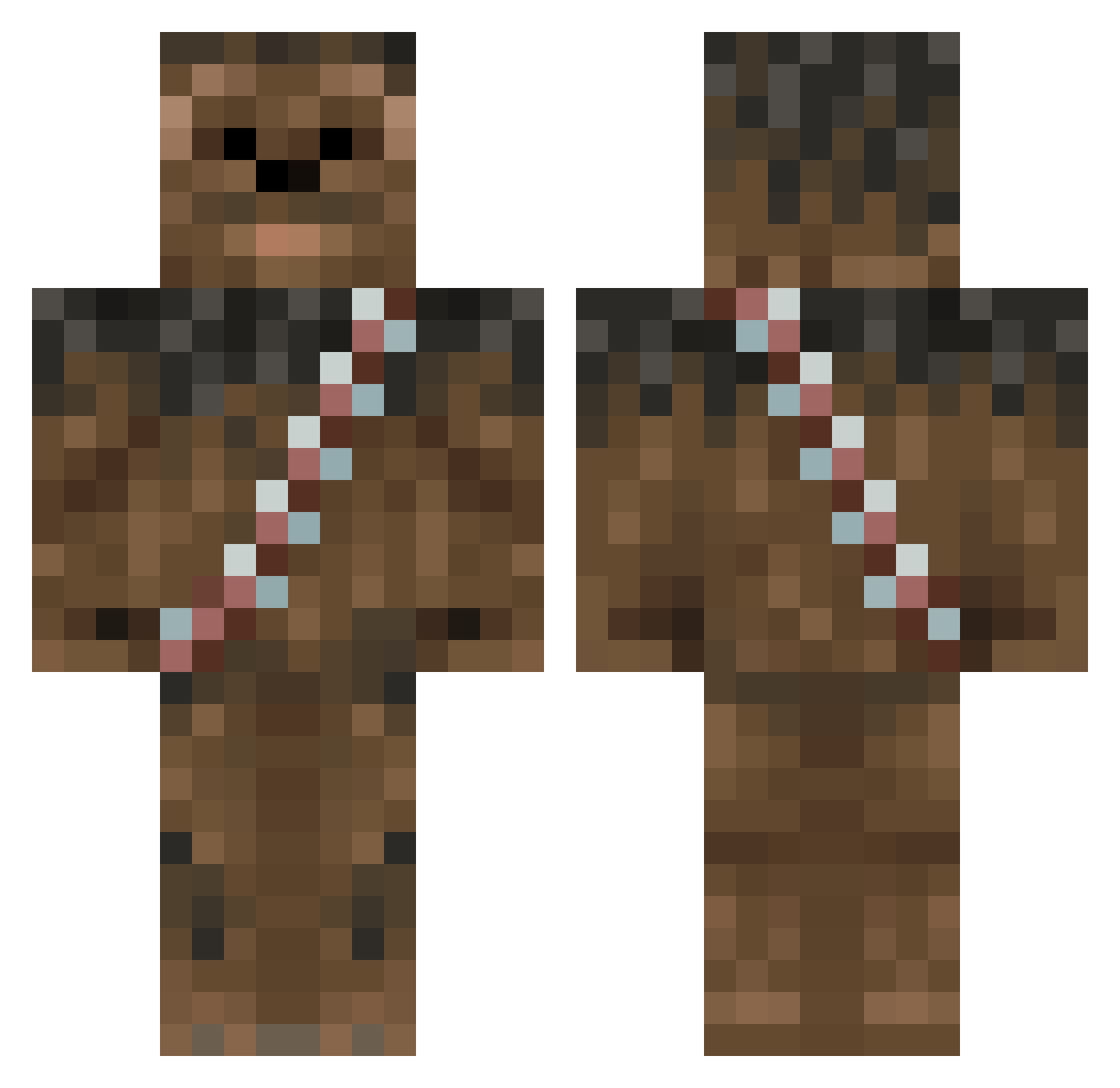
Current Minecraft skin of the player Jorge0066, loaded from the official Mojang API. Rotate the 3D model with your mouse or finger, then download the skin as a PNG file and use it in Minecraft: Bedrock Edition or Java Edition for free. When Jorge0066 changes their skin, this page updates automatically and the old skin stays in the history below.
Other players with this skin (125)
Jorge0066 was the 89th player we have seen with this skin, first spotted on 10.10.2026. The same skin was seen on these players. Open a nickname to see their current skin and skin history.
 situxxie TBE2808 _txilipugaimer_ brayd1n_ hou87 RJKoubaka FrostyTigerz MrBetweter Fruttih Bl4ckb1rd9194 grievesyy FieldWorm DerekTR95 WhoDey117 Durneztj KazeShD Brachialis97 strange1234321 JONASSOHN Flexis65 anALSex Axcelmann Skyrt DyLM22 horsesquat Neoryder1 Gabe4646 ing_raichu LordSideous214 timolimops Cupra_EU barefoot_jedi Dosol pondiert Lucasfro SkyrtFr Fogelstrom yigit977 Thornarrow YouAteAllMaBeans Tomkatyne DARKSHADOW363 salzicher NaniwaRocky ModoOsoChitiado Scoozyy qln_ ryhken Scyz0rr groonweed MrTiiltLoord LionStrike balls445 Andrewjet jonassz dgsgc Shikiruno GrizzW KALOLO SamuelSL204045
More Wookiee Minecraft skins
How to install the Jorge0066 skin
- Press the Download button above to save the skin as a PNG file.
- Minecraft: Bedrock Edition (PE): open the Dressing Room from the main menu (or tap your character → Edit Character), go to Classic Skins → Owned, press the + (new skin) button, choose the downloaded PNG and pick the Classic (Steve) model. Works on PC and mobile; consoles cannot import custom skins.
- Minecraft: Java Edition: open the Minecraft Launcher, go to the Skins tab, click New Skin, load the PNG, pick the Classic (Steve) model and press Save & Use. You can also upload it at minecraft.net → Profile → Change Skin.
The skin does not show up after import - what should I do?
Restart Minecraft and open the Dressing Room again - imported skins sometimes appear only after a restart. Also make sure you selected the imported skin and picked the Classic (Steve) model.
Which model should I choose, Classic or Slim?
This skin is designed for the Classic (Steve) model. If you pick the wrong model, the arms of the skin will look stretched or squeezed.
Is the skin of Jorge0066 free to download?
Yes. Press Download, save the PNG file and use it in Minecraft: Bedrock Edition or Java Edition - no payment or registration needed. The skin also works on multiplayer servers and Realms.
More skins
Looking for more? Go back to all Minecraft skins and check the top skins of the week, month and all time, or find any player's skin by nickname.