
Current Minecraft skin of the player Jordgubar, loaded from the official Mojang API. Rotate the 3D model with your mouse or finger, then download the skin as a PNG file and use it in Minecraft: Bedrock Edition or Java Edition for free. When Jordgubar changes their skin, this page updates automatically and the old skin stays in the history below.
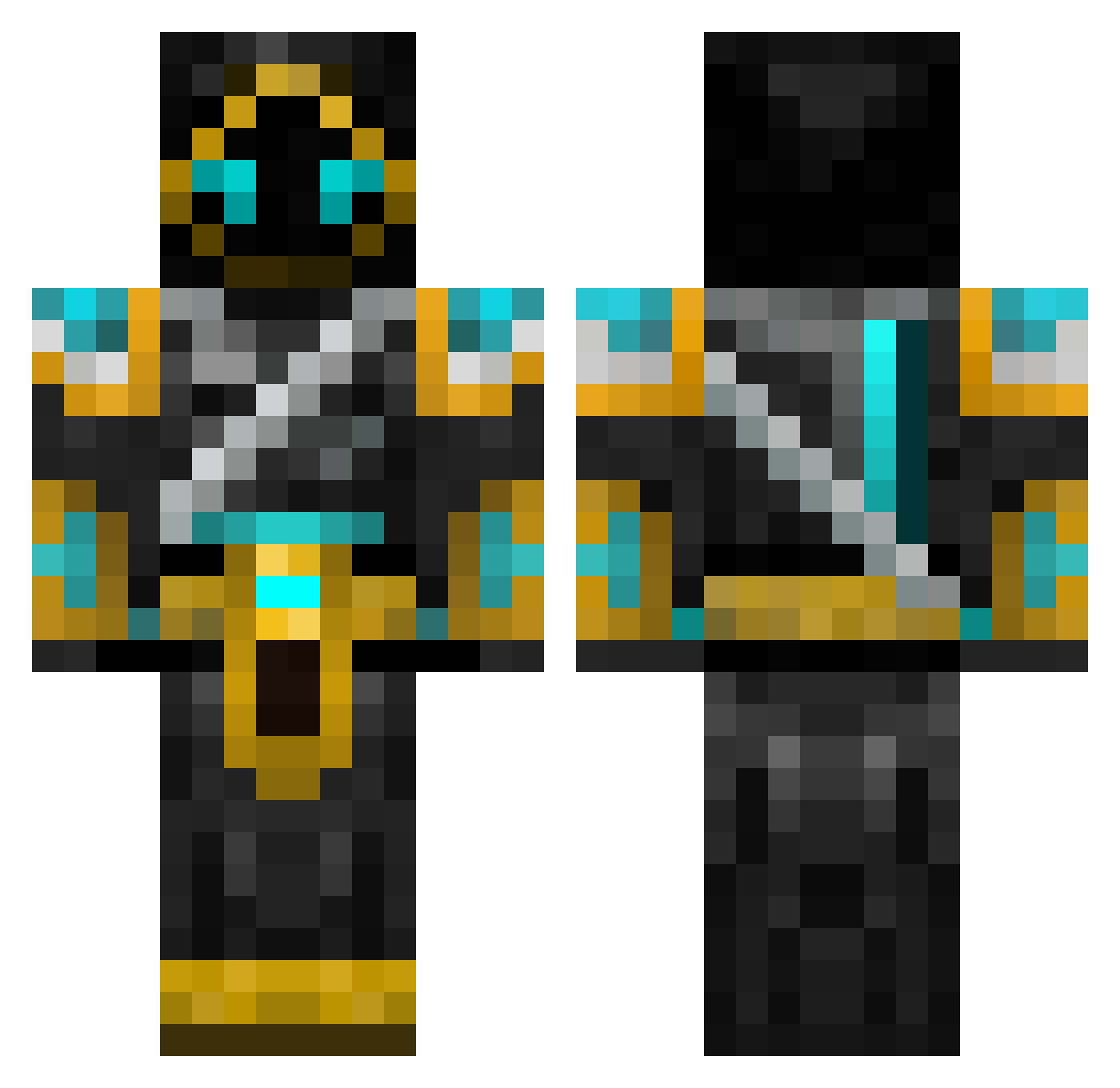
Other players with this skin (547)
Jordgubar was the 54th player we have seen with this skin, first spotted on 02.08.2026. The same skin was seen on these players. Open a nickname to see their current skin and skin history.
 AlexCar123 PouncingSloth charlie7500 Nodude5 Deathray81 scryingorb OmegaStormMC emiel_0174 cmurnane44 swaggswagg123 MrDysprosium jaclev KenDre SimonBlackie martian13 Sysrock God_Slayer86 Andrew_Yo Comad04 Epic_Name Dark_Searix chocolatemonkey1 Aid360 mooredor Kieranodos Papishulo Sierto onisan123 TaoGrim agent_cow1 CaptinGaming100 shylune SourXcandy sargentsausage FXG_746 krudtugle2 vegnat1234 Neoumbra enderdragon448 Kvantu NithCore 314Blazer Grank1 Nelly123 nalyr8300 M0dz0r JeanneDark_x3 XnobleX00 IOF AGhostx mcmcmagic minig25 Moonshinehunter elvis0104 GameDroi CaptainCorbin D0CT0R_D0om MAKRON ttoobb77 noga9902
More Hooded Warrior Minecraft skins
See all 40 Hooded Warrior skins
How to install the Jordgubar skin
- Press the Download button above to save the skin as a PNG file.
- Minecraft: Bedrock Edition (PE): open the Dressing Room from the main menu (or tap your character → Edit Character), go to Classic Skins → Owned, press the + (new skin) button, choose the downloaded PNG and pick the Classic (Steve) model. Works on PC and mobile; consoles cannot import custom skins.
- Minecraft: Java Edition: open the Minecraft Launcher, go to the Skins tab, click New Skin, load the PNG, pick the Classic (Steve) model and press Save & Use. You can also upload it at minecraft.net → Profile → Change Skin.
The skin does not show up after import - what should I do?
Restart Minecraft and open the Dressing Room again - imported skins sometimes appear only after a restart. Also make sure you selected the imported skin and picked the Classic (Steve) model.
Which model should I choose, Classic or Slim?
This skin is designed for the Classic (Steve) model. If you pick the wrong model, the arms of the skin will look stretched or squeezed.
Is the skin of Jordgubar free to download?
Yes. Press Download, save the PNG file and use it in Minecraft: Bedrock Edition or Java Edition - no payment or registration needed. The skin also works on multiplayer servers and Realms.
More skins
Looking for more? Go back to all Minecraft skins and check the top skins of the week, month and all time, or find any player's skin by nickname.