
JonyBoy4 - Minecraft Skins & Skin History
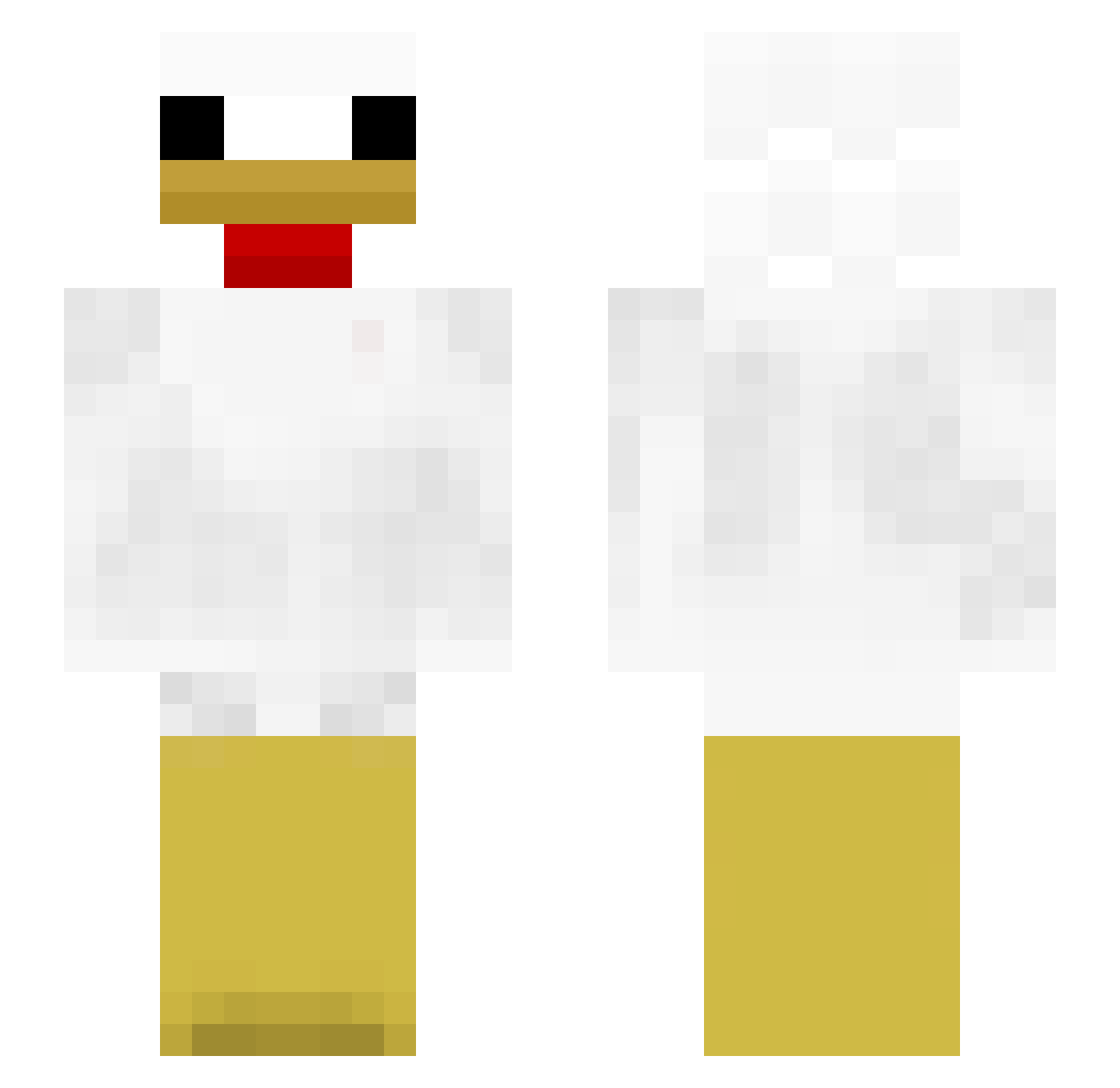
Current Minecraft skin of the player JonyBoy4, loaded from the official Mojang API. Rotate the 3D model with your mouse or finger, then download the skin as a PNG file and use it in Minecraft: Bedrock Edition or Java Edition for free. When JonyBoy4 changes their skin, this page updates automatically and the old skin stays in the history below.
Other players with this skin (313)
JonyBoy4 was the 49th player we have seen with this skin, first spotted on 13.08.2026. The same skin was seen on these players. Open a nickname to see their current skin and skin history.
 Wirus273847
 LennyBarr IncomingFart12 Chicken_Gay qango7 SerdarEA aobakaito ond301 vanboogeyy chicken2574
 chicken_pringles bobaballs1 Kornel3000 Babytronfan17 parsleyexe Hellmaster69
 Roncakepower Lolptrelol stabillal maqqu_ KYPUHblECEPDE4KI KaserSwit Sotzaurio AriNet yattu123 Reayzx weee123fgdalfn SAILORFIRESTAR7 Ilovechicken556 PoloPoohBear povini MauroPsB Sampple_11 Magiclye cnacu6o_OFF calcha96 BBangDDingSu LilJakk Gonzou37 ruddu420 GeWrs kadercn KabulAirport Bandit0987 CurryChef3500 MikiPZ Running0707 SquishyThirteen vRoxyy Sorien123 mcreward55 nammbi22 GubbyEatsCarrot Chicken Mydabisfat420 chicken_Wings25 jasonbubu666 Manfa2 NorthTadpole120 sweetmoooo
More Chicken Minecraft skins
How to install the JonyBoy4 skin
- Press the Download button above to save the skin as a PNG file.
- Minecraft: Bedrock Edition (PE): open the Dressing Room from the main menu (or tap your character → Edit Character), go to Classic Skins → Owned, press the + (new skin) button, choose the downloaded PNG and pick the Slim (Alex) model. Works on PC and mobile; consoles cannot import custom skins.
- Minecraft: Java Edition: open the Minecraft Launcher, go to the Skins tab, click New Skin, load the PNG, pick the Slim (Alex) model and press Save & Use. You can also upload it at minecraft.net → Profile → Change Skin.
The skin does not show up after import - what should I do?
Restart Minecraft and open the Dressing Room again - imported skins sometimes appear only after a restart. Also make sure you selected the imported skin and picked the Slim (Alex) model.
Which model should I choose, Classic or Slim?
This skin is designed for the Slim (Alex) model. If you pick the wrong model, the arms of the skin will look stretched or squeezed.
Is the skin of JonyBoy4 free to download?
Yes. Press Download, save the PNG file and use it in Minecraft: Bedrock Edition or Java Edition - no payment or registration needed. The skin also works on multiplayer servers and Realms.
More skins
Looking for more? Go back to all Minecraft skins and check the top skins of the week, month and all time, or find any player's skin by nickname.