
JonasFoldager - Minecraft Skins & Skin History
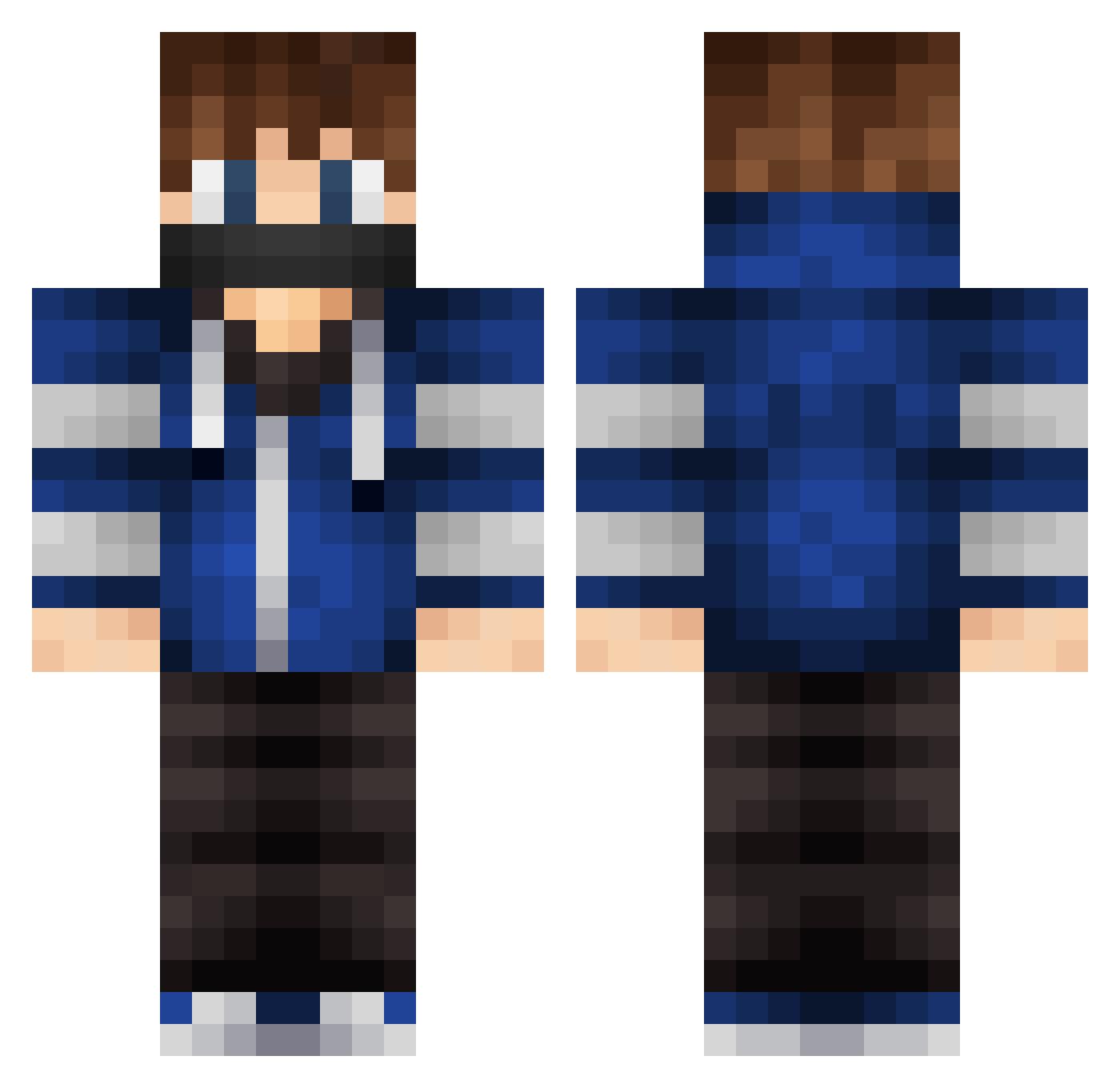
Current Minecraft skin of the player JonasFoldager, loaded from the official Mojang API. Rotate the 3D model with your mouse or finger, then download the skin as a PNG file and use it in Minecraft: Bedrock Edition or Java Edition for free. When JonasFoldager changes their skin, this page updates automatically and the old skin stays in the history below.
Other players with this skin (228)
JonasFoldager was the 63rd player we have seen with this skin, first spotted on 19.08.2026. The same skin was seen on these players. Open a nickname to see their current skin and skin history.
 marcus_megaland NJ_080912 Somkescreen Carsten9874 Varrmar Kangxiaoying Salced0 Slypanther09 Olliej12071 ChillToucH Gunsumize King_Dinamite kokoop InsaneIhan kong1 Haytham155 jakaco Astralny YouZi_Cha asiaPractice Hears pierok23cdg zdz2005 Mikolaj34 xAcHraf_ bluebrrz LikeDenTop_YT nizaru12 JacktheRichards Bazzliner75 ItsMaxme ElFeder fakedead37 Y4h Astra1spec HNKNTA7320 5hmu31 creeperdemond mzh1 AMROXs Ismafb8 SoupSCraft Tktsan Windobe paramit_YT DCTH524 uMorven Seta_Sojiro G_Willy_G Qi0912 KUBEX85 CreussnerEcke Parrot1 Jahoda_8 eryavuzBABA Eyoro Xhatrik LeDivantNoirQc DavZocker04 JohnyQuin
More Mask Minecraft skins
How to install the JonasFoldager skin
- Press the Download button above to save the skin as a PNG file.
- Minecraft: Bedrock Edition (PE): open the Dressing Room from the main menu (or tap your character → Edit Character), go to Classic Skins → Owned, press the + (new skin) button, choose the downloaded PNG and pick the Classic (Steve) model. Works on PC and mobile; consoles cannot import custom skins.
- Minecraft: Java Edition: open the Minecraft Launcher, go to the Skins tab, click New Skin, load the PNG, pick the Classic (Steve) model and press Save & Use. You can also upload it at minecraft.net → Profile → Change Skin.
The skin does not show up after import - what should I do?
Restart Minecraft and open the Dressing Room again - imported skins sometimes appear only after a restart. Also make sure you selected the imported skin and picked the Classic (Steve) model.
Which model should I choose, Classic or Slim?
This skin is designed for the Classic (Steve) model. If you pick the wrong model, the arms of the skin will look stretched or squeezed.
Is the skin of JonasFoldager free to download?
Yes. Press Download, save the PNG file and use it in Minecraft: Bedrock Edition or Java Edition - no payment or registration needed. The skin also works on multiplayer servers and Realms.
More skins
Looking for more? Go back to all Minecraft skins and check the top skins of the week, month and all time, or find any player's skin by nickname.