
Jojosushi_ - Minecraft Skins & Skin History
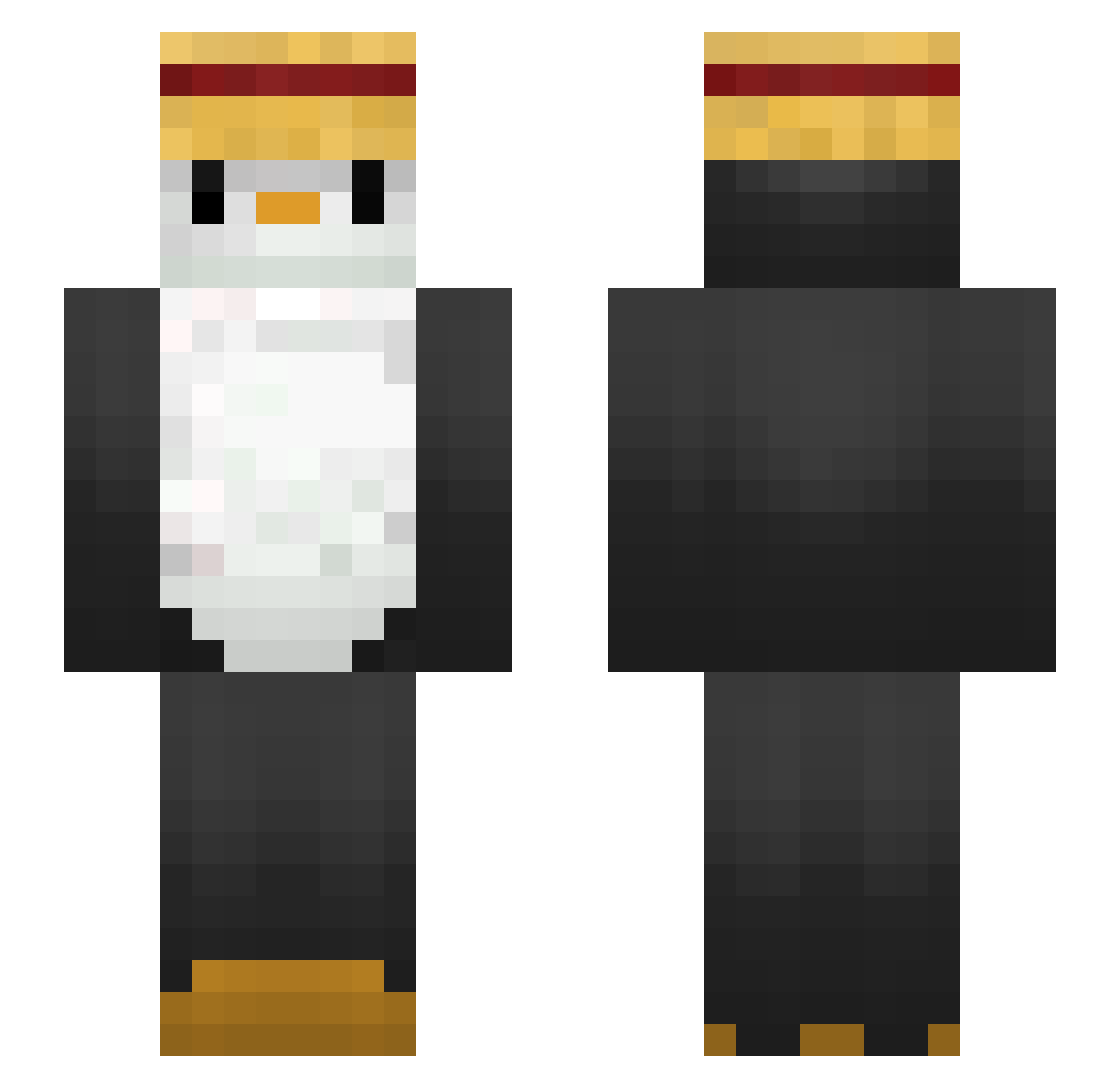
Current Minecraft skin of the player Jojosushi_, loaded from the official Mojang API. Rotate the 3D model with your mouse or finger, then download the skin as a PNG file and use it in Minecraft: Bedrock Edition or Java Edition for free. When Jojosushi_ changes their skin, this page updates automatically and the old skin stays in the history below.
Other players with this skin (54)
Jojosushi_ was the 8th player we have seen with this skin, first spotted on 05.08.2026. The same skin was seen on these players. Open a nickname to see their current skin and skin history.
 noedtoft spin_to_win_tech Marce_2008 StateFarmWild Oo_josee_oO kathweenis WINNYPUFF livembo hilariousHarry Saint508 Kicek309 michasiasia Naaf Mauryzio BlizArkz samamsgreeneggs time515 I4Peng SnikyDL Nefa70 Pebblez3345 C00Ki3_3 iBenshi souperbase LuginNeimit rpu15984 Sainnte fns24 DaramG1 ronaldoniz Finn2K20 Priest_of_GOD DarkBonBon Furbelows Le_Big_Ben TooPsyched deezie123 Nano100 Buildir Tekzzone Markiii333 benjadalto URFAlex Hufflefluff drafted1 giming3769 tx4sty jjjun02 Saito_62 noodlejrjrnwe henriwer Dari24 johanXXL SnoozeTheAlarm
More Straw Hat Minecraft skins
How to install the Jojosushi_ skin
- Press the Download button above to save the skin as a PNG file.
- Minecraft: Bedrock Edition (PE): open the Dressing Room from the main menu (or tap your character → Edit Character), go to Classic Skins → Owned, press the + (new skin) button, choose the downloaded PNG and pick the Slim (Alex) model. Works on PC and mobile; consoles cannot import custom skins.
- Minecraft: Java Edition: open the Minecraft Launcher, go to the Skins tab, click New Skin, load the PNG, pick the Slim (Alex) model and press Save & Use. You can also upload it at minecraft.net → Profile → Change Skin.
The skin does not show up after import - what should I do?
Restart Minecraft and open the Dressing Room again - imported skins sometimes appear only after a restart. Also make sure you selected the imported skin and picked the Slim (Alex) model.
Which model should I choose, Classic or Slim?
This skin is designed for the Slim (Alex) model. If you pick the wrong model, the arms of the skin will look stretched or squeezed.
Is the skin of Jojosushi_ free to download?
Yes. Press Download, save the PNG file and use it in Minecraft: Bedrock Edition or Java Edition - no payment or registration needed. The skin also works on multiplayer servers and Realms.
More skins
Looking for more? Go back to all Minecraft skins and check the top skins of the week, month and all time, or find any player's skin by nickname.