
Johnny0216 - Minecraft Skins & Skin History
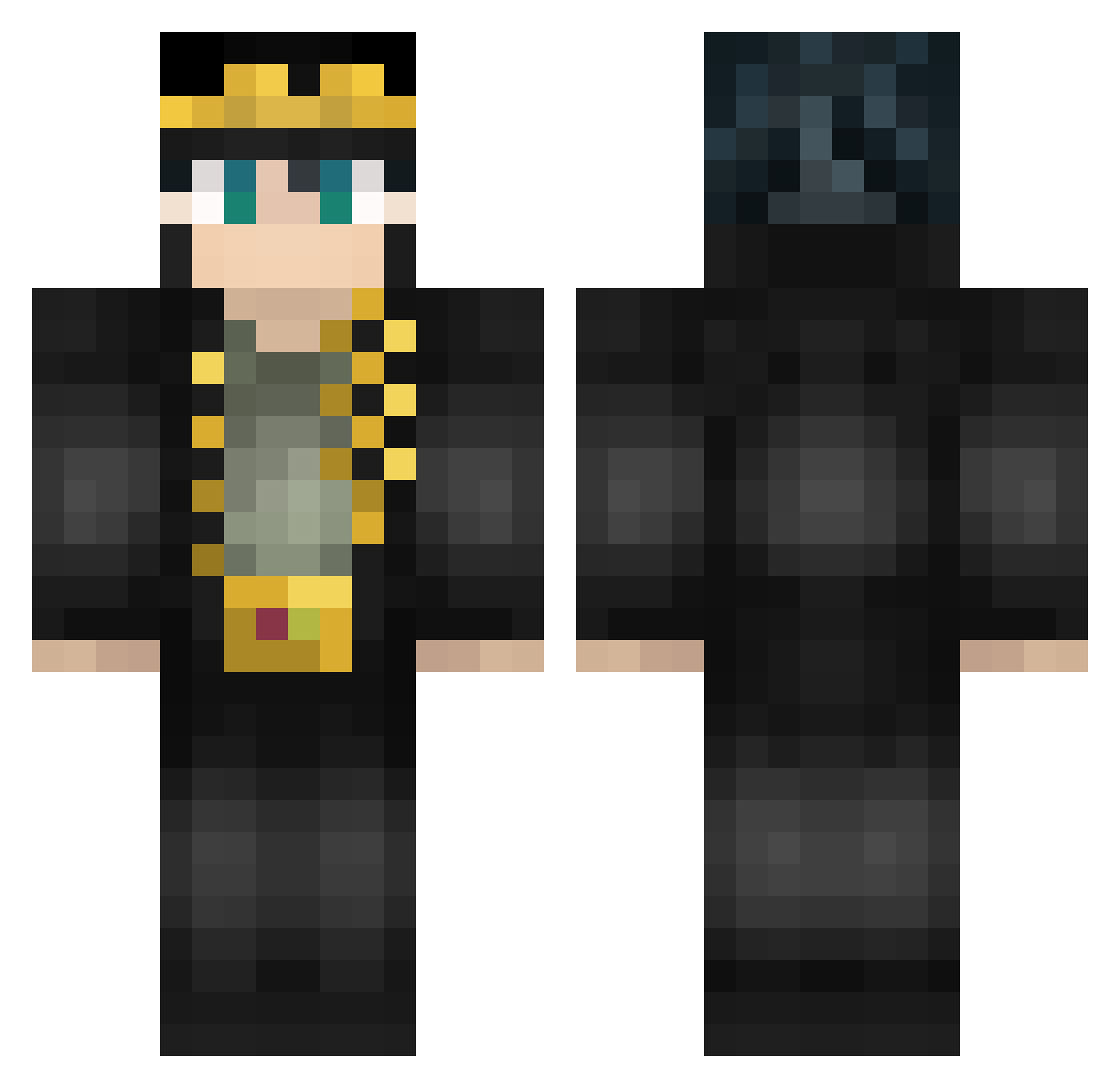
Current Minecraft skin of the player Johnny0216, loaded from the official Mojang API. Rotate the 3D model with your mouse or finger, then download the skin as a PNG file and use it in Minecraft: Bedrock Edition or Java Edition for free. When Johnny0216 changes their skin, this page updates automatically and the old skin stays in the history below.
Other players with this skin (587)
Johnny0216 was the 540th player we have seen with this skin, first spotted on 02.11.2026. The same skin was seen on these players. Open a nickname to see their current skin and skin history.
 Junham YanisKing RukenGC tatis_0410 KoKosis Starrsy DoubleDeckerDave fajeczek00 yusho1221 Levichou Zeus35x Pandelisboy kenntasann bloxmanek TraffkaF KAK_TO_BOT_TAK deathlord105 ShioiDive Marix573 Princess_Biscuit alvaro1_0 Xomusubi Sxnpaiiizwz MatzStrike zipperskull Dojaaaaaaaaaaa AncapSpeed KojiShimura SugoiTimbox3 Layggzds asdfqwer1122 The_PiPiXia Unnga_Bunnga_Man HairyPottedPlant HoodNJ APXVRGN Xkamus KunagisaTomo den88888 Ihavebigbig JoJoShua69 _KobaLT_ baka_mitai1110 laoxiya HerrRolii hairubi jojomater350 jongchan2232 Argertlam Daanja fusion_kamikaze FollyM Foxmancer Mash1r0 Amzzyy Nichigoo Rhino90903773 xiguan7 juetenglord llamas1204
More Jotaro Kujo Minecraft skins
How to install the Johnny0216 skin
- Press the Download button above to save the skin as a PNG file.
- Minecraft: Bedrock Edition (PE): open the Dressing Room from the main menu (or tap your character → Edit Character), go to Classic Skins → Owned, press the + (new skin) button, choose the downloaded PNG and pick the Classic (Steve) model. Works on PC and mobile; consoles cannot import custom skins.
- Minecraft: Java Edition: open the Minecraft Launcher, go to the Skins tab, click New Skin, load the PNG, pick the Classic (Steve) model and press Save & Use. You can also upload it at minecraft.net → Profile → Change Skin.
The skin does not show up after import - what should I do?
Restart Minecraft and open the Dressing Room again - imported skins sometimes appear only after a restart. Also make sure you selected the imported skin and picked the Classic (Steve) model.
Which model should I choose, Classic or Slim?
This skin is designed for the Classic (Steve) model. If you pick the wrong model, the arms of the skin will look stretched or squeezed.
Is the skin of Johnny0216 free to download?
Yes. Press Download, save the PNG file and use it in Minecraft: Bedrock Edition or Java Edition - no payment or registration needed. The skin also works on multiplayer servers and Realms.
More skins
Looking for more? Go back to all Minecraft skins and check the top skins of the week, month and all time, or find any player's skin by nickname.