
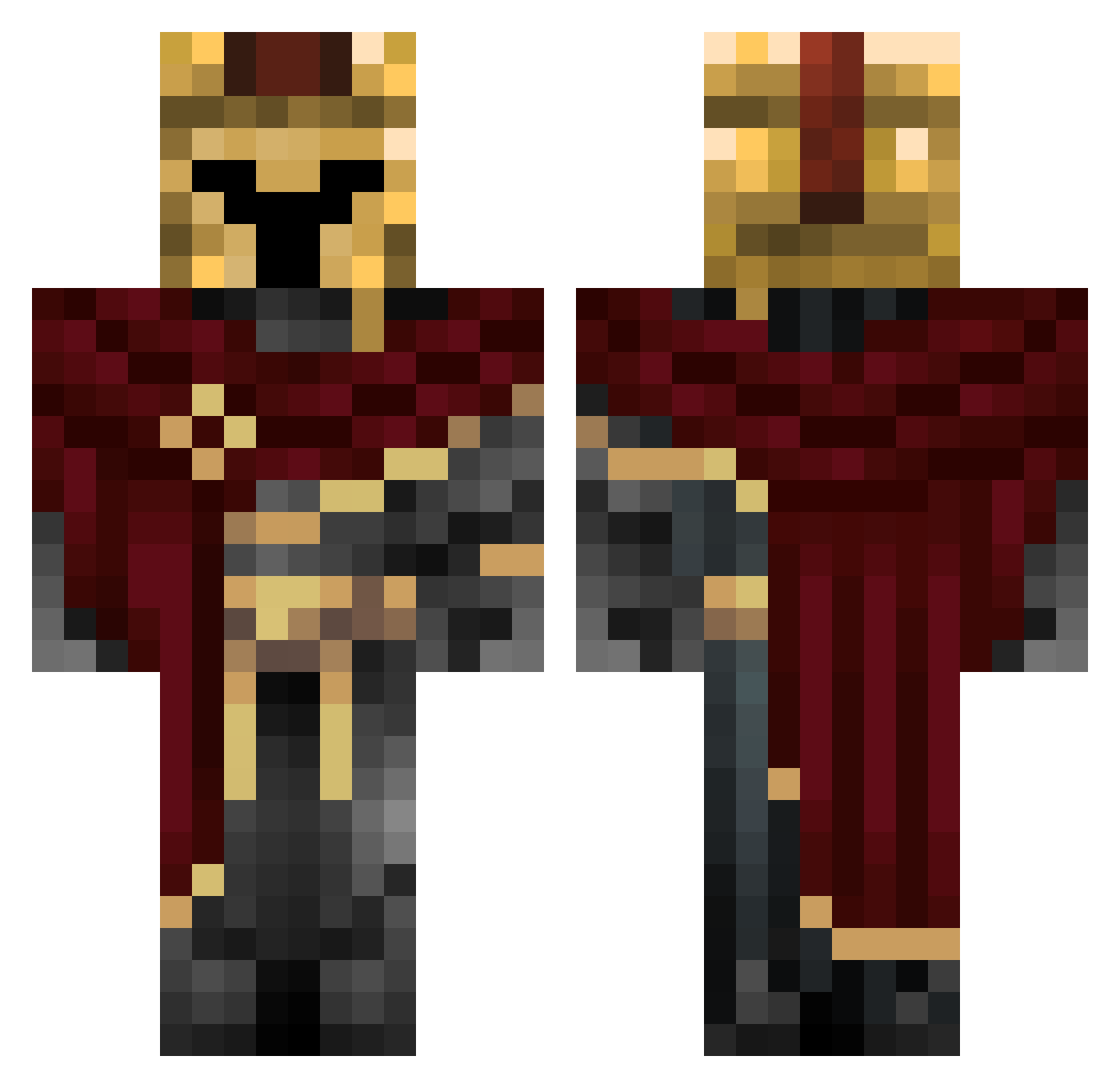
Current Minecraft skin of the player JoeMannnn, loaded from the official Mojang API. Rotate the 3D model with your mouse or finger, then download the skin as a PNG file and use it in Minecraft: Bedrock Edition or Java Edition for free. When JoeMannnn changes their skin, this page updates automatically and the old skin stays in the history below.
Other players with this skin (266)
JoeMannnn was the 186th player we have seen with this skin, first spotted on 22.09.2026. The same skin was seen on these players. Open a nickname to see their current skin and skin history.
 lili8_7 Yukyora Reasonable8393 Fussballwelt123 talhast Jack_spider LinhYCIrV0115 t1j_msmc_2v7 Emilzahnfee Tristan_the_real NayZx_x TIM82 Malib_UwU zzagara JRXOX Leztorez Suxprem buildfreak1 KutteKaK Admiral_Manes Uaza phoneix27 GothTortaSlayer DatBoiM FieldMercury40 Xboxer1 zz_kill yeetmaster9876 Piugoth ElForno Slayz0r Trining GP4K CuriousCoder 240MPH_XD BochoMC kkeci Dom2Valid sivrah km2s ML_pirate SuperMuffin3648 Kaido_00 Sigmatius ErGiusef Emotreter123 Sterpap5 beuargh Jorrit9 goldenpacman1 musher1 Kavoon The_ArkTard blazin6 hank_chugwater KisaRaily Rcyx Darth_Orange Bryrn ziegensindtoll
More Spartan Minecraft skins
How to install the JoeMannnn skin
- Press the Download button above to save the skin as a PNG file.
- Minecraft: Bedrock Edition (PE): open the Dressing Room from the main menu (or tap your character → Edit Character), go to Classic Skins → Owned, press the + (new skin) button, choose the downloaded PNG and pick the Classic (Steve) model. Works on PC and mobile; consoles cannot import custom skins.
- Minecraft: Java Edition: open the Minecraft Launcher, go to the Skins tab, click New Skin, load the PNG, pick the Classic (Steve) model and press Save & Use. You can also upload it at minecraft.net → Profile → Change Skin.
The skin does not show up after import - what should I do?
Restart Minecraft and open the Dressing Room again - imported skins sometimes appear only after a restart. Also make sure you selected the imported skin and picked the Classic (Steve) model.
Which model should I choose, Classic or Slim?
This skin is designed for the Classic (Steve) model. If you pick the wrong model, the arms of the skin will look stretched or squeezed.
Is the skin of JoeMannnn free to download?
Yes. Press Download, save the PNG file and use it in Minecraft: Bedrock Edition or Java Edition - no payment or registration needed. The skin also works on multiplayer servers and Realms.
More skins
Looking for more? Go back to all Minecraft skins and check the top skins of the week, month and all time, or find any player's skin by nickname.