
Jingyi_Beast - Minecraft Skins & Skin History
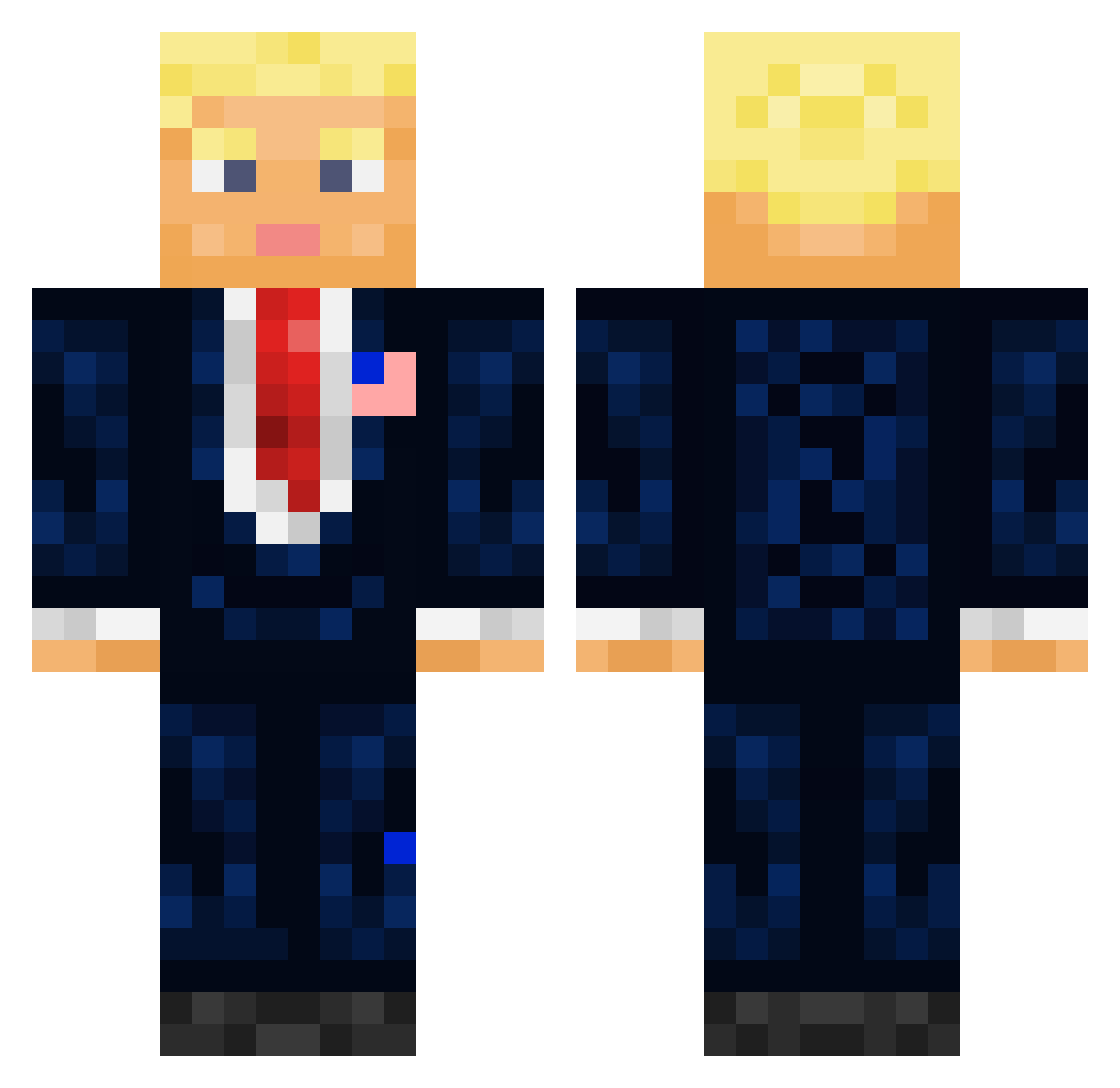
Current Minecraft skin of the player Jingyi_Beast, loaded from the official Mojang API. Rotate the 3D model with your mouse or finger, then download the skin as a PNG file and use it in Minecraft: Bedrock Edition or Java Edition for free. When Jingyi_Beast changes their skin, this page updates automatically and the old skin stays in the history below.
Other players with this skin (711)
Jingyi_Beast was the 282nd player we have seen with this skin, first spotted on 10.09.2026. The same skin was seen on these players. Open a nickname to see their current skin and skin history.
 MaximusDecimusDE MR_Pixel5000 FC_Hammer ElDavid1 Jakey265 lowieds okaya622 MrBroDude7 HannibalTheRippe MichelAngelo70 Oozie101 Haphestos jojoDerBeste2230 EjderyaBukucu Nutzach29
 MidnightSnack21 sociles Oujee 3Mok_ LITTLE_GIB jona_san_96 GoldCoin68 Hochkopieren JOOOO1 Huahqi GlassesMan0 deathbread8 Fedlogo Bottom_G Missaahh SilverKies heropercy RandySavage12 3600j Gomazaemon Lankurix overrunn Webskiii BIG_dyl08 Ovaculum raphbeyris Primal_22 CueroAzafranao Skrz_lol SexyMaxime N1NE9 TelTura LoonyDolphin38 rianfrantic fake_mexican_exe NotZeep Kacper_Slu Kastorsete HeroOfCandyland KankaAihrhorn Trubnik KennyDuIt santiagobecerra2 WuzUrDaddy WahlShow
More President Minecraft skins
How to install the Jingyi_Beast skin
- Press the Download button above to save the skin as a PNG file.
- Minecraft: Bedrock Edition (PE): open the Dressing Room from the main menu (or tap your character → Edit Character), go to Classic Skins → Owned, press the + (new skin) button, choose the downloaded PNG and pick the Classic (Steve) model. Works on PC and mobile; consoles cannot import custom skins.
- Minecraft: Java Edition: open the Minecraft Launcher, go to the Skins tab, click New Skin, load the PNG, pick the Classic (Steve) model and press Save & Use. You can also upload it at minecraft.net → Profile → Change Skin.
The skin does not show up after import - what should I do?
Restart Minecraft and open the Dressing Room again - imported skins sometimes appear only after a restart. Also make sure you selected the imported skin and picked the Classic (Steve) model.
Which model should I choose, Classic or Slim?
This skin is designed for the Classic (Steve) model. If you pick the wrong model, the arms of the skin will look stretched or squeezed.
Is the skin of Jingyi_Beast free to download?
Yes. Press Download, save the PNG file and use it in Minecraft: Bedrock Edition or Java Edition - no payment or registration needed. The skin also works on multiplayer servers and Realms.
More skins
Looking for more? Go back to all Minecraft skins and check the top skins of the week, month and all time, or find any player's skin by nickname.