
Jingbeii - Minecraft Skins & Skin History
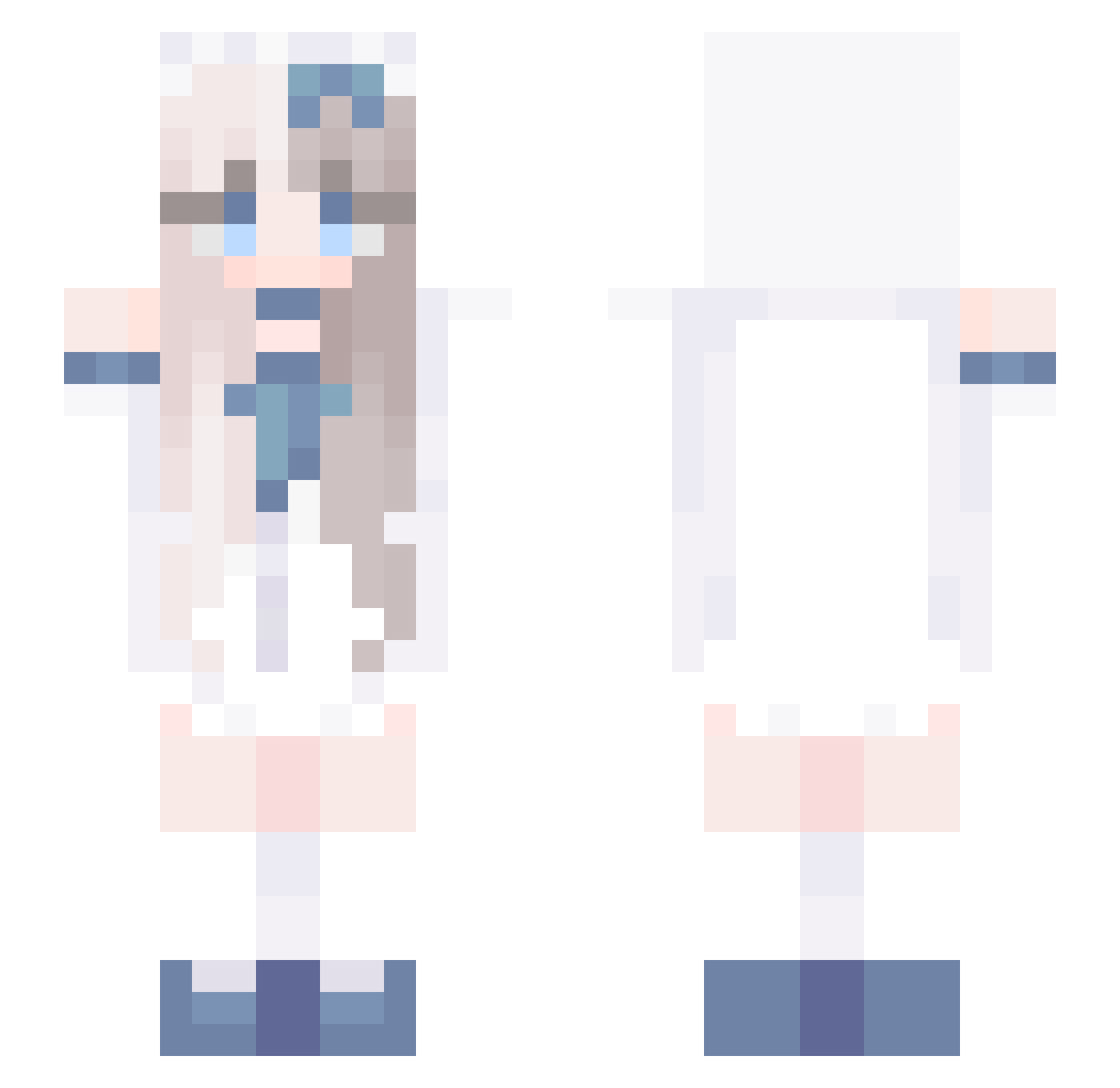
Current Minecraft skin of the player Jingbeii, loaded from the official Mojang API. Rotate the 3D model with your mouse or finger, then download the skin as a PNG file and use it in Minecraft: Bedrock Edition or Java Edition for free. When Jingbeii changes their skin, this page updates automatically and the old skin stays in the history below.
Other players with this skin (730)
Jingbeii was the 160th player we have seen with this skin, first spotted on 19.08.2026. The same skin was seen on these players. Open a nickname to see their current skin and skin history.
 Awel_ Prod_ZhuQian xiaochena13 qstit Geburah12 WANGLZ JellybeanJungle aalsy towtime33 FJK666 guslek KaceyBlu Larilove2 xsq1234 YOUYU4 lhy444 Shisu_e niuanhu Cheryl_17 Makrota wmzp oukiecho ffyr1 yueyongqianliu Lem611 gatita_526532168
 Pa1eMoonTvT Rumi_vrs Miracle2025 AAARAB FloatingLife25 KMB98 dungdudung Vicia1225 zxhcsjl tong1072 chen_angel xoroooo Gh0stcc sechsvier chenximeng PJ_ssx SterMeisje SmileManGirl sarmaru nana_qn Neldia 1xmysticsz CNncr william2557
 qiqiaw PlaidAlise Kyllua69 justruru04 Chenhuahua Kurrrro gt17872 678677 Cath1053 laosepi00
More Anime Girl Minecraft skins
See all 13505 Anime Girl skins
How to install the Jingbeii skin
- Press the Download button above to save the skin as a PNG file.
- Minecraft: Bedrock Edition (PE): open the Dressing Room from the main menu (or tap your character → Edit Character), go to Classic Skins → Owned, press the + (new skin) button, choose the downloaded PNG and pick the Slim (Alex) model. Works on PC and mobile; consoles cannot import custom skins.
- Minecraft: Java Edition: open the Minecraft Launcher, go to the Skins tab, click New Skin, load the PNG, pick the Slim (Alex) model and press Save & Use. You can also upload it at minecraft.net → Profile → Change Skin.
The skin does not show up after import - what should I do?
Restart Minecraft and open the Dressing Room again - imported skins sometimes appear only after a restart. Also make sure you selected the imported skin and picked the Slim (Alex) model.
Which model should I choose, Classic or Slim?
This skin is designed for the Slim (Alex) model. If you pick the wrong model, the arms of the skin will look stretched or squeezed.
Is the skin of Jingbeii free to download?
Yes. Press Download, save the PNG file and use it in Minecraft: Bedrock Edition or Java Edition - no payment or registration needed. The skin also works on multiplayer servers and Realms.
More skins
Looking for more? Go back to all Minecraft skins and check the top skins of the week, month and all time, or find any player's skin by nickname.