
Jim828 - Minecraft Skins & Skin History
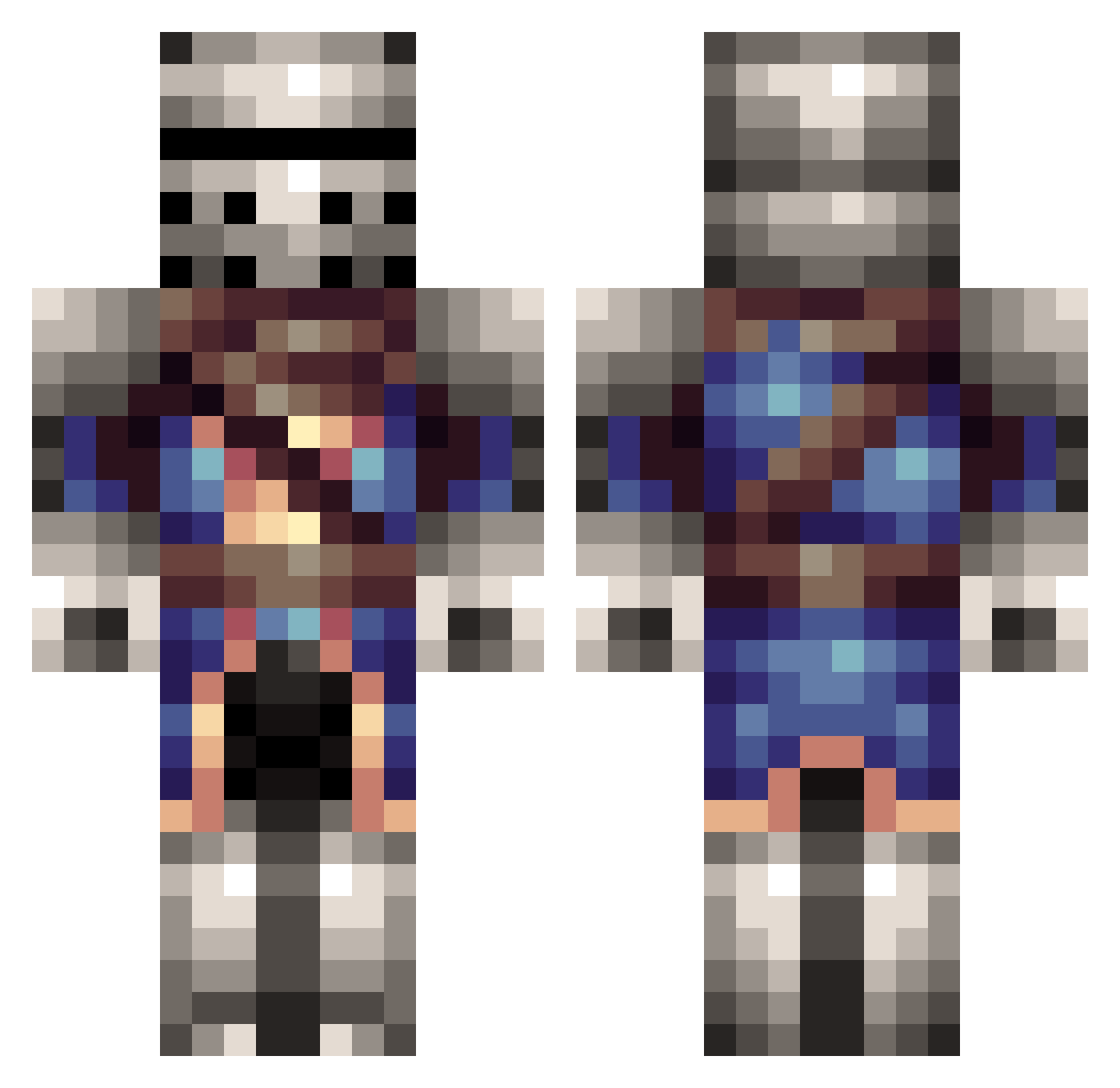
Current Minecraft skin of the player Jim828, loaded from the official Mojang API. Rotate the 3D model with your mouse or finger, then download the skin as a PNG file and use it in Minecraft: Bedrock Edition or Java Edition for free. When Jim828 changes their skin, this page updates automatically and the old skin stays in the history below.
Other players with this skin (314)
Jim828 was the 164th player we have seen with this skin, first spotted on 27.09.2026. The same skin was seen on these players. Open a nickname to see their current skin and skin history.
 InfrnalSyndicate Gongol81 Imparity47 Jaystampyknight vespo1995 hax14 TheShadowAura BamXIII KnightOfLegends Xuvin Doomrover Wulfsnack efebaykal Kitaru64 ChaseCrawford95 Superhappygrunt MaverickTK aw2ome PaladinofRA XenoLegend Dopeywon RCAldo Jota07 Ozzla 1cmanv randy2109 Dupes KIWe1 TheFlashdr1ve PanPan231 ADKnights12 Mine_Wix MaxIsBad philipos05 maverick11736 Zeratulen HORROSO Gravecross Zombiemasher64 SlapDotNa Exovoid benlu2005 Alwin_95 toxicwarrior1 Lagunaguitar GradiaX Road_House899 CagivaKid theDarknight445 PvtMartin Jaylorn American_Pride beastlyshrimp PolorX25 dingoxiiiii British_Biscuits d1monshadow Jontee Teslee Zenithyx
More Medieval Minecraft skins
How to install the Jim828 skin
- Press the Download button above to save the skin as a PNG file.
- Minecraft: Bedrock Edition (PE): open the Dressing Room from the main menu (or tap your character → Edit Character), go to Classic Skins → Owned, press the + (new skin) button, choose the downloaded PNG and pick the Classic (Steve) model. Works on PC and mobile; consoles cannot import custom skins.
- Minecraft: Java Edition: open the Minecraft Launcher, go to the Skins tab, click New Skin, load the PNG, pick the Classic (Steve) model and press Save & Use. You can also upload it at minecraft.net → Profile → Change Skin.
The skin does not show up after import - what should I do?
Restart Minecraft and open the Dressing Room again - imported skins sometimes appear only after a restart. Also make sure you selected the imported skin and picked the Classic (Steve) model.
Which model should I choose, Classic or Slim?
This skin is designed for the Classic (Steve) model. If you pick the wrong model, the arms of the skin will look stretched or squeezed.
Is the skin of Jim828 free to download?
Yes. Press Download, save the PNG file and use it in Minecraft: Bedrock Edition or Java Edition - no payment or registration needed. The skin also works on multiplayer servers and Realms.
More skins
Looking for more? Go back to all Minecraft skins and check the top skins of the week, month and all time, or find any player's skin by nickname.