
Jellyfish137 - Minecraft Skins & Skin History
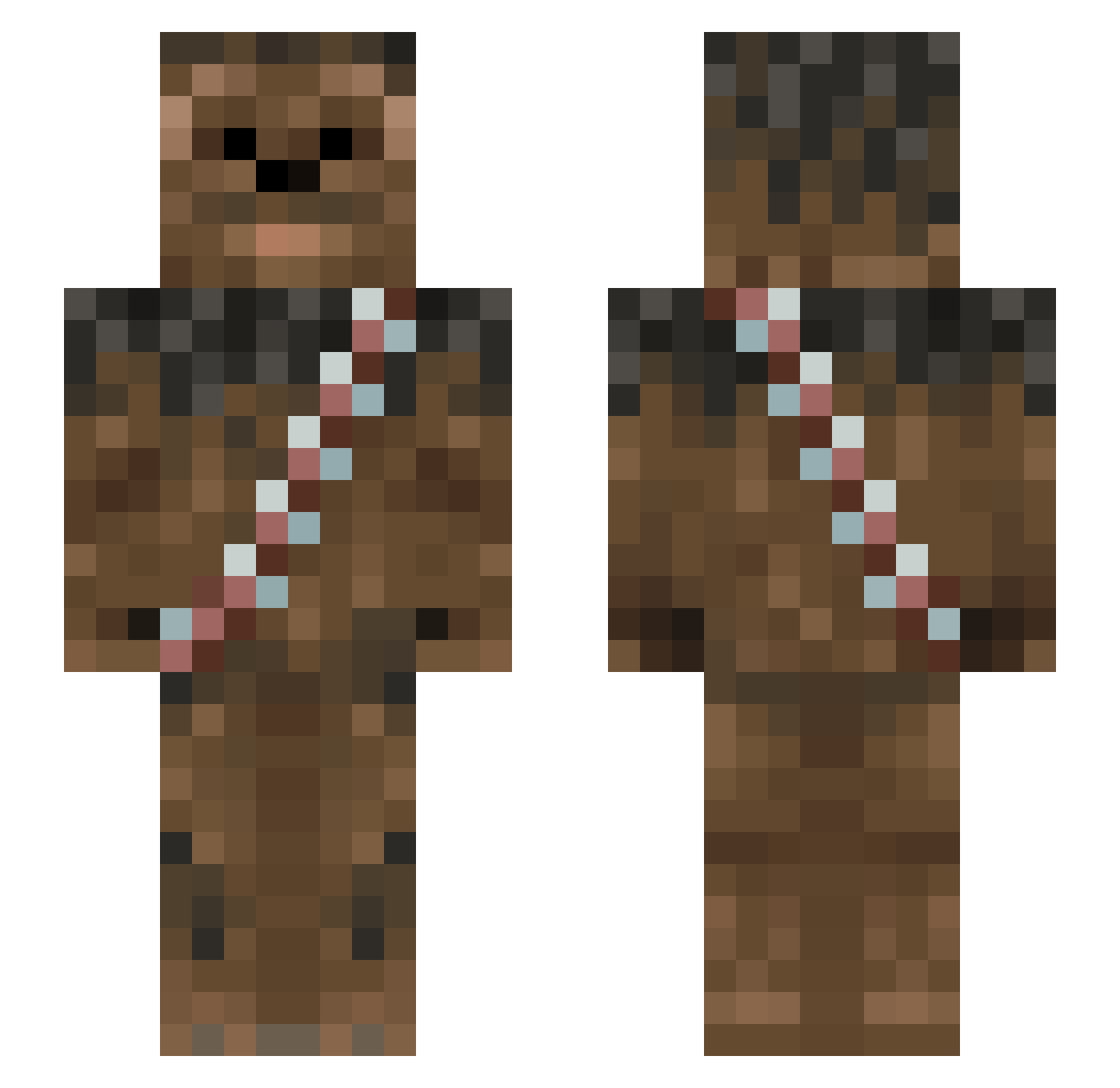
Current Minecraft skin of the player Jellyfish137, loaded from the official Mojang API. Rotate the 3D model with your mouse or finger, then download the skin as a PNG file and use it in Minecraft: Bedrock Edition or Java Edition for free. When Jellyfish137 changes their skin, this page updates automatically and the old skin stays in the history below.
Other players with this skin (1013)
Jellyfish137 was the 159th player we have seen with this skin, first spotted on 11.08.2026. The same skin was seen on these players. Open a nickname to see their current skin and skin history.
 EBOON PC_Gaming_Master lippy2008 SBradT le_Jason bendor_242 PFam3Kids DictatorChan GSKayleigh Blueman420 fredsterminator ethlucky11 darth_flux perunalahna Kurbads43 takoieh GrantMantis Phlange_Phace Stigiish MrVernon charliehoffman thadeous01 aaallllliiieee dizzysfarm JaxCajun GI_Slaughter creeperthayne NickdieKatze Buckies3 _esham Golddragon725 DR_OCTAG0N tommycf Iskrem2001 javier_lennon Oldmatefetus YaelAQ slymanfly NeymarJr11 SSG_WatchTower Mikey562 Tricyclemen LNELMZEY97 Turbokanone Timmmaaay luke_s_78 wolfdominic erlendh Wuschelmann PandaRaven Hydra08 RdBl_bumblebee JonahGameWinner PTBarnum88 Icaro501 Smalley NOpacic Hjordiz IDookii HeavyTackler
More Wookiee Minecraft skins
How to install the Jellyfish137 skin
- Press the Download button above to save the skin as a PNG file.
- Minecraft: Bedrock Edition (PE): open the Dressing Room from the main menu (or tap your character → Edit Character), go to Classic Skins → Owned, press the + (new skin) button, choose the downloaded PNG and pick the Slim (Alex) model. Works on PC and mobile; consoles cannot import custom skins.
- Minecraft: Java Edition: open the Minecraft Launcher, go to the Skins tab, click New Skin, load the PNG, pick the Slim (Alex) model and press Save & Use. You can also upload it at minecraft.net → Profile → Change Skin.
The skin does not show up after import - what should I do?
Restart Minecraft and open the Dressing Room again - imported skins sometimes appear only after a restart. Also make sure you selected the imported skin and picked the Slim (Alex) model.
Which model should I choose, Classic or Slim?
This skin is designed for the Slim (Alex) model. If you pick the wrong model, the arms of the skin will look stretched or squeezed.
Is the skin of Jellyfish137 free to download?
Yes. Press Download, save the PNG file and use it in Minecraft: Bedrock Edition or Java Edition - no payment or registration needed. The skin also works on multiplayer servers and Realms.
More skins
Looking for more? Go back to all Minecraft skins and check the top skins of the week, month and all time, or find any player's skin by nickname.