
Jakobchu - Minecraft Skins & Skin History
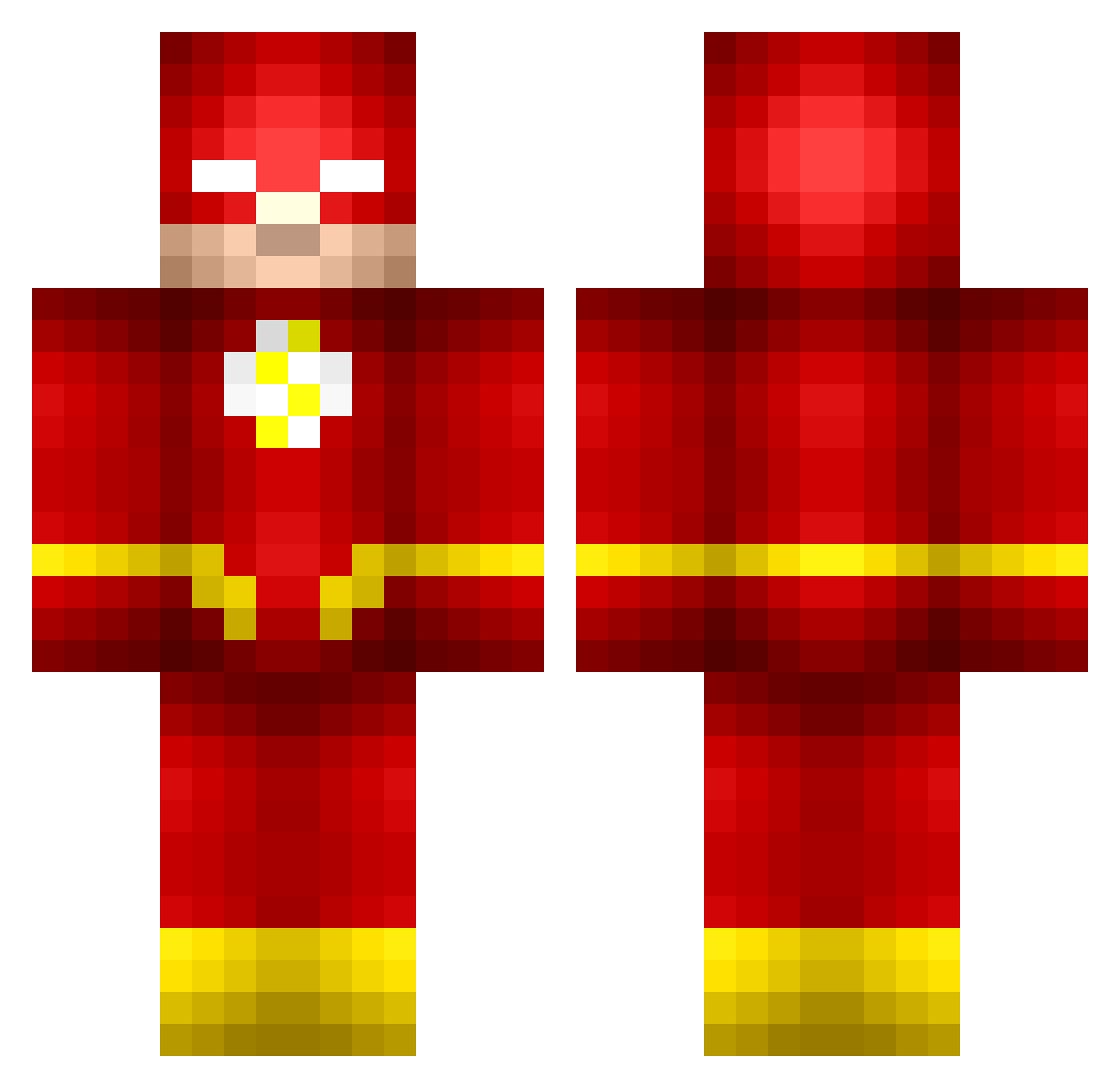
Current Minecraft skin of the player Jakobchu, loaded from the official Mojang API. Rotate the 3D model with your mouse or finger, then download the skin as a PNG file and use it in Minecraft: Bedrock Edition or Java Edition for free. When Jakobchu changes their skin, this page updates automatically and the old skin stays in the history below.
Other players with this skin (673)
Jakobchu was the 179th player we have seen with this skin, first spotted on 24.08.2026. The same skin was seen on these players. Open a nickname to see their current skin and skin history.
 jaxonthegamer B0yah1156 SqeezeCheese Coopzh MickmanD FLASH417 GODZILA258190 OneBaratheon pa4this theborch sleepdeprived6 S_miner_30 FLASH2023 mr_owen_1999 Elderthief cLapxX dkerzman eustieboy22 arctic_hunter Thobinator WillThomas53 Rasmus2904 shipuuden Lukeyboy9000 CaptainPlushie 9Maxwell PeruvianThun12 RagingDonkey69 NinjaSteak Azar10 GAMER050526 Volpi_ZA JoeMoTheSmall EmosYage roadhouse PI_PI baddog_13 JKhan1 ItsStaxx Jurio_HD robbyrockerz8 Flash1701 JAZZYover9999 skilltombstone AtomArne Wallace0219 Bashmore FAHAR JoshD2689 ParkerGlenn Donchez610 thostu59 CrispyPotatoSkin Nicholmania AssuminqUrGender II_ECHO_II avatar_maximus Axeman20 jurch_ GuidoBranko
More The Flash Minecraft skins
How to install the Jakobchu skin
- Press the Download button above to save the skin as a PNG file.
- Minecraft: Bedrock Edition (PE): open the Dressing Room from the main menu (or tap your character → Edit Character), go to Classic Skins → Owned, press the + (new skin) button, choose the downloaded PNG and pick the Classic (Steve) model. Works on PC and mobile; consoles cannot import custom skins.
- Minecraft: Java Edition: open the Minecraft Launcher, go to the Skins tab, click New Skin, load the PNG, pick the Classic (Steve) model and press Save & Use. You can also upload it at minecraft.net → Profile → Change Skin.
The skin does not show up after import - what should I do?
Restart Minecraft and open the Dressing Room again - imported skins sometimes appear only after a restart. Also make sure you selected the imported skin and picked the Classic (Steve) model.
Which model should I choose, Classic or Slim?
This skin is designed for the Classic (Steve) model. If you pick the wrong model, the arms of the skin will look stretched or squeezed.
Is the skin of Jakobchu free to download?
Yes. Press Download, save the PNG file and use it in Minecraft: Bedrock Edition or Java Edition - no payment or registration needed. The skin also works on multiplayer servers and Realms.
More skins
Looking for more? Go back to all Minecraft skins and check the top skins of the week, month and all time, or find any player's skin by nickname.