
JVTV127 - Minecraft Skins & Skin History
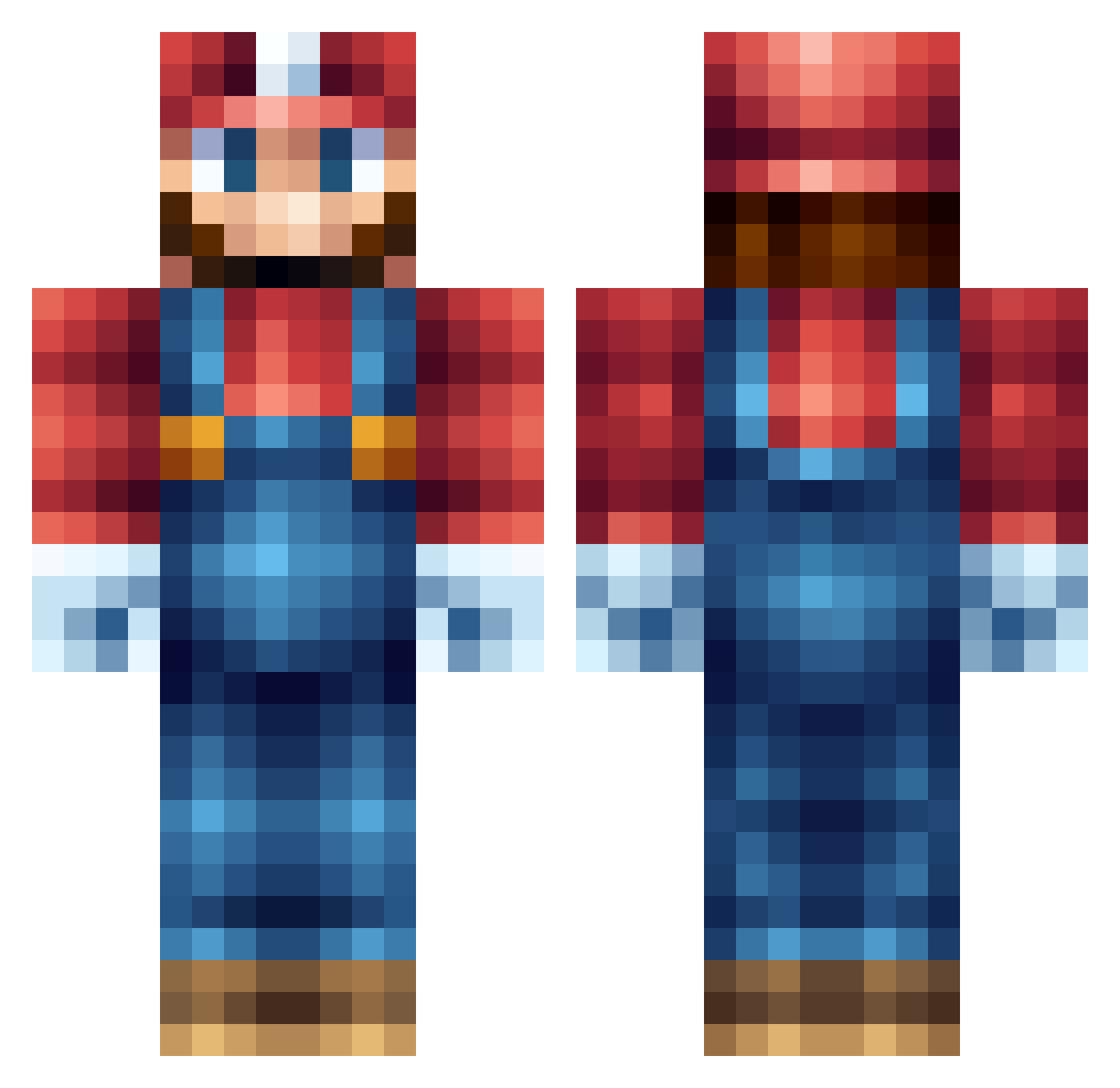
Current Minecraft skin of the player JVTV127, loaded from the official Mojang API. Rotate the 3D model with your mouse or finger, then download the skin as a PNG file and use it in Minecraft: Bedrock Edition or Java Edition for free. When JVTV127 changes their skin, this page updates automatically and the old skin stays in the history below.
Other players with this skin (555)
JVTV127 was the 65th player we have seen with this skin, first spotted on 05.08.2026. The same skin was seen on these players. Open a nickname to see their current skin and skin history.
 xXJayMc27Xx Macke5305 rocco_adamo CocoLecky579 POPPA263 himynameisjoe182 pigmanct makkanl Supermariostar64 cheebson JW_2002 jacou xUPSTARTx YUCOP treysama JackT_2006 manuelhdzg Sahneymehak TheStickyBandit HeXaKill_PvP PuReXOHIO13 ClankOnTheCob thatsprettyg00d FiftySixty BenTheMan147 DiegoCisneros scruffsc Morgrayne Seallll Bread18 Paytonblues flaringo1 AngryTaco24 PowerofDisco newfieby pompey11 matty626 Spartkatius stefanaap123 ITGL12 obecor SatomeAlto Wonderer31337 GothicHD TurboBlueApple Tom898 xQQzme ButcherBrother A_F_4 DuckMiSyck ragsy88 Salmoncover NanoKai2 takekou Zwergo_ myselfalex Jained pakload WillDeE Aspi18
More Nintendo Minecraft skins
How to install the JVTV127 skin
- Press the Download button above to save the skin as a PNG file.
- Minecraft: Bedrock Edition (PE): open the Dressing Room from the main menu (or tap your character → Edit Character), go to Classic Skins → Owned, press the + (new skin) button, choose the downloaded PNG and pick the Classic (Steve) model. Works on PC and mobile; consoles cannot import custom skins.
- Minecraft: Java Edition: open the Minecraft Launcher, go to the Skins tab, click New Skin, load the PNG, pick the Classic (Steve) model and press Save & Use. You can also upload it at minecraft.net → Profile → Change Skin.
The skin does not show up after import - what should I do?
Restart Minecraft and open the Dressing Room again - imported skins sometimes appear only after a restart. Also make sure you selected the imported skin and picked the Classic (Steve) model.
Which model should I choose, Classic or Slim?
This skin is designed for the Classic (Steve) model. If you pick the wrong model, the arms of the skin will look stretched or squeezed.
Is the skin of JVTV127 free to download?
Yes. Press Download, save the PNG file and use it in Minecraft: Bedrock Edition or Java Edition - no payment or registration needed. The skin also works on multiplayer servers and Realms.
More skins
Looking for more? Go back to all Minecraft skins and check the top skins of the week, month and all time, or find any player's skin by nickname.