
JVDW1 - Minecraft Skins & Skin History
Current Minecraft skin of the player JVDW1, loaded from the official Mojang API. Rotate the 3D model with your mouse or finger, then download the skin as a PNG file and use it in Minecraft: Bedrock Edition or Java Edition for free. When JVDW1 changes their skin, this page updates automatically and the old skin stays in the history below.
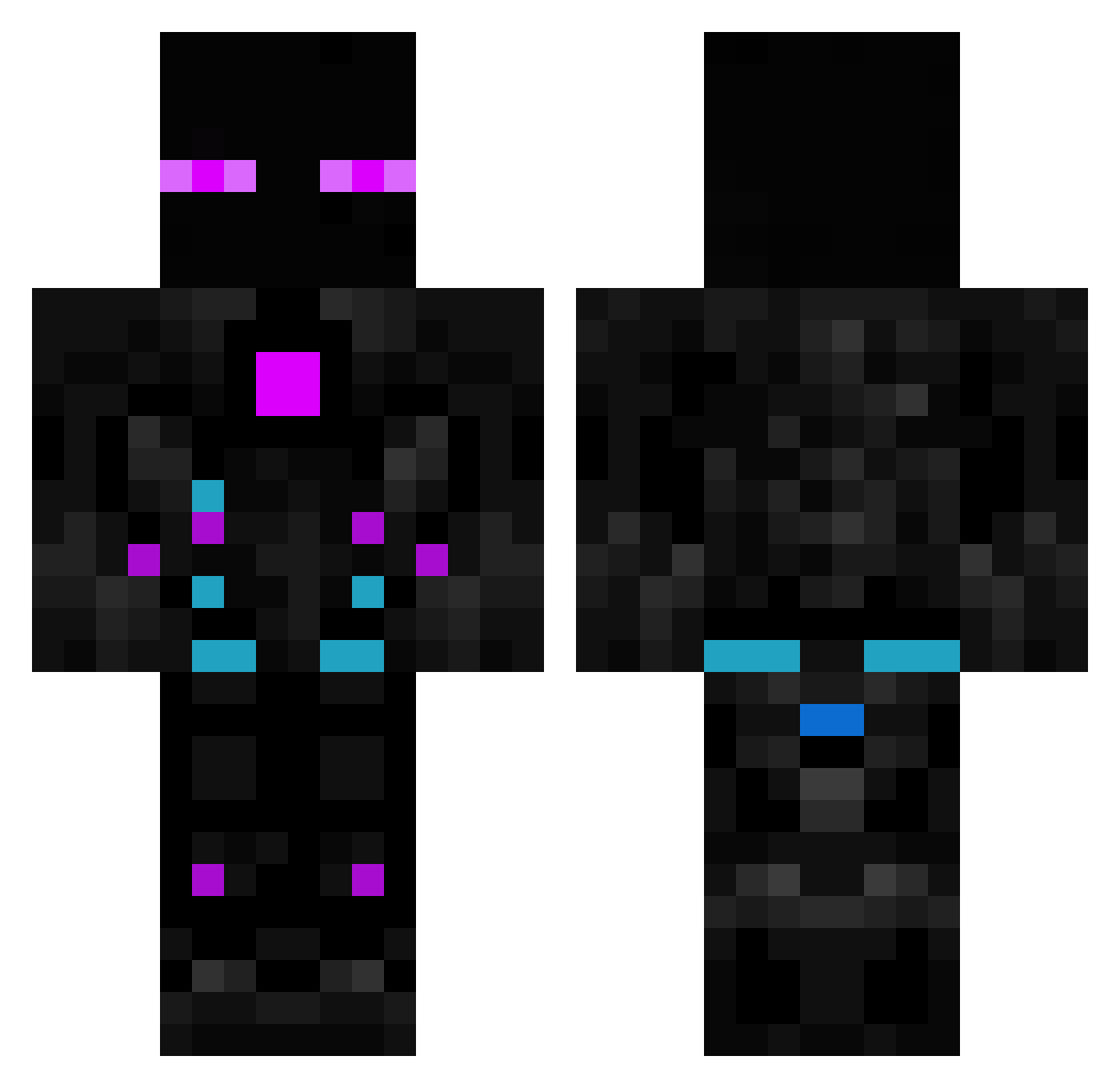
Other players with this skin (614)
JVDW1 was the 178th player we have seen with this skin, first spotted on 28.08.2026. The same skin was seen on these players. Open a nickname to see their current skin and skin history.
 Ozgurmans Ferkes Loyka7 GhostKingCL VittorM Nat69_ exum23 Gugupro22 urbancheese123 Willzera25 Sawada_ Maronida zano765 Adrosk ScoPeZz Mecenas2115 JUJUCHUM Xarexor _KingJet_ Skoclaw pkaiquefreire MidNightPurplee gabriel4004 opie012 GreenFern77 dreamtwopoint0 pedrohvisk_ Aquardian AlteSocke73 Snipeonsio ESESGorkem foraster34234 lamiMLGlame someonekillmee TheKayy Lucunib Robonator660 Panggare TR_Shield24 soggy0427 WhosThisScrub NamenslosXD JuregFumante ABHISHEK0917 NeymarJr10EA xiaobaicy Remiraz MeesticMNG Maxensaus4ever Major_Key Jr_mnm BrunoJM CyberSilver JAVIPROOO05 ThunderBeast69 Yuhacz LuffyHAK HiquePL evilmonkey1028 kron2200
More Cyborg Minecraft skins
How to install the JVDW1 skin
- Press the Download button above to save the skin as a PNG file.
- Minecraft: Bedrock Edition (PE): open the Dressing Room from the main menu (or tap your character → Edit Character), go to Classic Skins → Owned, press the + (new skin) button, choose the downloaded PNG and pick the Classic (Steve) model. Works on PC and mobile; consoles cannot import custom skins.
- Minecraft: Java Edition: open the Minecraft Launcher, go to the Skins tab, click New Skin, load the PNG, pick the Classic (Steve) model and press Save & Use. You can also upload it at minecraft.net → Profile → Change Skin.
The skin does not show up after import - what should I do?
Restart Minecraft and open the Dressing Room again - imported skins sometimes appear only after a restart. Also make sure you selected the imported skin and picked the Classic (Steve) model.
Which model should I choose, Classic or Slim?
This skin is designed for the Classic (Steve) model. If you pick the wrong model, the arms of the skin will look stretched or squeezed.
Is the skin of JVDW1 free to download?
Yes. Press Download, save the PNG file and use it in Minecraft: Bedrock Edition or Java Edition - no payment or registration needed. The skin also works on multiplayer servers and Realms.
More skins
Looking for more? Go back to all Minecraft skins and check the top skins of the week, month and all time, or find any player's skin by nickname.