
JLcien - Minecraft Skins & Skin History
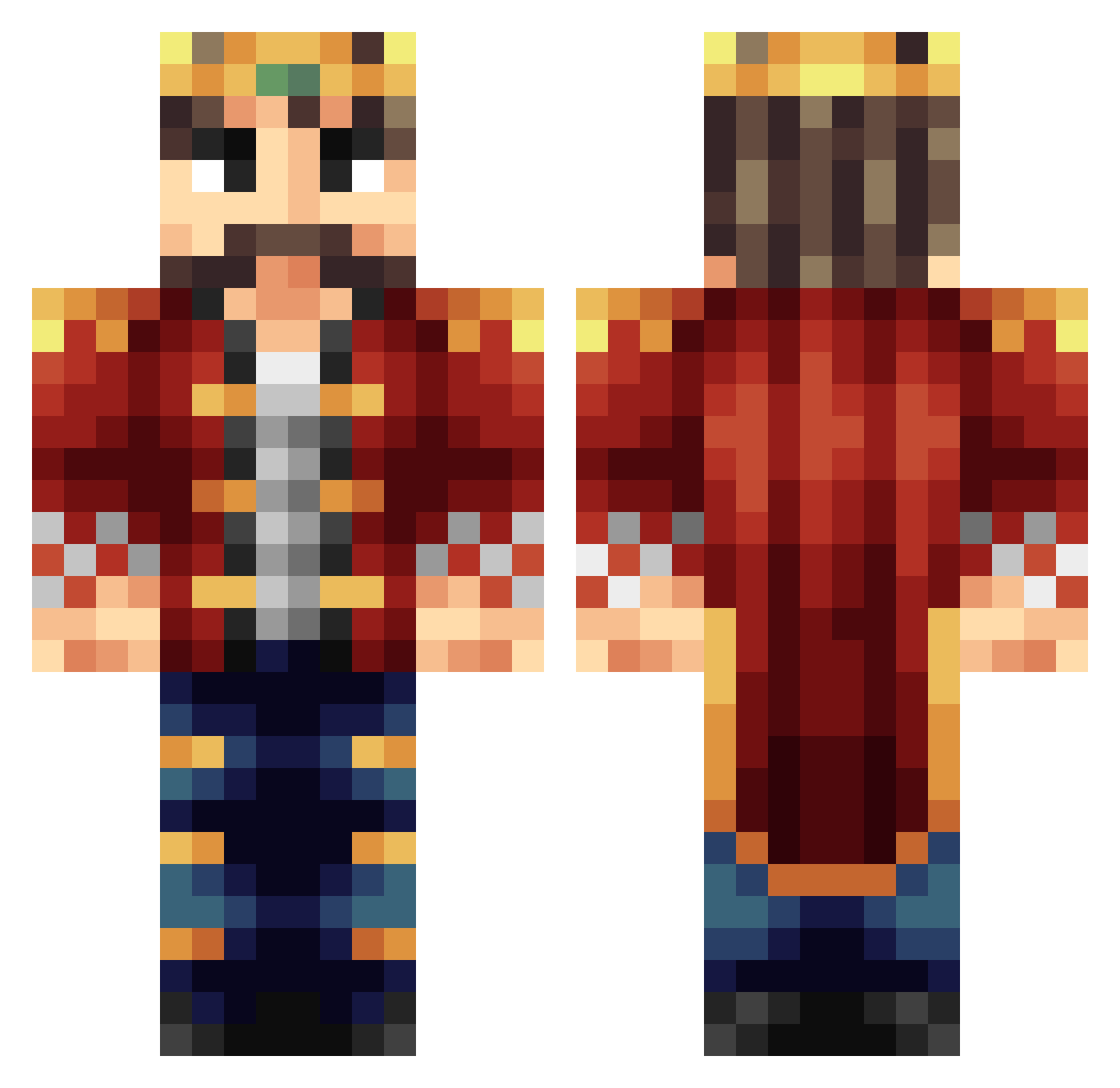
Current Minecraft skin of the player JLcien, loaded from the official Mojang API. Rotate the 3D model with your mouse or finger, then download the skin as a PNG file and use it in Minecraft: Bedrock Edition or Java Edition for free. When JLcien changes their skin, this page updates automatically and the old skin stays in the history below.
Other players with this skin (245)
JLcien was the 183rd player we have seen with this skin, first spotted on 16.10.2026. The same skin was seen on these players. Open a nickname to see their current skin and skin history.
 Xgqi77 StoleTheShadow WyteNite Disestablish Gratissimum theTiiflow Baumaki_ MilesTheRuler Thorwolf SteelBubbleBoi pmurph22 KilllerMonkey27 MAXWELLLL233 Mansto ElectricBanana Priedus WeSparrows Uluc4 BrainSmasher1906 KINGJOERS sjupiterman langjokull OHuang Phalange123 KingsGambit2 Karlminecraft888 Wrekchos bavingo sztanek1981 wolfwitdabigiron DarkValkyrieSin EthanPAPA0705 LouisKinder King_Lacka THELASTSTARFISH TheSaghbini Scoogee2 Dionist jitters__ qrk_ The_Pie_King JazperTheKing HighKingElvis Simply_Marci Aquecel slimedoodleYT Shadow_SaS OliBest Cursed_Berserk siruteok keycloud MrAlpheus ChatKing ROFLMFAOLEL Sportvisser Madlad2019 Sorceren333 dgeorge198 kapiteinspoof olimoray
More Technoblade Minecraft skins
See all 4262 Technoblade skins
How to install the JLcien skin
- Press the Download button above to save the skin as a PNG file.
- Minecraft: Bedrock Edition (PE): open the Dressing Room from the main menu (or tap your character → Edit Character), go to Classic Skins → Owned, press the + (new skin) button, choose the downloaded PNG and pick the Classic (Steve) model. Works on PC and mobile; consoles cannot import custom skins.
- Minecraft: Java Edition: open the Minecraft Launcher, go to the Skins tab, click New Skin, load the PNG, pick the Classic (Steve) model and press Save & Use. You can also upload it at minecraft.net → Profile → Change Skin.
The skin does not show up after import - what should I do?
Restart Minecraft and open the Dressing Room again - imported skins sometimes appear only after a restart. Also make sure you selected the imported skin and picked the Classic (Steve) model.
Which model should I choose, Classic or Slim?
This skin is designed for the Classic (Steve) model. If you pick the wrong model, the arms of the skin will look stretched or squeezed.
Is the skin of JLcien free to download?
Yes. Press Download, save the PNG file and use it in Minecraft: Bedrock Edition or Java Edition - no payment or registration needed. The skin also works on multiplayer servers and Realms.
More skins
Looking for more? Go back to all Minecraft skins and check the top skins of the week, month and all time, or find any player's skin by nickname.