
JJONG_11 - Minecraft Skins & Skin History
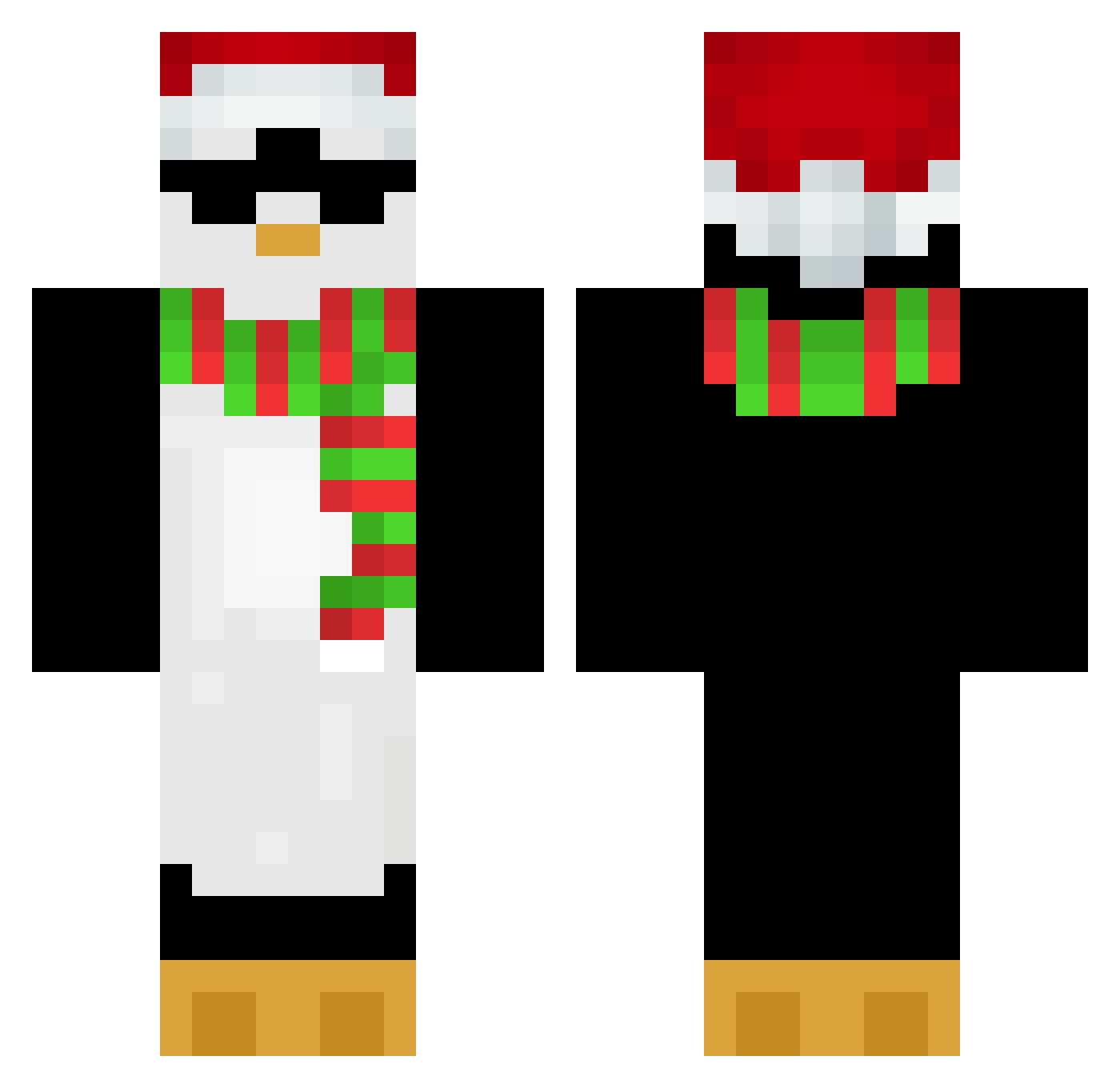
Current Minecraft skin of the player JJONG_11, loaded from the official Mojang API. Rotate the 3D model with your mouse or finger, then download the skin as a PNG file and use it in Minecraft: Bedrock Edition or Java Edition for free. When JJONG_11 changes their skin, this page updates automatically and the old skin stays in the history below.
Other players with this skin (738)
JJONG_11 was the 713th player we have seen with this skin, first spotted on 07.11.2026. The same skin was seen on these players. Open a nickname to see their current skin and skin history.
 dddavidddd hud293 Alchamy Ochi__ Gav9701 Oilynutella kingfish1703 ssoo_s smellychicken123 zPiingu LZMZ taiqui29 cloutzzz Aoay NAvi_SSS Pend13 Felipegrui Knumung Ammc2012 ToxicH4ck3r Apexoverdriveyt TeroHD44 NeuskoZajusko123 Y0FlenN hobeom1103 YA_PIDOR lnacve MisHaNya3 Kimsoonmu Penguin0901 thebiglegend4433 yanghaewon Elsicho purple_hayes22 zorial24 miny__shmeiz Andong1257 Crimson_Herrings Minecat_777 Pengu1nMC XDribbelX Trakye MrLukazz xxKillerek UropaSiegfried h4rv3s xKacza KongXD Santi04lg team1edgar Vastgoed babymouse168 hell1031 kim0308 madsun04 Not_7md Francisn13 Patrickstar1201 Moriion OnkelJuu
More Penguin Minecraft skins
How to install the JJONG_11 skin
- Press the Download button above to save the skin as a PNG file.
- Minecraft: Bedrock Edition (PE): open the Dressing Room from the main menu (or tap your character → Edit Character), go to Classic Skins → Owned, press the + (new skin) button, choose the downloaded PNG and pick the Classic (Steve) model. Works on PC and mobile; consoles cannot import custom skins.
- Minecraft: Java Edition: open the Minecraft Launcher, go to the Skins tab, click New Skin, load the PNG, pick the Classic (Steve) model and press Save & Use. You can also upload it at minecraft.net → Profile → Change Skin.
The skin does not show up after import - what should I do?
Restart Minecraft and open the Dressing Room again - imported skins sometimes appear only after a restart. Also make sure you selected the imported skin and picked the Classic (Steve) model.
Which model should I choose, Classic or Slim?
This skin is designed for the Classic (Steve) model. If you pick the wrong model, the arms of the skin will look stretched or squeezed.
Is the skin of JJONG_11 free to download?
Yes. Press Download, save the PNG file and use it in Minecraft: Bedrock Edition or Java Edition - no payment or registration needed. The skin also works on multiplayer servers and Realms.
More skins
Looking for more? Go back to all Minecraft skins and check the top skins of the week, month and all time, or find any player's skin by nickname.