
J0llyR09er - Minecraft Skins & Skin History
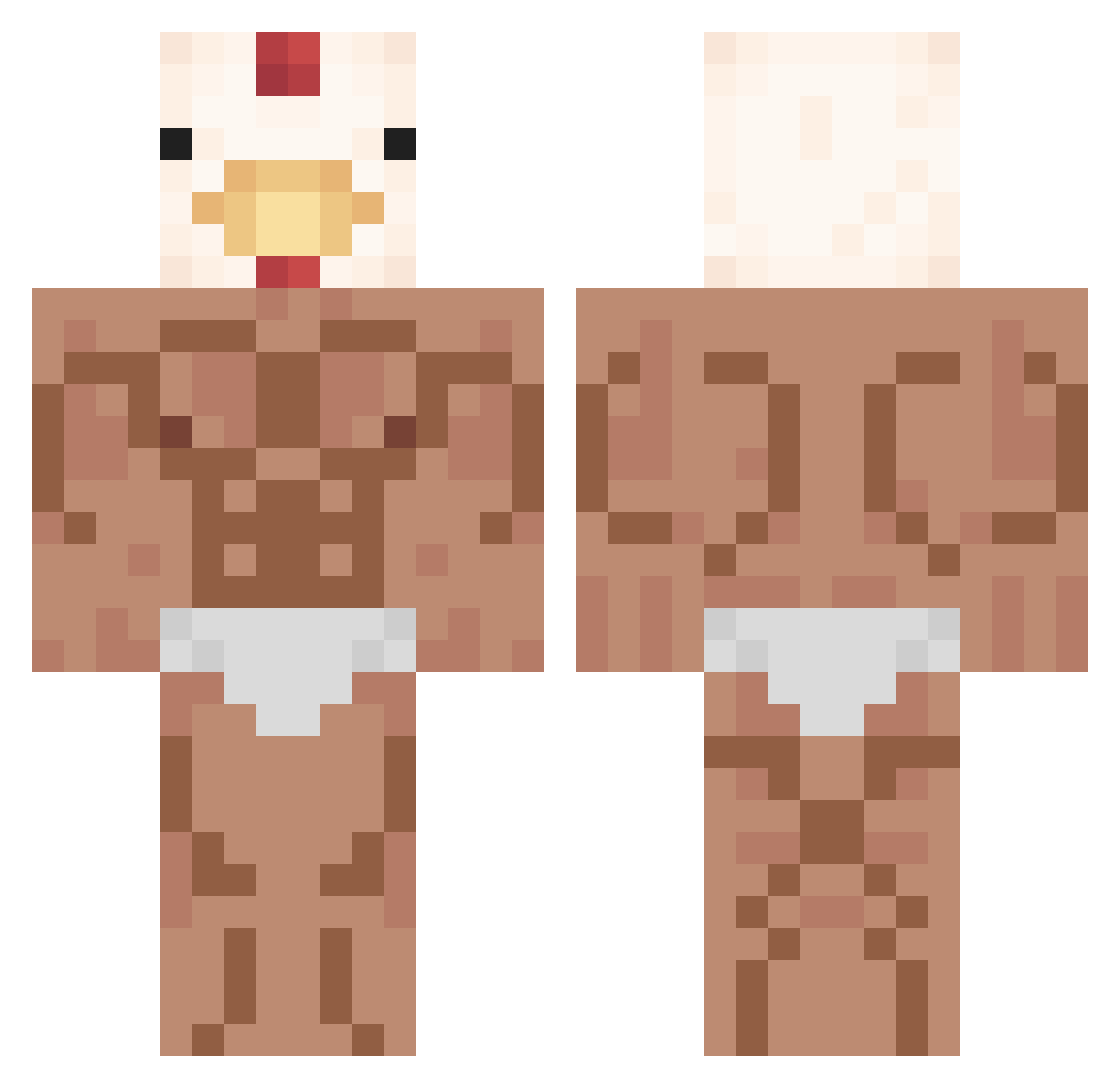
Current Minecraft skin of the player J0llyR09er, loaded from the official Mojang API. Rotate the 3D model with your mouse or finger, then download the skin as a PNG file and use it in Minecraft: Bedrock Edition or Java Edition for free. When J0llyR09er changes their skin, this page updates automatically and the old skin stays in the history below.
Other players with this skin (352)
J0llyR09er was the 293rd player we have seen with this skin, first spotted on 18.10.2026. The same skin was seen on these players. Open a nickname to see their current skin and skin history.
 Bobatt 1Reap giaoren r2b2l Spooky0spoon Vliegvisje123 NetherGirl69 waksymous Insane21 StrongGG69 POLLOVD GLuk852 Weiuuuu scasals _feyman_ TENCHICKEN Gyunni98 damea Segondese BulbyRaur Alpha_blanca yoyo91126 Fonchito123 joepajr NickSk0 network006 LordShadow_XbPG OtronHD AXG_V Rebound_SMP 100sam100 Ahokami opsop SPAM_kimbap Larmiina Danayla moinmeister6965 Flepsp LameAyam wakland Bentxi natsudragnil15 jackHDwilliams DennisInWar babyc0w 5blockheads Dyepez1 bamboo1233 JangSuBin0377 Xapure hwangpadak 5YEEE G_cmplee honey___bee DavThu FILIP_P2 iloveubby wsman7 idlegiretsum Deltoro08
More Chicken Minecraft skins
How to install the J0llyR09er skin
- Press the Download button above to save the skin as a PNG file.
- Minecraft: Bedrock Edition (PE): open the Dressing Room from the main menu (or tap your character → Edit Character), go to Classic Skins → Owned, press the + (new skin) button, choose the downloaded PNG and pick the Classic (Steve) model. Works on PC and mobile; consoles cannot import custom skins.
- Minecraft: Java Edition: open the Minecraft Launcher, go to the Skins tab, click New Skin, load the PNG, pick the Classic (Steve) model and press Save & Use. You can also upload it at minecraft.net → Profile → Change Skin.
The skin does not show up after import - what should I do?
Restart Minecraft and open the Dressing Room again - imported skins sometimes appear only after a restart. Also make sure you selected the imported skin and picked the Classic (Steve) model.
Which model should I choose, Classic or Slim?
This skin is designed for the Classic (Steve) model. If you pick the wrong model, the arms of the skin will look stretched or squeezed.
Is the skin of J0llyR09er free to download?
Yes. Press Download, save the PNG file and use it in Minecraft: Bedrock Edition or Java Edition - no payment or registration needed. The skin also works on multiplayer servers and Realms.
More skins
Looking for more? Go back to all Minecraft skins and check the top skins of the week, month and all time, or find any player's skin by nickname.