
Izumi30 - Minecraft Skins & Skin History
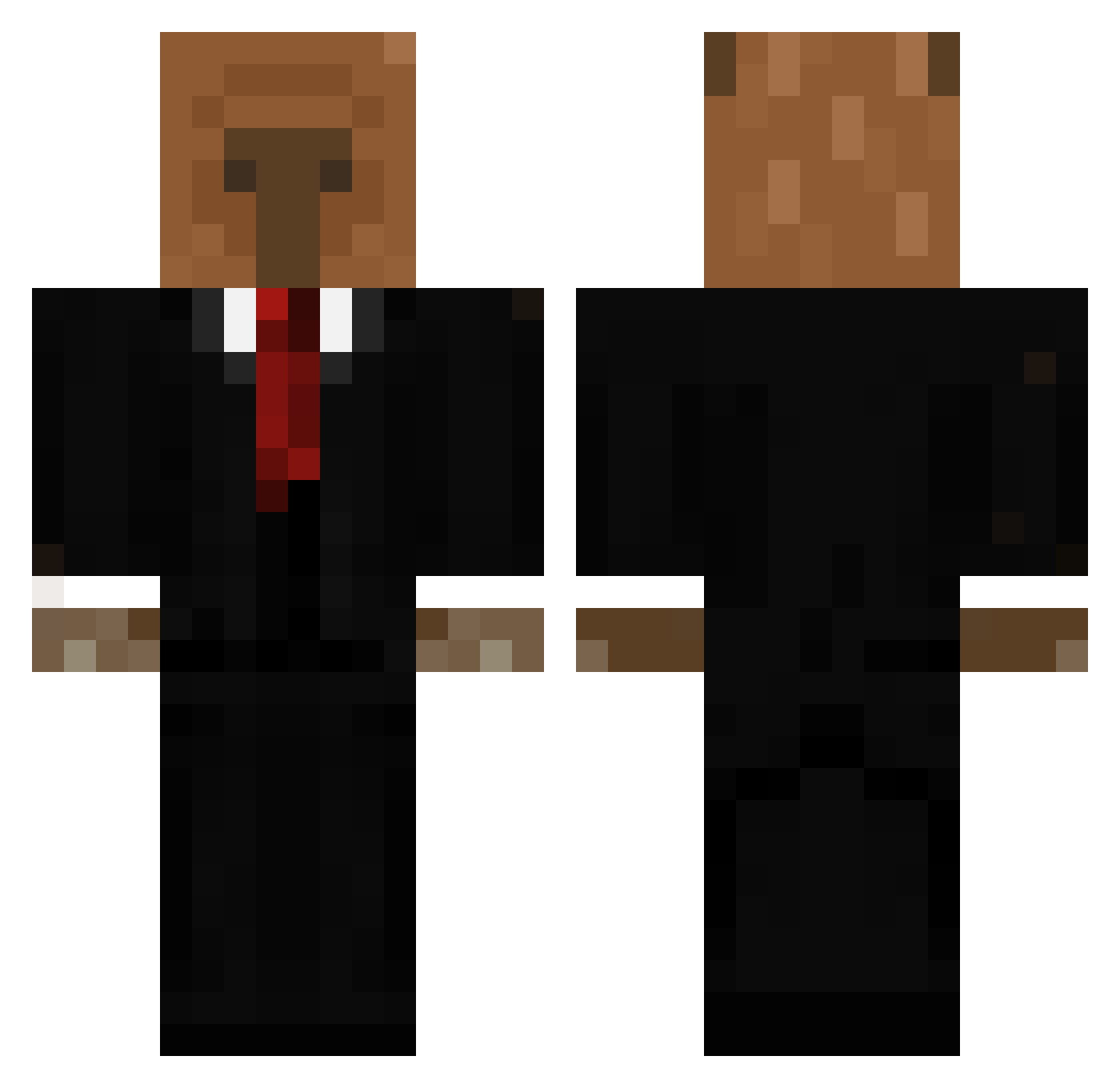
Current Minecraft skin of the player Izumi30, loaded from the official Mojang API. Rotate the 3D model with your mouse or finger, then download the skin as a PNG file and use it in Minecraft: Bedrock Edition or Java Edition for free. When Izumi30 changes their skin, this page updates automatically and the old skin stays in the history below.
Other players with this skin (656)
Izumi30 was the 384th player we have seen with this skin, first spotted on 01.10.2026. The same skin was seen on these players. Open a nickname to see their current skin and skin history.
 cappingbara Custodi0 Mundimboy abduthecreeper CesarPatino24 _Zeuslh_ tinyboxtim1273 MentallySoup jckjacob BenjaSuuS tiadelascocadas BeeRem Zereep AllanMatt Lorenzocosta2008 EL_TIO_NICK PippyPamper Toko_33 phj020201 MatRem04 carlover2213 Aus10ran duckkyu mordolpl Endernh _COD3X_ VULTUREJSM pizzagood2 Mrgeek62 SkarHoops TWaven Huey404 TopG187yKoebi raz2810 Aramondj hitler1945_ Secriwn Northowo ElimQ8 zecapaugordinho3 godcapivara GameHunter3645 flexibleb0ss Capybaraa187 elhouso BaumBlatt14 SamuelLoc GBatista SKDL00 Pradita02 LiamsL Cycyr07 Petchboom Kailanzinho HanTirX ZodiacX16 Arheex_ LIM_JAE_HYUN Mindless_Cow 51ves
More Business Bear Minecraft skins
See all 11 Business Bear skins
How to install the Izumi30 skin
- Press the Download button above to save the skin as a PNG file.
- Minecraft: Bedrock Edition (PE): open the Dressing Room from the main menu (or tap your character → Edit Character), go to Classic Skins → Owned, press the + (new skin) button, choose the downloaded PNG and pick the Classic (Steve) model. Works on PC and mobile; consoles cannot import custom skins.
- Minecraft: Java Edition: open the Minecraft Launcher, go to the Skins tab, click New Skin, load the PNG, pick the Classic (Steve) model and press Save & Use. You can also upload it at minecraft.net → Profile → Change Skin.
The skin does not show up after import - what should I do?
Restart Minecraft and open the Dressing Room again - imported skins sometimes appear only after a restart. Also make sure you selected the imported skin and picked the Classic (Steve) model.
Which model should I choose, Classic or Slim?
This skin is designed for the Classic (Steve) model. If you pick the wrong model, the arms of the skin will look stretched or squeezed.
Is the skin of Izumi30 free to download?
Yes. Press Download, save the PNG file and use it in Minecraft: Bedrock Edition or Java Edition - no payment or registration needed. The skin also works on multiplayer servers and Realms.
More skins
Looking for more? Go back to all Minecraft skins and check the top skins of the week, month and all time, or find any player's skin by nickname.