
Ivizxc - Minecraft Skins & Skin History
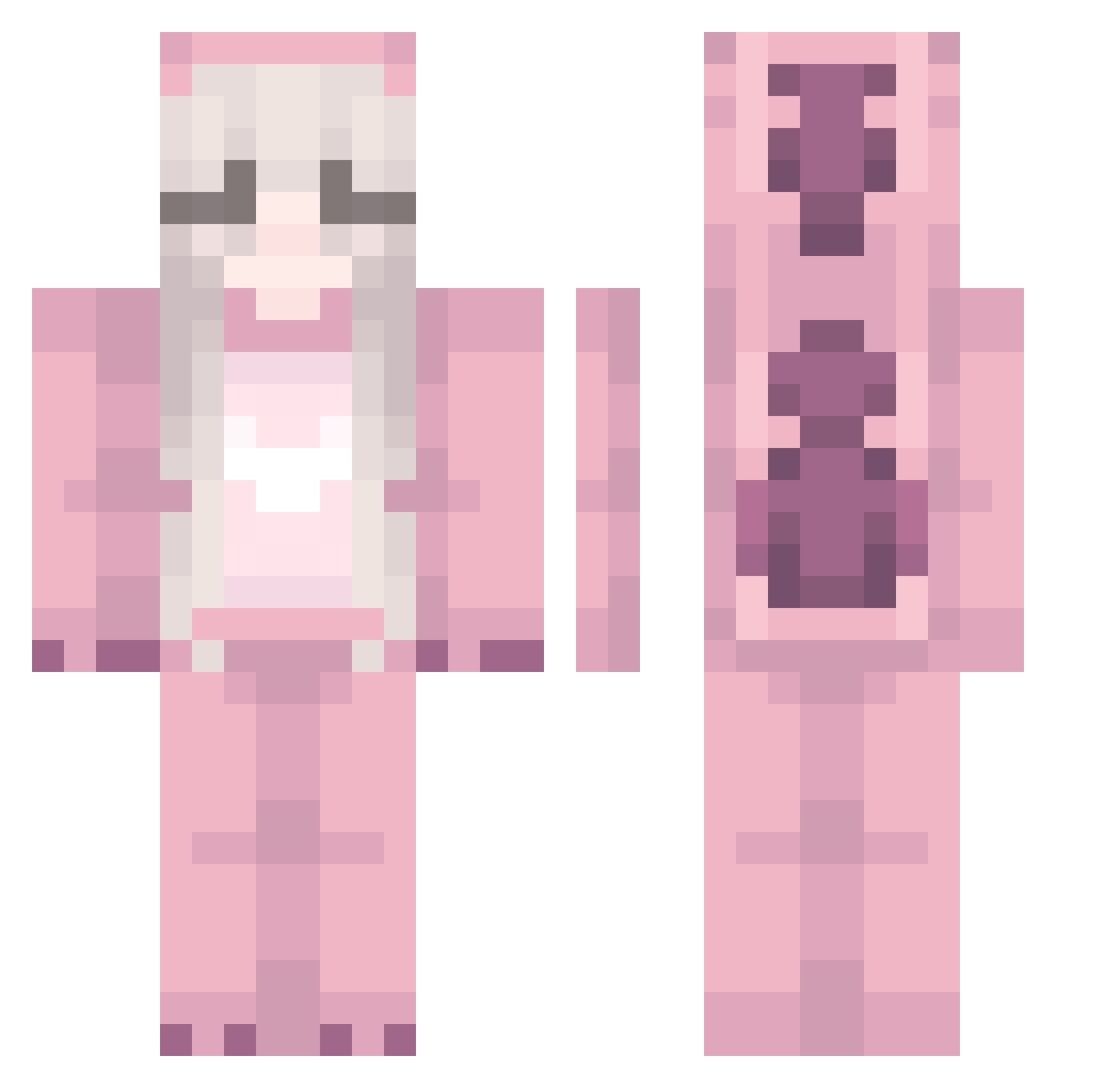
Current Minecraft skin of the player Ivizxc, loaded from the official Mojang API. Rotate the 3D model with your mouse or finger, then download the skin as a PNG file and use it in Minecraft: Bedrock Edition or Java Edition for free. When Ivizxc changes their skin, this page updates automatically and the old skin stays in the history below.
Other players with this skin (249)
Ivizxc was the 113th player we have seen with this skin, first spotted on 21.09.2026. The same skin was seen on these players. Open a nickname to see their current skin and skin history.
 Haittle lololadeglingo itzhannahlu chiptole420 D4rk_Time StinkyFroggy LorriCHE Linkin_Park83 RatsTyler Lunathant parkyujin808 OnlyPixy HammerMage Jortsas 326kw Mironne ana_122 Alanoudx WhiteJordan69 kx0ala_ Smakmyazlikedrum oLime_ Vampy931 Soffepoff Ducklove101 paulettaaa maevy0 Takeyo5846 Aquaa008 MaddyGirl13 KottonCandy2005 pinkkrystle OctoberFille MIN_GUK MEOWKITTYTORY EvilDuckyBoo bellaopal HoneySpace18 RIMURU1023 TEDEMI Winnithepoohh syuni123 Julcana mvzqq PowerMonster630 plantonion3224 Sporkiette Sidnie_2 GrandMasterII M0stDangerous dollclaw killerPuP07 ThiccDaddyDylf Krysasvod barbatopie Usaggi 1_ex1e Czekol4dka Sepherescent Greenbear6209
More Kigurumi Minecraft skins
How to install the Ivizxc skin
- Press the Download button above to save the skin as a PNG file.
- Minecraft: Bedrock Edition (PE): open the Dressing Room from the main menu (or tap your character → Edit Character), go to Classic Skins → Owned, press the + (new skin) button, choose the downloaded PNG and pick the Classic (Steve) model. Works on PC and mobile; consoles cannot import custom skins.
- Minecraft: Java Edition: open the Minecraft Launcher, go to the Skins tab, click New Skin, load the PNG, pick the Classic (Steve) model and press Save & Use. You can also upload it at minecraft.net → Profile → Change Skin.
The skin does not show up after import - what should I do?
Restart Minecraft and open the Dressing Room again - imported skins sometimes appear only after a restart. Also make sure you selected the imported skin and picked the Classic (Steve) model.
Which model should I choose, Classic or Slim?
This skin is designed for the Classic (Steve) model. If you pick the wrong model, the arms of the skin will look stretched or squeezed.
Is the skin of Ivizxc free to download?
Yes. Press Download, save the PNG file and use it in Minecraft: Bedrock Edition or Java Edition - no payment or registration needed. The skin also works on multiplayer servers and Realms.
More skins
Looking for more? Go back to all Minecraft skins and check the top skins of the week, month and all time, or find any player's skin by nickname.