
IvanTheRapist - Minecraft Skins & Skin History
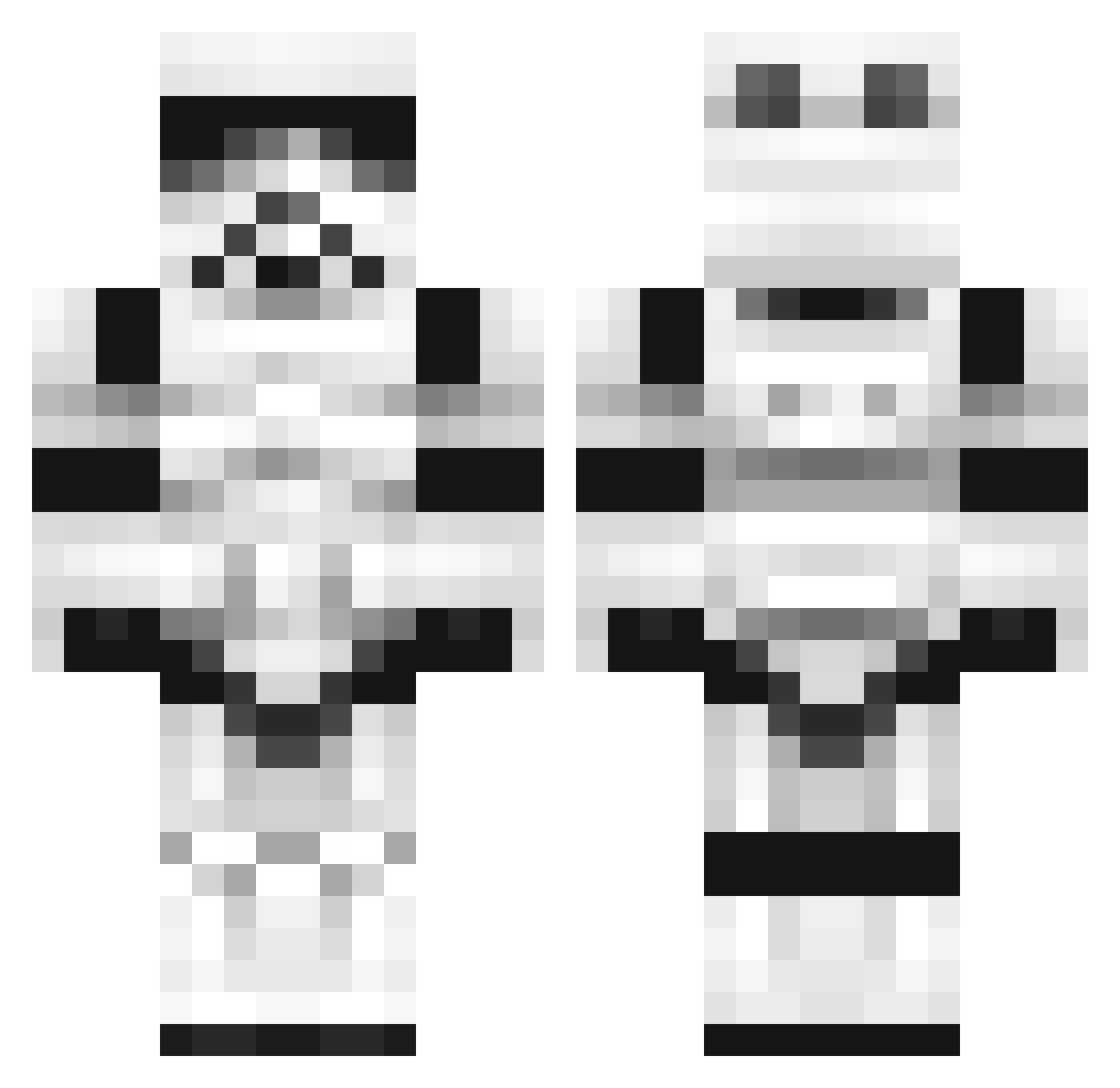
Current Minecraft skin of the player IvanTheRapist, loaded from the official Mojang API. Rotate the 3D model with your mouse or finger, then download the skin as a PNG file and use it in Minecraft: Bedrock Edition or Java Edition for free. When IvanTheRapist changes their skin, this page updates automatically and the old skin stays in the history below.
Other players with this skin (1101)
IvanTheRapist was the 185th player we have seen with this skin, first spotted on 13.08.2026. The same skin was seen on these players. Open a nickname to see their current skin and skin history.
 RufusDufus5 Zezrom xxxhjb nowonshall akaman79 LukeN2006 Deathmachine6194 SmokeTime Kerubin77 BENmg24 riggz93 gamekrusha sxuid clones1234 LLAMAWAFFLES daneic F4IDas Aurum79 patch385 Endder_ pringalz JacobMStudios Doomtrain80 Sydxo Goll420 stevenjosephydg JefGolden Focir leonhase DarkNovatrooper funkymunke Fallschrimjaeger NeCro_HaVok neverhaveiever MisterCoolio2004 mrWilco StuntBandit600 dingochalupa alexygen GreyhoundJDD ShadowJamZ XDoLsOnX andyv92 Minivirus53 briten9 LaCash lvx26 HitYou2times Josh2381 StormtrooperHD RichardLXI VanishThe 4Cyb3r DustyDitches bwbrad cheat07 Shaminasen Espi52 SzarWars WrongNumba
More Trooper Minecraft skins
How to install the IvanTheRapist skin
- Press the Download button above to save the skin as a PNG file.
- Minecraft: Bedrock Edition (PE): open the Dressing Room from the main menu (or tap your character → Edit Character), go to Classic Skins → Owned, press the + (new skin) button, choose the downloaded PNG and pick the Classic (Steve) model. Works on PC and mobile; consoles cannot import custom skins.
- Minecraft: Java Edition: open the Minecraft Launcher, go to the Skins tab, click New Skin, load the PNG, pick the Classic (Steve) model and press Save & Use. You can also upload it at minecraft.net → Profile → Change Skin.
The skin does not show up after import - what should I do?
Restart Minecraft and open the Dressing Room again - imported skins sometimes appear only after a restart. Also make sure you selected the imported skin and picked the Classic (Steve) model.
Which model should I choose, Classic or Slim?
This skin is designed for the Classic (Steve) model. If you pick the wrong model, the arms of the skin will look stretched or squeezed.
Is the skin of IvanTheRapist free to download?
Yes. Press Download, save the PNG file and use it in Minecraft: Bedrock Edition or Java Edition - no payment or registration needed. The skin also works on multiplayer servers and Realms.
More skins
Looking for more? Go back to all Minecraft skins and check the top skins of the week, month and all time, or find any player's skin by nickname.