
ItzMoisesYT - Minecraft Skins & Skin History
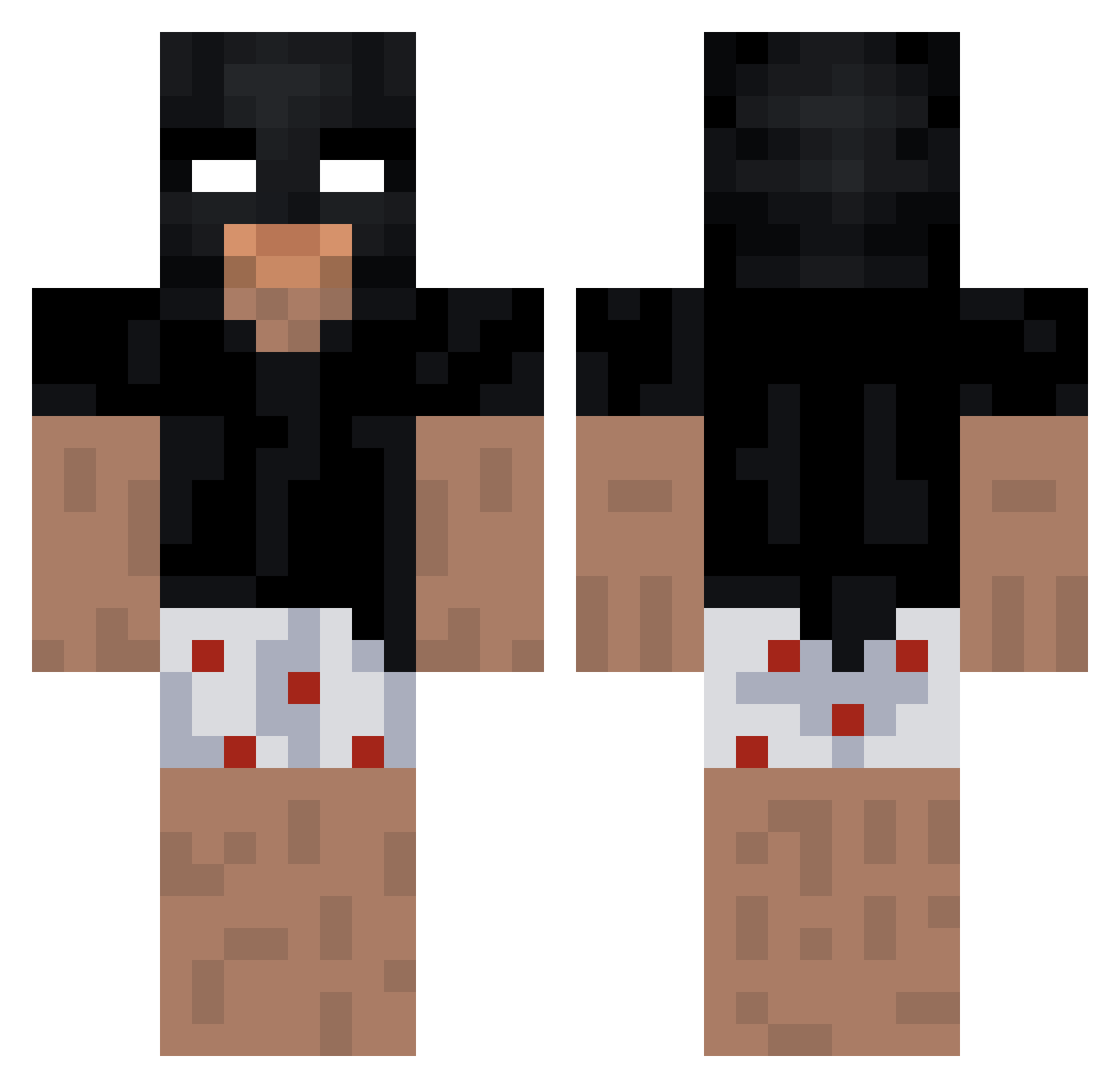
Current Minecraft skin of the player ItzMoisesYT, loaded from the official Mojang API. Rotate the 3D model with your mouse or finger, then download the skin as a PNG file and use it in Minecraft: Bedrock Edition or Java Edition for free. When ItzMoisesYT changes their skin, this page updates automatically and the old skin stays in the history below.
Other players with this skin (184)
ItzMoisesYT was the 40th player we have seen with this skin, first spotted on 17.08.2026. The same skin was seen on these players. Open a nickname to see their current skin and skin history.
 ChoppedKebab ogbercik scoreBR younesT Lilliiiiiiiii SqueezieMatcholi Costa1906 matbaten Mc_Robi14 ezarchie Rulo69 notvelca 3atTrades AskHannibal wuoey Nicolas200000 CB_Matt Sw3lix NemoX8 abyssinterlude luluber2342 TLELYP darkerne1 colossy Mainiac_Hoop
 Ratfunny Kugelfisch08 AAGroup21 lovest4r_ Cosmic_gooner Hineksa 1_TWIX_1 Cloclorigolo P3density F1R0ZZ angelonjara vamphy2 Medved62 Blueberry_Dude BlqzeR4de nowyLarryFlyntt Walmart_TV Waltuh6969 wawababi PokeTacuache FernandoSnw
 Cyb_Ork Asier_op NinjaDrax davitaboztamefe
 4o4_Matko xSuie errossa49 vJonathan 2nsi zz_qvUmp_12_14 v6ine Sam282828 AntonZengerink MilowilOO
More Batman Minecraft skins
How to install the ItzMoisesYT skin
- Press the Download button above to save the skin as a PNG file.
- Minecraft: Bedrock Edition (PE): open the Dressing Room from the main menu (or tap your character → Edit Character), go to Classic Skins → Owned, press the + (new skin) button, choose the downloaded PNG and pick the Classic (Steve) model. Works on PC and mobile; consoles cannot import custom skins.
- Minecraft: Java Edition: open the Minecraft Launcher, go to the Skins tab, click New Skin, load the PNG, pick the Classic (Steve) model and press Save & Use. You can also upload it at minecraft.net → Profile → Change Skin.
The skin does not show up after import - what should I do?
Restart Minecraft and open the Dressing Room again - imported skins sometimes appear only after a restart. Also make sure you selected the imported skin and picked the Classic (Steve) model.
Which model should I choose, Classic or Slim?
This skin is designed for the Classic (Steve) model. If you pick the wrong model, the arms of the skin will look stretched or squeezed.
Is the skin of ItzMoisesYT free to download?
Yes. Press Download, save the PNG file and use it in Minecraft: Bedrock Edition or Java Edition - no payment or registration needed. The skin also works on multiplayer servers and Realms.
More skins
Looking for more? Go back to all Minecraft skins and check the top skins of the week, month and all time, or find any player's skin by nickname.