
ItzMiles69 - Minecraft Skins & Skin History
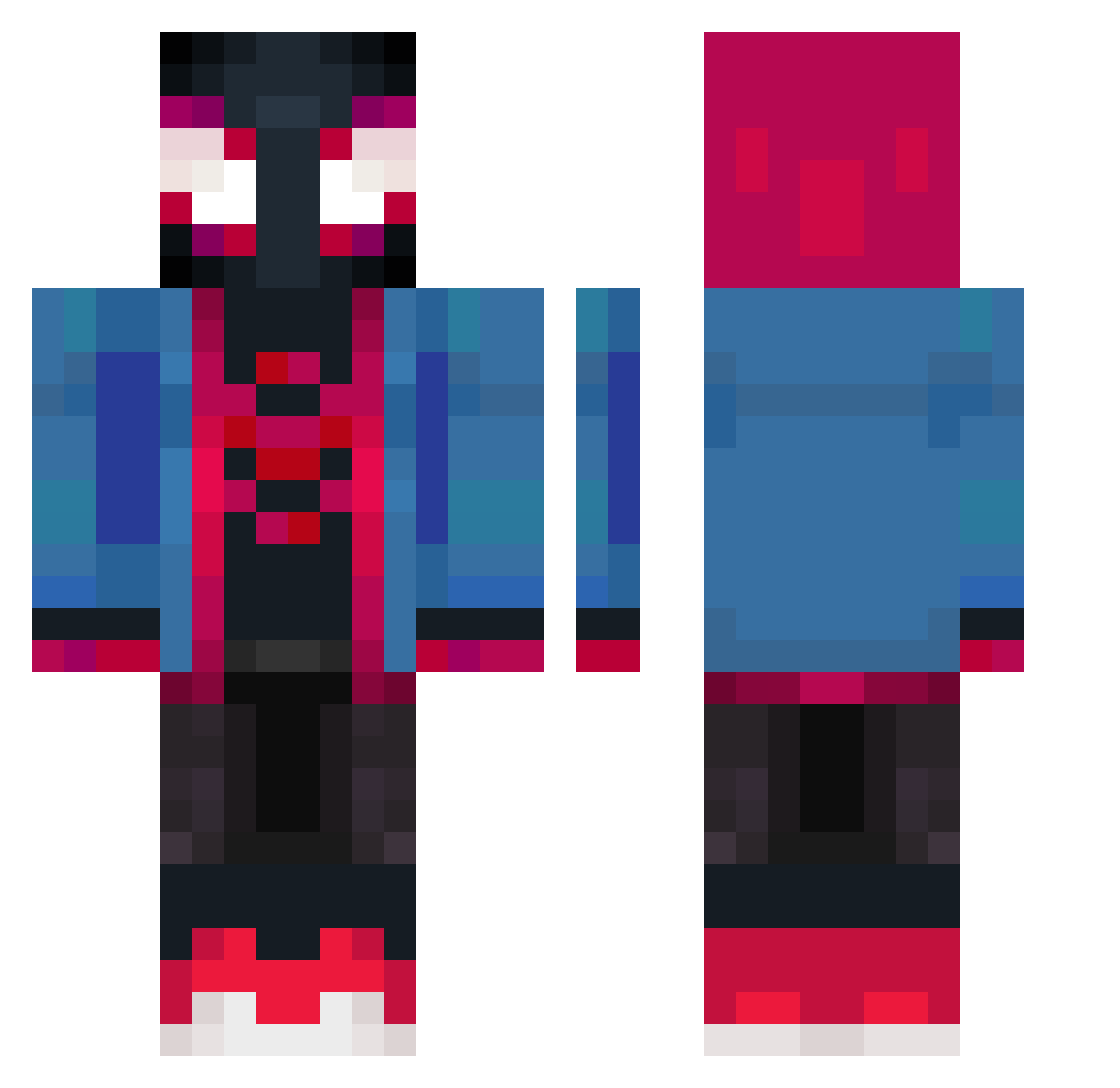
Current Minecraft skin of the player ItzMiles69, loaded from the official Mojang API. Rotate the 3D model with your mouse or finger, then download the skin as a PNG file and use it in Minecraft: Bedrock Edition or Java Edition for free. When ItzMiles69 changes their skin, this page updates automatically and the old skin stays in the history below.
Other players with this skin (426)
ItzMiles69 was the 384th player we have seen with this skin, first spotted on 23.10.2026. The same skin was seen on these players. Open a nickname to see their current skin and skin history.
 FAZE_Ropz rainytears02 KitZ1211 yiro890gr _Chipi_Chipi_ goncalo14g BrennanMB GHSTisHim BothEmperor3120 imperator826 ericans Keirin8_ posingaura Macedin GJM_ MinkyStink Cristiano0077 g1anmarcos Mishingen RojazoMC Harveyzito lil_Toda567 DeKayK sergius1999 Nga953 ObedM304 riszkp PJRsilva Achilles799 Custer26 xClooth RsTeTinha pomy0 FiveSummer CrystalPaula Meaksyy jaypablo28 imcorr love0316ww dragonslayer1625 Demillow Maxoulilou TAK00o alexkim1024 Blackmajic234 Bartman11200 Xxars reyes011 blvckSn0wy Patachin_ SpiderEnby0031 Jayahoras TheNewSpidy Tibonskiiii Downdrift2099 MilesMorale3s Eclipse9665 Hqwn77 booooophantom BerserkD
More Miles Morales Minecraft skins
See all 256 Miles Morales skins
How to install the ItzMiles69 skin
- Press the Download button above to save the skin as a PNG file.
- Minecraft: Bedrock Edition (PE): open the Dressing Room from the main menu (or tap your character → Edit Character), go to Classic Skins → Owned, press the + (new skin) button, choose the downloaded PNG and pick the Classic (Steve) model. Works on PC and mobile; consoles cannot import custom skins.
- Minecraft: Java Edition: open the Minecraft Launcher, go to the Skins tab, click New Skin, load the PNG, pick the Classic (Steve) model and press Save & Use. You can also upload it at minecraft.net → Profile → Change Skin.
The skin does not show up after import - what should I do?
Restart Minecraft and open the Dressing Room again - imported skins sometimes appear only after a restart. Also make sure you selected the imported skin and picked the Classic (Steve) model.
Which model should I choose, Classic or Slim?
This skin is designed for the Classic (Steve) model. If you pick the wrong model, the arms of the skin will look stretched or squeezed.
Is the skin of ItzMiles69 free to download?
Yes. Press Download, save the PNG file and use it in Minecraft: Bedrock Edition or Java Edition - no payment or registration needed. The skin also works on multiplayer servers and Realms.
More skins
Looking for more? Go back to all Minecraft skins and check the top skins of the week, month and all time, or find any player's skin by nickname.