
IowLowPow - Minecraft Skins & Skin History
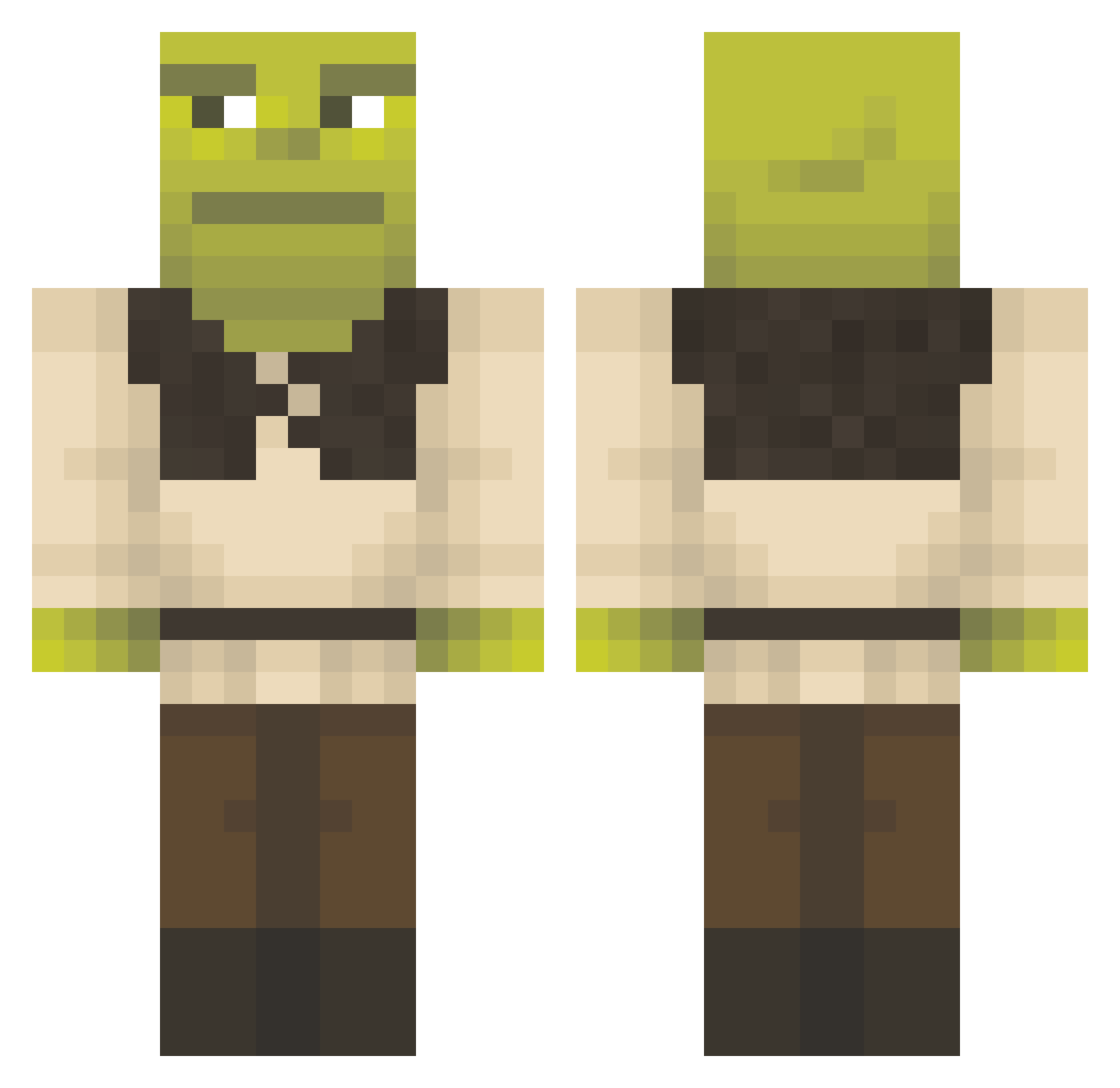
Current Minecraft skin of the player IowLowPow, loaded from the official Mojang API. Rotate the 3D model with your mouse or finger, then download the skin as a PNG file and use it in Minecraft: Bedrock Edition or Java Edition for free. When IowLowPow changes their skin, this page updates automatically and the old skin stays in the history below.
Other players with this skin (1297)
IowLowPow was the 899th player we have seen with this skin, first spotted on 04.10.2026. The same skin was seen on these players. Open a nickname to see their current skin and skin history.
 CANCELBANKDIS The_StrangeOne ShrekimusMaximus PandaMoanYum sofifiyuh Shrekkie 0OO9 Mistergixxer876 MediumRareFetus AwkwardMuffin00 Stalhammar MarceloX93 Normalleaf20 natashano extremespaghett KarenPlayhouse nugg3ies Matee75 Sircook456 Grimjaegerr Gaboss1717 TruckPuck cmdOP Fireblue91 Nikkirahh Dajangoh Esel_Panini MatkoPanko XanaxRetard TomasRss Erbasen Chilaquil15 Tomarczyk16 Bagno1 random_clouds buba246 exe_error_4o4 Skweeezy Ska_du_frontes PedroLucas Carolicity ZelekOkrutnik MelanciaVerde Baby_Adolf nobuvan Popomo11 Pandalf2 Felspato Tell3r Seilazar Smellycheez HopfenundMalz01 Snailb0y pandelis11 5H4DE1 Touchless_ lilkodie ELGRANDOTE untag_YBS MrSlideWayz28
More Shrek Minecraft skins
How to install the IowLowPow skin
- Press the Download button above to save the skin as a PNG file.
- Minecraft: Bedrock Edition (PE): open the Dressing Room from the main menu (or tap your character → Edit Character), go to Classic Skins → Owned, press the + (new skin) button, choose the downloaded PNG and pick the Classic (Steve) model. Works on PC and mobile; consoles cannot import custom skins.
- Minecraft: Java Edition: open the Minecraft Launcher, go to the Skins tab, click New Skin, load the PNG, pick the Classic (Steve) model and press Save & Use. You can also upload it at minecraft.net → Profile → Change Skin.
The skin does not show up after import - what should I do?
Restart Minecraft and open the Dressing Room again - imported skins sometimes appear only after a restart. Also make sure you selected the imported skin and picked the Classic (Steve) model.
Which model should I choose, Classic or Slim?
This skin is designed for the Classic (Steve) model. If you pick the wrong model, the arms of the skin will look stretched or squeezed.
Is the skin of IowLowPow free to download?
Yes. Press Download, save the PNG file and use it in Minecraft: Bedrock Edition or Java Edition - no payment or registration needed. The skin also works on multiplayer servers and Realms.
More skins
Looking for more? Go back to all Minecraft skins and check the top skins of the week, month and all time, or find any player's skin by nickname.