
Im_Jared19 - Minecraft Skins & Skin History
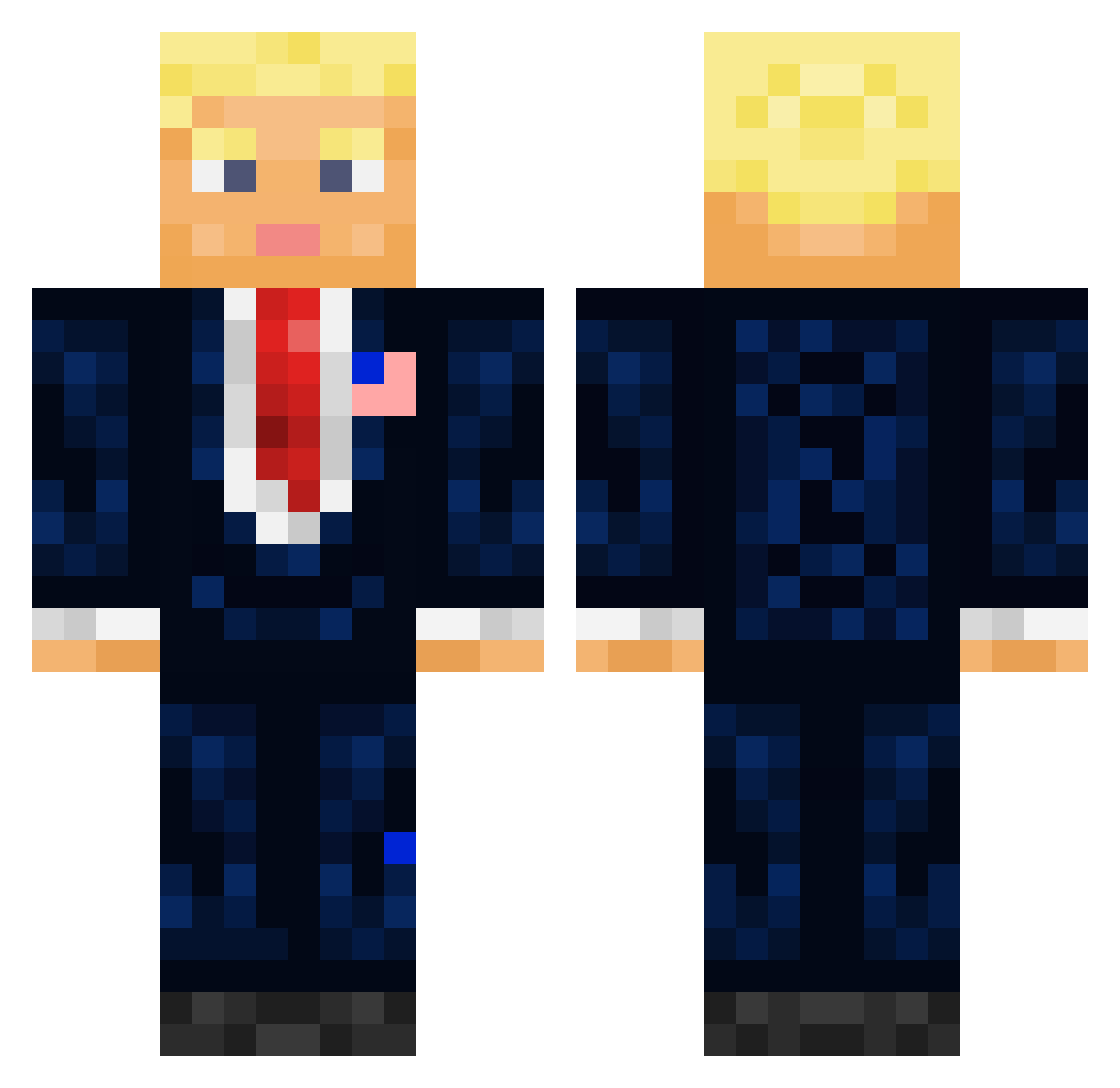
Current Minecraft skin of the player Im_Jared19, loaded from the official Mojang API. Rotate the 3D model with your mouse or finger, then download the skin as a PNG file and use it in Minecraft: Bedrock Edition or Java Edition for free. When Im_Jared19 changes their skin, this page updates automatically and the old skin stays in the history below.
Other players with this skin (711)
Im_Jared19 was the 376th player we have seen with this skin, first spotted on 25.09.2026. The same skin was seen on these players. Open a nickname to see their current skin and skin history.
 GeneralAndrin pavamelon_ itsrol4 Golden24_ _Donald_Trump Letodie LINEnews Royalwood51 kiddinoo FreeCandy6969 JoeyBR01 Doggyman007 thebusiness4 Phasme_Maskey TheANiallator zxc52sky TheMr_Error404 BIIRCHE pilpel2000 Shad0wKill3r823 Donal_Trumpet KatzeG Kelonso102 Garrrp_ Damamadel ChickenGodDude69 otakar04 Mr_Shane_ lachyzacky Mijo14 M7tche11 Baxter7551 Vixxy132 TheZohan420 GPuderbaugh13 Tsknoeber BossJepa Xappter SamRey18 microsoft_10 S4iber Pickles748 Joyoonmin the_octavarium DOMINAT0R01 CuteGecko WormierRock0 WallaceDJAndrew jackattackbite murty507 SystemaSolaris8 OrderedThrone5 Karolloo_ ryaw3 Vince2112 LeftyTheBadger Team_Smirnov sopie_ jochsaus DodoTrump
More President Minecraft skins
How to install the Im_Jared19 skin
- Press the Download button above to save the skin as a PNG file.
- Minecraft: Bedrock Edition (PE): open the Dressing Room from the main menu (or tap your character → Edit Character), go to Classic Skins → Owned, press the + (new skin) button, choose the downloaded PNG and pick the Classic (Steve) model. Works on PC and mobile; consoles cannot import custom skins.
- Minecraft: Java Edition: open the Minecraft Launcher, go to the Skins tab, click New Skin, load the PNG, pick the Classic (Steve) model and press Save & Use. You can also upload it at minecraft.net → Profile → Change Skin.
The skin does not show up after import - what should I do?
Restart Minecraft and open the Dressing Room again - imported skins sometimes appear only after a restart. Also make sure you selected the imported skin and picked the Classic (Steve) model.
Which model should I choose, Classic or Slim?
This skin is designed for the Classic (Steve) model. If you pick the wrong model, the arms of the skin will look stretched or squeezed.
Is the skin of Im_Jared19 free to download?
Yes. Press Download, save the PNG file and use it in Minecraft: Bedrock Edition or Java Edition - no payment or registration needed. The skin also works on multiplayer servers and Realms.
More skins
Looking for more? Go back to all Minecraft skins and check the top skins of the week, month and all time, or find any player's skin by nickname.